


If you've researched scheduling software, you've probably seen "white-label" listed as a feature. But what does it actually mean? And is it something your business actually needs?
Here's a scenario: a potential client is on your website. They're interested. They click "Book a Consultation" and land on a page that says calendly.com/your-business-name with someone else's logo in the corner.
It's a small thing. Most clients won't consciously notice. But for businesses where professionalism and trust directly influence whether someone becomes a client, such as law firms, agencies, consultants, studios, that small detail can quietly undermine an otherwise polished brand experience.
This is the problem white-label scheduling addresses. This guide breaks down what it actually includes, who benefits most from it, and how to evaluate whether it's worth the investment.
What "White-Label" Actually Means
The term gets thrown around loosely in software marketing, so let's be specific.
White-label scheduling software allows you to present the entire booking experience under your own brand, with no visible connection to the scheduling tool you're using. To your clients, it looks like you built a custom booking system yourself.
True white-labeling includes three components:
1. A Custom Booking Domain
Instead of sending clients to schedulingtool.com/yourbusiness, they go to booking.yourbusiness.com.
This might seem like a minor detail, but URLs matter. They appear in emails you send, calendar invites your clients save, browser bars during booking, and link previews when shared on Slack or LinkedIn. A custom domain reinforces your brand at every touchpoint and signals permanence that you're not just using a generic tool.
Here's what's surprising: most scheduling tools don't offer custom booking domains at all. You can often customize colors and add your logo, but the URL still belongs to them. This limitation exists even in premium tiers of many popular tools. Before assuming a tool supports this, verify it specifically.
2. Email Notifications From Your Domain
When a client books an appointment, they receive a confirmation email. When the appointment is tomorrow, they get a reminder. If they reschedule or cancel, more emails follow. Scheduling software sends more emails on your behalf than most people realize.
With most scheduling tools, these emails come from addresses like notifications@schedulingtool.com or noreply@bookingsystem.io. The client sees a third-party name in their inbox, and if they want to reply with a question, they can't reach you directly. These emails also get filed separately from your direct communications, fragmenting the client relationship.
White-label email notifications send these messages from your own domain, something like scheduling@yourbusiness.com or appointments@yourfirm.com. Clients can reply directly, emails appear alongside your other correspondence, and every notification reinforces your brand instead of someone else's.
One thing to verify: some tools offer partial white-labeling where the display name shows your business, but the actual email address is still theirs. Full white-labeling means the sending address itself is your domain.
3. Complete Removal of Third-Party Branding
Many scheduling tools include "Powered by [Tool Name]" in the footer of booking pages or email notifications. But branding can appear in less obvious places too: email footers, calendar invite descriptions, browser tab titles, and booking confirmation screens.
Full white-labeling means no third-party branding anywhere. Not on your booking page, not in confirmation emails, not in calendar invitations. Before committing to a tool, book a test appointment yourself and check every touchpoint. Any branding that bothers you now will bother you with every client interaction.
Why This Matters More for Some Businesses Than Others
Let's be honest: white-labeling isn't essential for everyone.
If you're a freelancer booking casual coffee chats, or a small business where clients already know and trust you, third-party branding on your booking page probably won't cost you any business. Your existing relationship carries more weight than the URL in your booking link.
But for certain industries, the booking experience is a trust signal that directly affects whether someone becomes a client, especially when they're meeting you for the first time.
Law Firms and Legal Professionals
Legal clients are often anxious. They're dealing with something stressful—a business dispute, a divorce, an estate issue, a contract they don't understand. Many have never hired an attorney before. They're not just evaluating your credentials; they're evaluating whether they can trust you with something important and often personal.
These clients tend to notice details. They're already scrutinizing your website, reading reviews, and comparing you against other firms. The booking experience is part of that evaluation, whether they're conscious of it or not.
When a potential client clicks "Schedule a Consultation" and lands on a polished booking page at booking.smithlawfirm.com, it reinforces that this is an established practice with professional systems in place. When they land on a generic third-party page with another company's branding, it can subtly suggest a smaller or less established operation, even if that's not true.
Solo attorneys and small firms feel this most acutely. You're often competing against larger firms with dedicated intake coordinators, custom client portals, and polished onboarding sequences. You may be equally qualified or more so, but you don't have the budget for custom-built systems. A white-labeled booking experience helps level that playing field. It doesn't require a development team or enterprise software. It just requires choosing the right scheduling tool.
There's also a practical consideration. Legal clients often need to reschedule. Court dates move, emergencies happen, conflicts arise. Every time they interact with your booking system for rescheduling, receiving reminders, and getting confirmation emails, the experience is another touchpoint with your brand. Over the course of a matter that spans months, these interactions add up.
Agencies and Consultants
If you're selling expertise, perception matters. Clients are paying for your judgment, taste, and strategic thinking. They're hiring you because they believe you'll make better decisions than they would on their own.
A booking page plastered with another company's branding creates a small contradiction. You're supposed to be the expert who sweats the details, but your own scheduling system is visibly off-the-shelf. It's not a dealbreaker for most clients, but it's a missed opportunity to demonstrate the attention to detail you're asking them to pay for.
This is especially relevant for agencies in competitive pitches. When a prospect is evaluating three agencies and yours is the only one with a generic calendly.com link while others have custom booking portals, it's a small disadvantage. Small disadvantages accumulate.
Consider the sequence a prospective client goes through: they visit your website (polished), read your case studies (impressive), then click to book a discovery call and land on a page that looks nothing like the rest of your brand. The transition is jarring. White-labeling smooths that transition and maintains the impression you've worked to build.
For consultants specifically, the booking page often serves another function. It's where you collect intake information. The questions you ask before a call about the client's challenges, goals, budget, timeline set the tone for the engagement. When that intake form lives on a branded page that feels like yours, it frames those questions as part of your professional process. When it's on a third-party page, it feels more like filling out a generic form.
Studios and Creative Spaces
Recording studios, photography studios, and creative spaces serve clients who are often particular about aesthetics. These clients chose your studio partly because of how it looks and feels. The booking experience is part of that overall impression.
A photographer's client, for instance, is hiring them for their visual eye. A recording studio's client cares about the environment where they'll create. When these clients encounter a booking page that matches the studio's visual identity such as same colors, typography feel and same level of polish, it creates continuity. It says that we care about the details in everything we do, including the parts you don't see.
Studios also face a specific challenge in which they're often competing against home studios or cheaper alternatives. From first website visit through booking online, professional presentation throughout the client journey helps justify premium pricing. A disjointed booking experience undermines that.
There's a practical element too. Studios often book resources including specific rooms, equipment packages, and engineer availability. The booking page needs to present these options clearly and professionally, since clients are often making decisions about add-ons at the booking stage. A white-labeled page gives you full control over how those options are presented.
Professional Services Generally
Accountants, financial advisors, architects, therapists, coaches and any field where clients are making a trust-based decision benefits from a cohesive, professional booking flow.
These services share a common trait. The client is often in a vulnerable position. They're revealing financial details to an accountant, personal struggles to a therapist, business challenges to a coach. The booking experience is the first step in that relationship. It sets expectations for how professional and organized the rest of the engagement will be.
For therapists and coaches in particular, the intake form is often clinically or strategically important. The questions asked before a first session help the practitioner prepare and help the client begin reflecting. When that intake experience is branded and seamless, it feels like part of the therapeutic or coaching process. When it's a generic third-party form, it feels administrative.
Financial advisors face a different version of this: they're asking clients to trust them with money. Every signal matters. A booking page at schedule.yourwealthadvisory.com with your branding reinforces that you run a legitimate, established practice. It's a small thing, but small things build trust—and trust is the foundation of financial advisory relationships.
The Compound Effect of Small Details
Here's the thing about branding. There is no single element makes or breaks the client experience. But everything adds up.
Your business card, email signature, office (or Zoom background), website, proposals, and your invoices, all of which acts as a touchpoint that can either reinforce your brand or dilute it.
Your booking page is one of these touchpoints. For many potential clients, it's the first moment they transition from "considering" to "taking action." The experience at that moment shapes their expectation for everything that follows.
A white-labeled booking experience doesn't just look better. It creates consistency. And consistency builds trust.
What to Look for in White-Label Scheduling Software
If you've decided white-labeling matters for your business, here's what to evaluate when comparing tools:
Custom Domain Support
The first question is straightforward: can you use your own subdomain, like booking.yourbusiness.com? But dig a bit deeper:
Setup complexity. Some tools provide clear, step-by-step instructions that work with common domain providers like GoDaddy, Namecheap, or Google Domains. Others assume technical knowledge or provide vague documentation. If you're not technical, ask to see the setup guide before committing. If it's confusing before you're a customer, it won't get easier after.
Support during setup. Will someone help you if you get stuck? The setup typically involves copying a few settings into your domain provider's dashboard. It is not difficult, but unfamiliar for most people. Good tools offer live chat or screen-share support to walk you through it.
Red flag: If a tool's sales page mentions "custom branding" but doesn't specifically say "custom domain," assume it's not supported. Custom domains are a genuine selling point. Tools that offer them say so clearly.
Email Sending Domain
Can confirmation and reminder emails be sent from your own email address? Here's what to check:
Full address control. Some tools let you customize the display name ("Smith Law Firm") but still send from their own email address. That's partial white-labeling. When clients click to see sender details or hit reply, they'll still see the third-party domain. Ask specifically: "Will the actual sending address be my domain, or yours?"
Reply functionality. When a client hits "reply" on a confirmation email, where does that message go? Ideally, it goes directly to your inbox, not into a queue inside the scheduling tool.
Team support. If you have multiple team members, can each person's appointments generate emails from their own address? For instance, confirmations for appointments with Sarah come from sarah@yourfirm.com while Michael's come from michael@yourfirm.com.
Setup process. Setting up email sending from your domain typically involves adding a few records in your domain provider's settings which is similar to setting up a custom domain. Good tools provide the exact values to copy and verify automatically when it's working. It usually takes 15-30 minutes, with full activation within a day or two.
Branding Removal
Is all third-party branding removed, or just the obvious parts? Here's where to look:
- Booking page footer. The most common spot for "Powered by" badges. Easy to spot.
- Email footers. Open a test email and scroll all the way down. Small branding often hides here.
- Calendar invite details. When a booking creates a calendar event, check the event description for any third-party mentions or links.
- Browser tab. When the booking page is open, does the browser tab show your business name or the tool's name?
- Confirmation page. After completing a booking, what does the client see? Some tools use this screen to promote themselves.
- Error pages. If something goes wrong—a broken link or unavailable time—error pages often revert to default branding.
The best way to evaluate: Create a trial account and go through the entire booking flow as a client would. Book an appointment, read every email carefully, check the calendar invite. If something bothers you in the trial, it will bother you with every client interaction.
Design Customization
White-labeling removes someone else's brand. Design customization lets you apply your own. These are related but different. Most tools offer the basics: logo upload, brand color selection, and a simple color scheme. Some go further with custom background images, font selection, layout options for how services are displayed, and more control over button styles and page structure. The range varies widely between tools, so if design control matters to you, test the customization options during your trial rather than assuming they'll meet your needs.
Intake form customization. How much control do you have over the questions clients answer when booking? Can you add different question types like text fields, dropdowns, and checkboxes? Can you add instructions or explanatory text? The intake form is often where clients form their first impression of how organized you are.
Mobile experience. More bookings happen on phones than most businesses realize. Test how the booking page looks and works on mobile. Does your branding translate well to smaller screens? Some tools look polished on desktop but feel awkward on phones.
Pricing Transparency
White-label features are often reserved for higher pricing tiers, so understand what you're paying for before committing.
Start by clarifying which plan actually includes the white-label features you need. Many tools offer logo customization on basic plans but reserve custom domains and email sending for premium tiers. The word "white-label" on a pricing page doesn't always mean the same thing at every level.
If you have a team, pay attention to how pricing scales. A tool that costs $20/month for one person might cost $100/month for a five-person team. Run the math for your current team size and consider where you expect to be in a year.
Ask about additional fees beyond the base subscription. Some tools charge extra for SMS reminders, payment processing integration, or additional booking pages. You want the complete picture, not just the headline price.
Finally, understand what happens if you ever downgrade. If you set up white-labeling on a premium plan and later move to a cheaper tier, does your custom domain stop working? Do emails revert to showing their branding? These are important questions to answer before you build your client-facing workflow around premium features.
Support and Documentation
This is often overlooked, but it matters during initial setup.
Check whether the tool has clear documentation for setting up custom domains and email sending. Look at it before you buy. If the instructions are confusing or outdated, that's a warning sign.
Find out what support channels exist and how responsive they are. Can you reach someone via chat, email, or video call? Will they walk you through setup if you get stuck? When something doesn't work as expected, you need help from people who actually understand their product.
A good way to test this that during your trial, reach out with a question and see how quickly and helpfully they respond. That experience will tell you more than any sales page.
Trial Period
Never commit to a white-label scheduling tool without testing it yourself.
Most tools offer free trials, typically 7-14 days. Use that time to actually configure a custom domain, set up email sending from your domain, and go through the entire booking flow as a client would. Check every email and calendar invite for any lingering third-party branding. Test the experience on mobile. Reach out to support with a question to gauge their responsiveness.
If a tool doesn't offer a trial, ask for a demo account or a pilot period. The time you invest testing now will save real frustration later.
A Note on Complexity vs. Simplicity
There's a tendency in software to conflate "more features" with "better." But for many businesses, especially small teams, complexity is the enemy.
The best scheduling tool is one you'll actually use consistently and doesn't require a manual to set up or an administrator to maintain.
White-labeling should enhance simplicity, not complicate it. If setting up a custom domain requires a support ticket and a two-week wait, that's a red flag. If customizing email templates requires coding knowledge, that's friction you don't need.
Look for tools that make white-labeling accessible, not just available.
How CozyCal Approaches White-Labeling
We built CozyCal for businesses that want professional scheduling without complexity. That philosophy extends to how we've implemented white-labeling.
The Three White-Label Features
CozyCal's white-label capabilities are available on the Plaid plan and include all three components we discussed earlier.
1. Custom booking domains. You can set up a subdomain like booking.yourcompany.com or schedule.yourfirm.com that points to your CozyCal booking page. We provide step-by-step instructions for common domain providers, and the setup typically takes about 15 minutes. If you get stuck, our support team can walk you through it over chat or a video call. We don't charge extra for setup assistance.
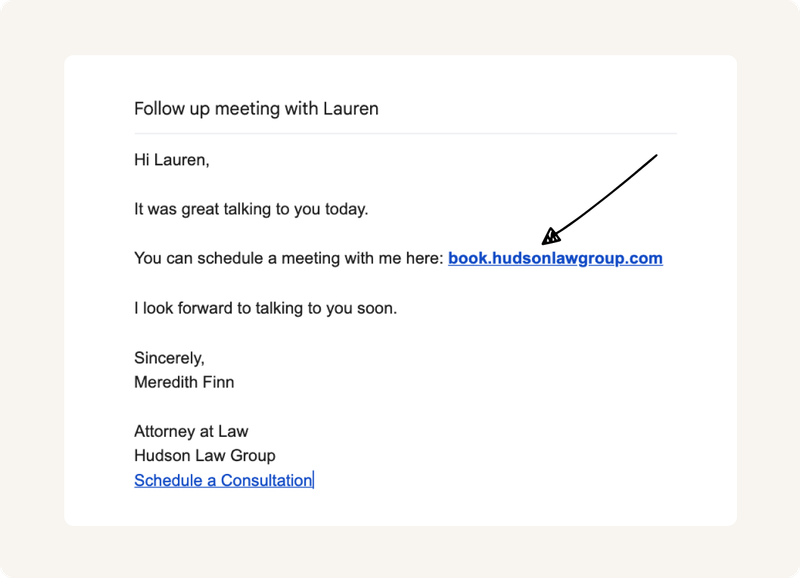
2. White-label email notifications. This is one of CozyCal's key differentiators. Most scheduling tools send confirmation and reminder emails from their own domain, something like notifications@schedulingtool.com. They may let you customize the display name, but the actual sending address still belongs to them. That's what clients see when they check sender details or hit reply. And unlike features that are simply gated behind higher pricing tiers, most tools don't offer custom email sending domains at any price point.
CozyCal lets you send these emails from your own domain. Confirmation emails, reminders, rescheduling notices—they all come from an address like scheduling@yourbusiness.com or appointments@yourfirm.com. Clients see your domain in their inbox. When they reply, the message comes directly to you. Every email reinforces your brand instead of advertising someone else's software.
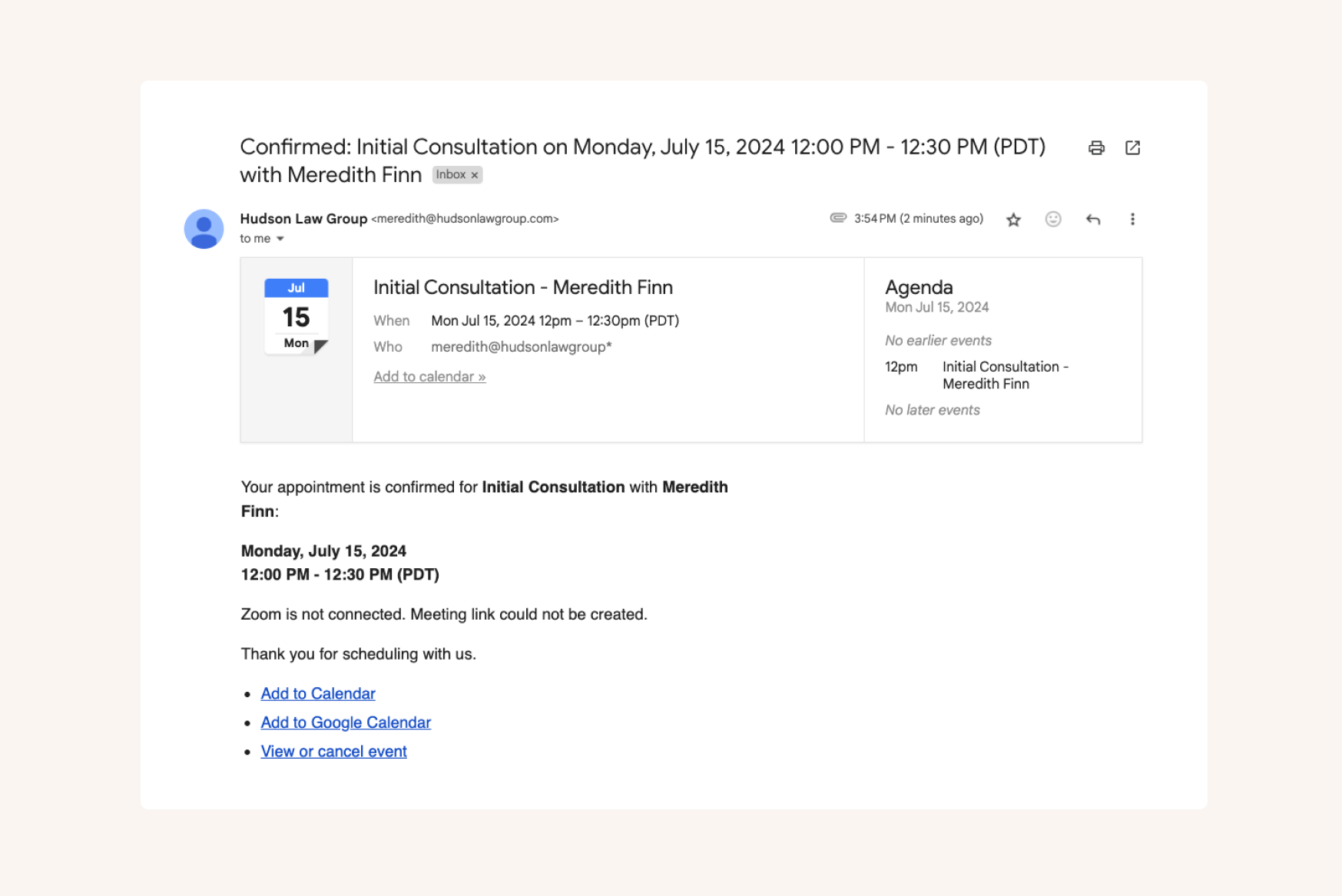
3. Complete branding removal. No "Powered by CozyCal" anywhere. Not on your booking page, not in email footers, not in calendar invites. The experience your clients see is entirely yours.
Who CozyCal's White-Labeling Works Best For
We've seen the strongest fit with a few specific types of businesses.
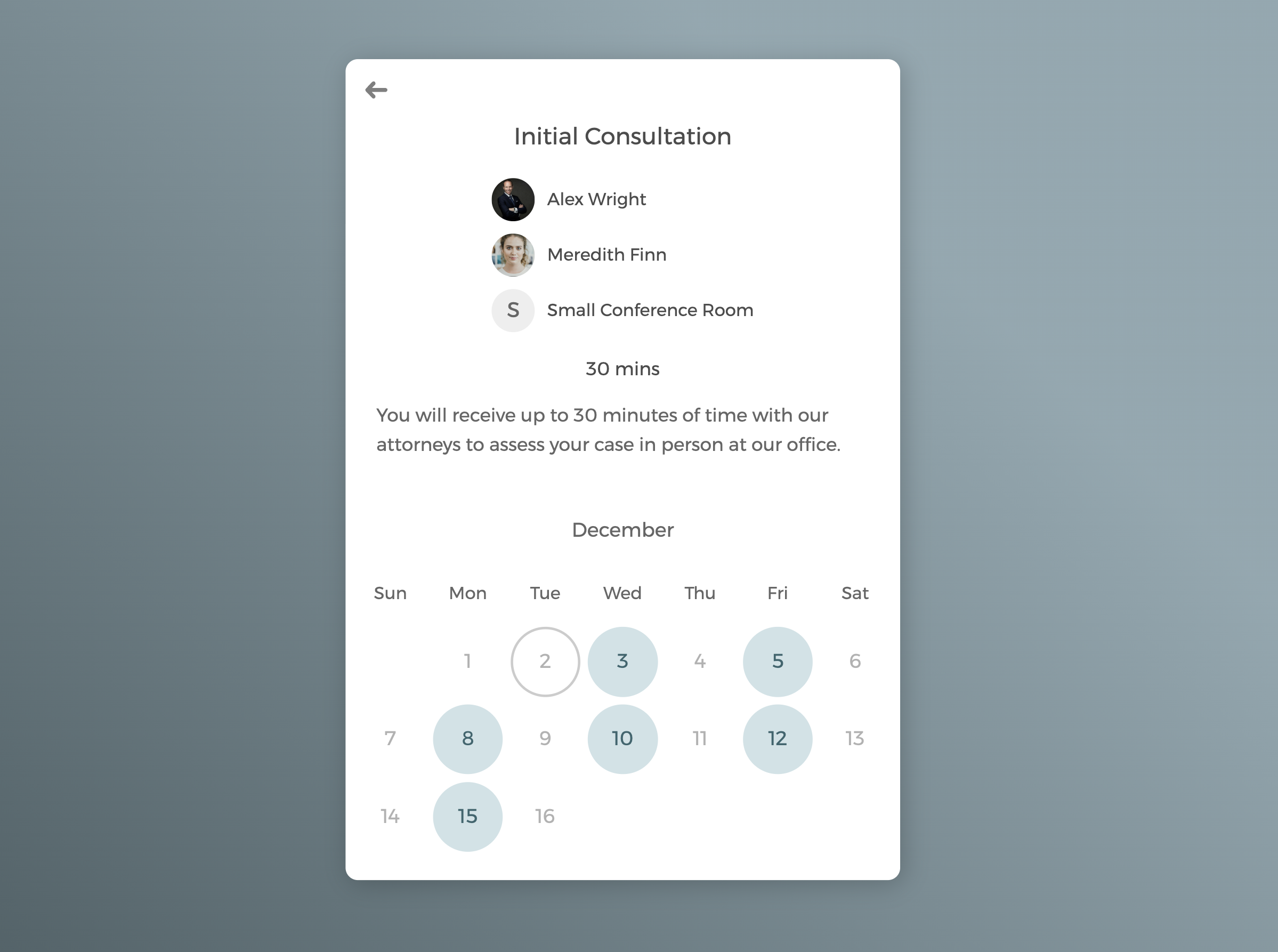
Solo practitioners and small firms in professional services. Attorneys, consultants, accountants, financial advisors and professionals selling expertise who want to project professionalism without enterprise software or enterprise pricing. If you're a solo attorney competing against larger firms, or a consultant who wants your booking flow to match the quality of your work, CozyCal gives you that polish without requiring a dedicated admin to manage it.
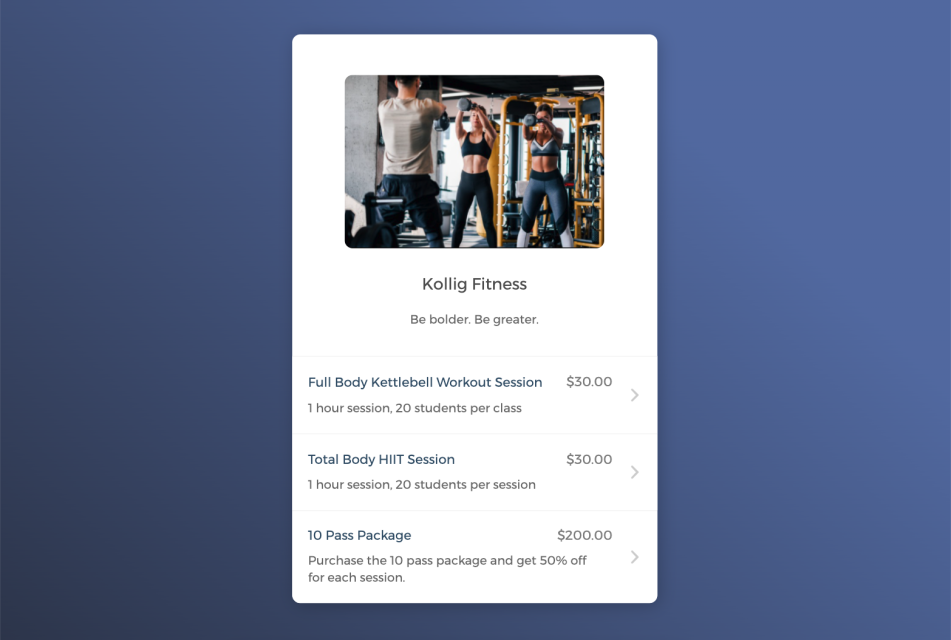
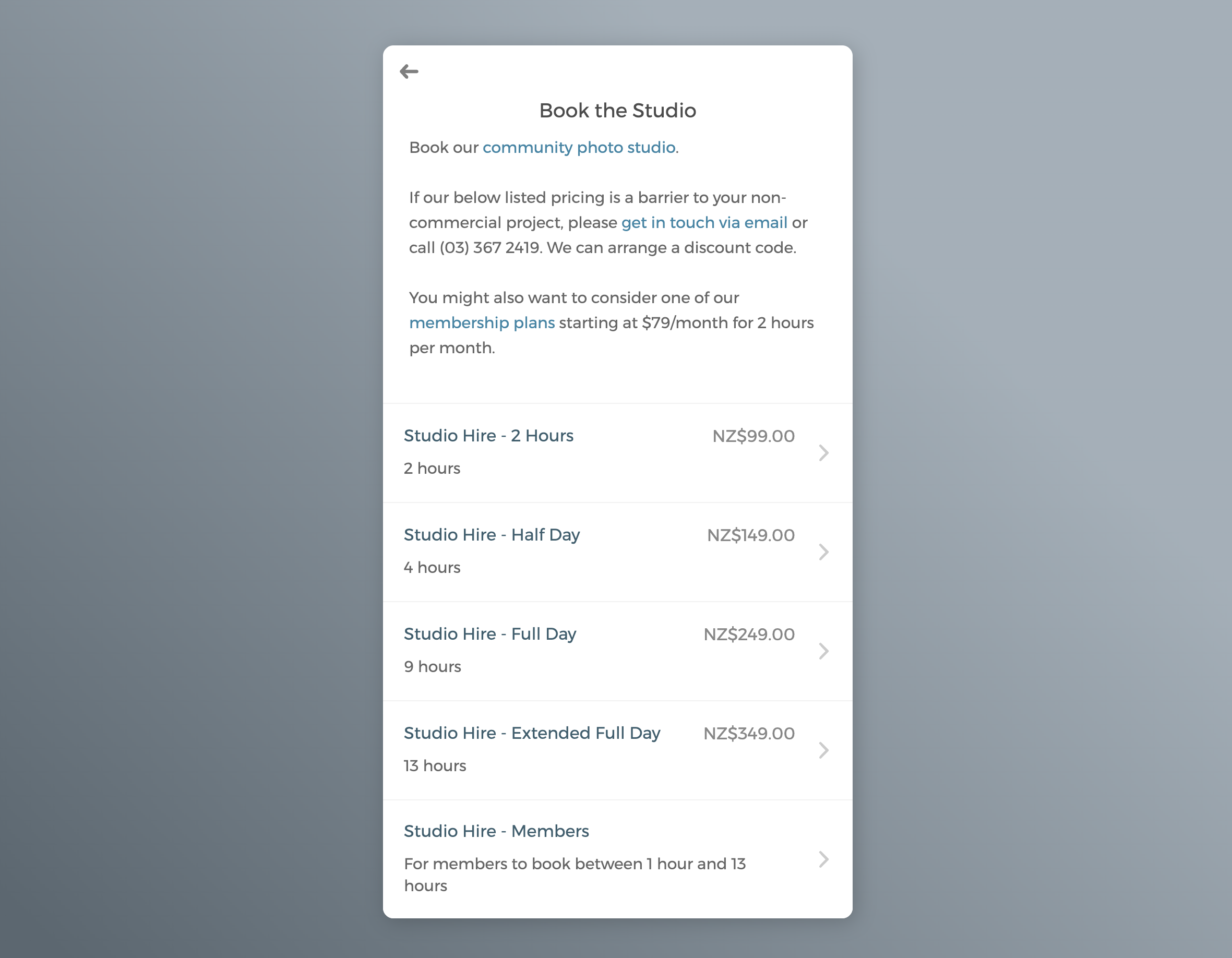
Studios and creative spaces. Recording studios, photography studios, podcast studios, and creative spaces that book both time and resources. CozyCal handles resource scheduling alongside appointment booking, so you can manage studio rooms, equipment, and staff availability in one place. The white-label features mean your booking page matches your studio's visual identity.
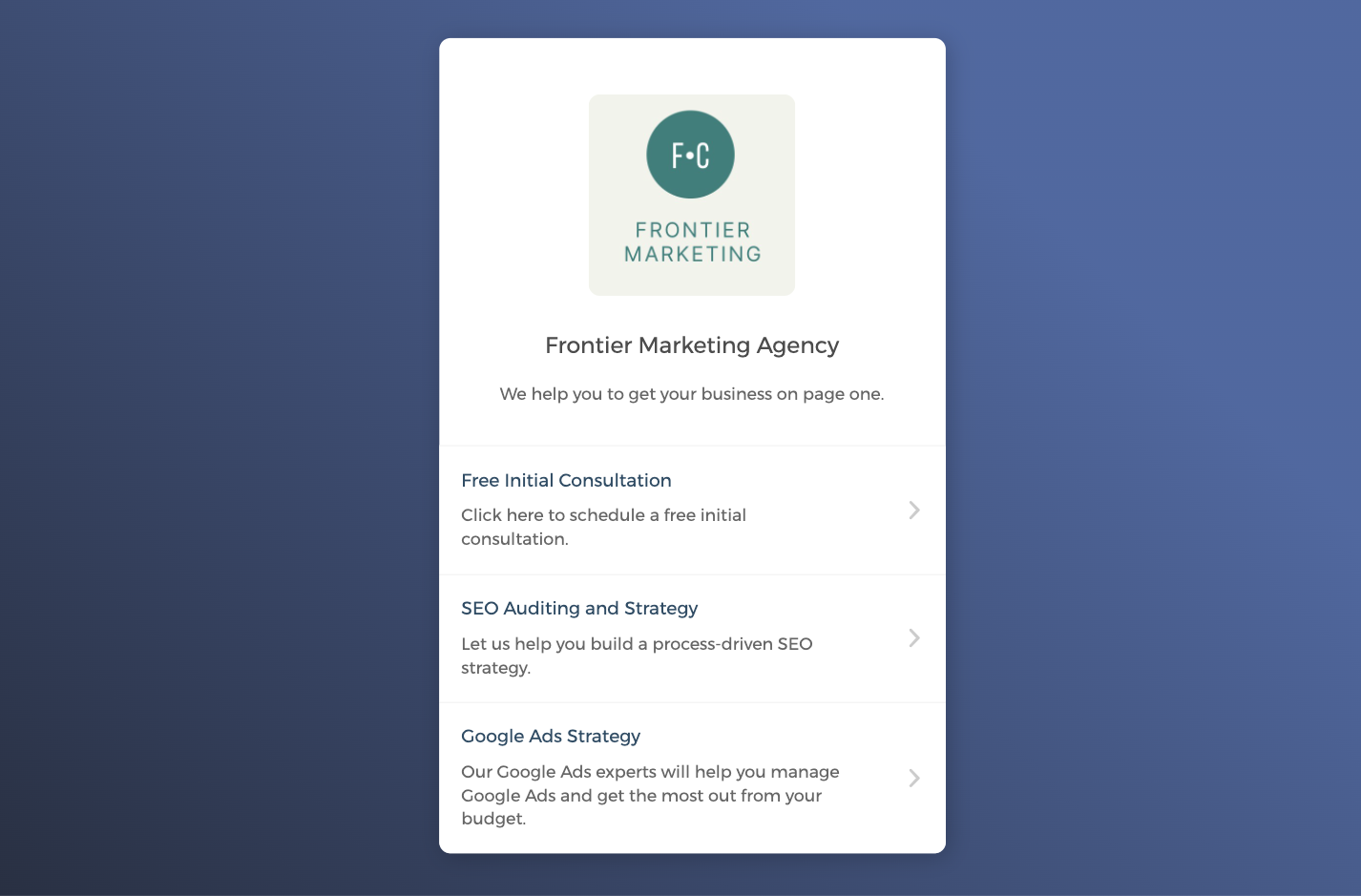
Agencies and small teams. Marketing agencies, design firms, and consultancies with 2-10 people who need team scheduling features like round-robin assignment without the per-seat pricing that makes larger tools expensive. CozyCal lets you distribute bookings across team members while maintaining a unified, branded booking experience.
What's Included Beyond White-Labeling
White-labeling matters, but it's not the only thing you need from a scheduling tool. Here's what else CozyCal provides that professional services businesses tend to rely on.
Event requests let you review intake form responses before accepting an appointment. This is particularly valuable for law firms screening potential clients, consultants qualifying leads, or any business that wants to avoid wasting time on poor-fit inquiries. Instead of automatic booking, you receive a request, review the details, and then accept or decline.
Customizable intake forms collect the information you need before a meeting. You can add various question types such as short answer, paragraph, dropdown, checkbox, and make fields required or optional. For attorneys, this might mean collecting a brief description of the legal issue. For studios, it might mean asking about the project type and equipment needs. The information flows into your dashboard and notification emails, so you're prepared before the appointment.
Automated reminders via email and SMS reduce no-shows. Most scheduling tools charge extra for SMS. CozyCal includes SMS reminders (US and Canada only) at no additional cost on paid plans. You control the timing and can customize the message content.
Payment integration with Stripe lets you charge payments or sell packages at the time of booking. For consultants offering paid discovery calls and attorneys charging for initial consultations, this eliminates the awkward step of invoicing separately. You can also create discount codes for promotions.
Team scheduling supports multiple booking structures. You can let clients choose a specific team member, automatically distribute bookings round-robin style, or set priority rankings so certain team members are preferred. Each team member can connect their own calendar to prevent double-booking, and as the admin, you can see and manage everyone's schedule from one dashboard.
Resource booking handles physical spaces and equipment alongside appointments. If you're a studio with multiple rooms, a co-working space with meeting rooms, or any business where clients book things as well as time, you can manage it all within CozyCal rather than using separate systems.
The Setup Experience
We hear consistently that CozyCal is fast to set up. Most users have a basic booking page running within five minutes, and full configuration including white-labeling typically takes an afternoon.
The dashboard is intentionally simple. We've resisted adding features that create clutter. If you've used scheduling tools that feel overwhelming and cluttered, CozyCal will feel like a relief.
That said, simple doesn't mean limited. The intake form builder, email customization, and scheduling rules offer real flexibility. We've just tried to make the interface intuitive enough that you don't need a manual to figure it out.
Pricing Context
Our Plaid plan, which includes all white-label features, is $30 per person per month on monthly billing, or $25 per person per month when billed annually.
For context: many competing tools either don't offer custom booking domains at all, or reserve them for enterprise plans that cost significantly more. Some charge $15-20 per month for basic scheduling, then require jumping to $50+ per month plans to access white-labeling, and even then may not include custom domains.
We've tried to price CozyCal fairly for small businesses and small teams. The Pro plan at $15-20 per month covers most scheduling needs. The Plaid plan adds white-labeling for businesses where brand consistency justifies the additional cost.
Final Thought
White-label scheduling comes down to one question: does your booking experience reflect the same professionalism as the rest of your business? For law firms, consultants, agencies, and studios, the answer matters. These are fields where trust and perception directly influence whether someone becomes a client. A booking page that looks like yours, emails that come from your domain, and no third-party branding in sight.
These are small details, but they're the kind of details your clients notice, even if they can't articulate why. If you're evaluating options, CozyCal offers all three white-label components: custom booking domains, email notifications from your domain, and complete branding removal. There's a 10-day free trial with all features included if you want to test it yourself.
👉 Start your free 10-day trial to see how white-label scheduling works in CozyCal. All features included, no credit card required.
Frequently Asked Questions
What is white-label scheduling software?
White-label scheduling software allows businesses to offer appointment booking under their own brand, with no visible third-party branding. This includes custom booking domains (e.g., booking.yourbusiness.com), email notifications sent from your own domain, and complete removal of the software provider's logos and mentions.
Why does my booking page URL matter?
Your booking page URL appears in emails, calendar invites, and browser bars. A custom domain like booking.yourcompany.com reinforces your brand and signals professionalism, while a third-party URL like schedulingtool.com/yourname indicates you're using a generic tool.
Do all scheduling tools offer custom booking domains?
No. Many scheduling tools allow logo and color customization but don't support custom booking domains, even on premium plans. This is a key feature to verify when comparing options.
Is white-label scheduling worth the cost?
It depends on your business. For law firms, agencies, consultants, and other professional services where client trust is paramount, white-labeling can reinforce credibility and justify the investment. For casual use cases, it may be unnecessary.
How difficult is it to set up a custom booking domain?
With most white-label scheduling tools, setup involves adding a DNS record through your domain registrar. Good tools provide clear, step-by-step instructions that make this manageable even without technical expertise. The process typically takes 15-30 minutes plus DNS propagation time.
Can I send booking confirmation emails from my own email address?
Yes, with white-label scheduling software that supports custom email domains. This usually requires adding SPF and DKIM records to your DNS settings that are similar to setting up a custom booking domain.