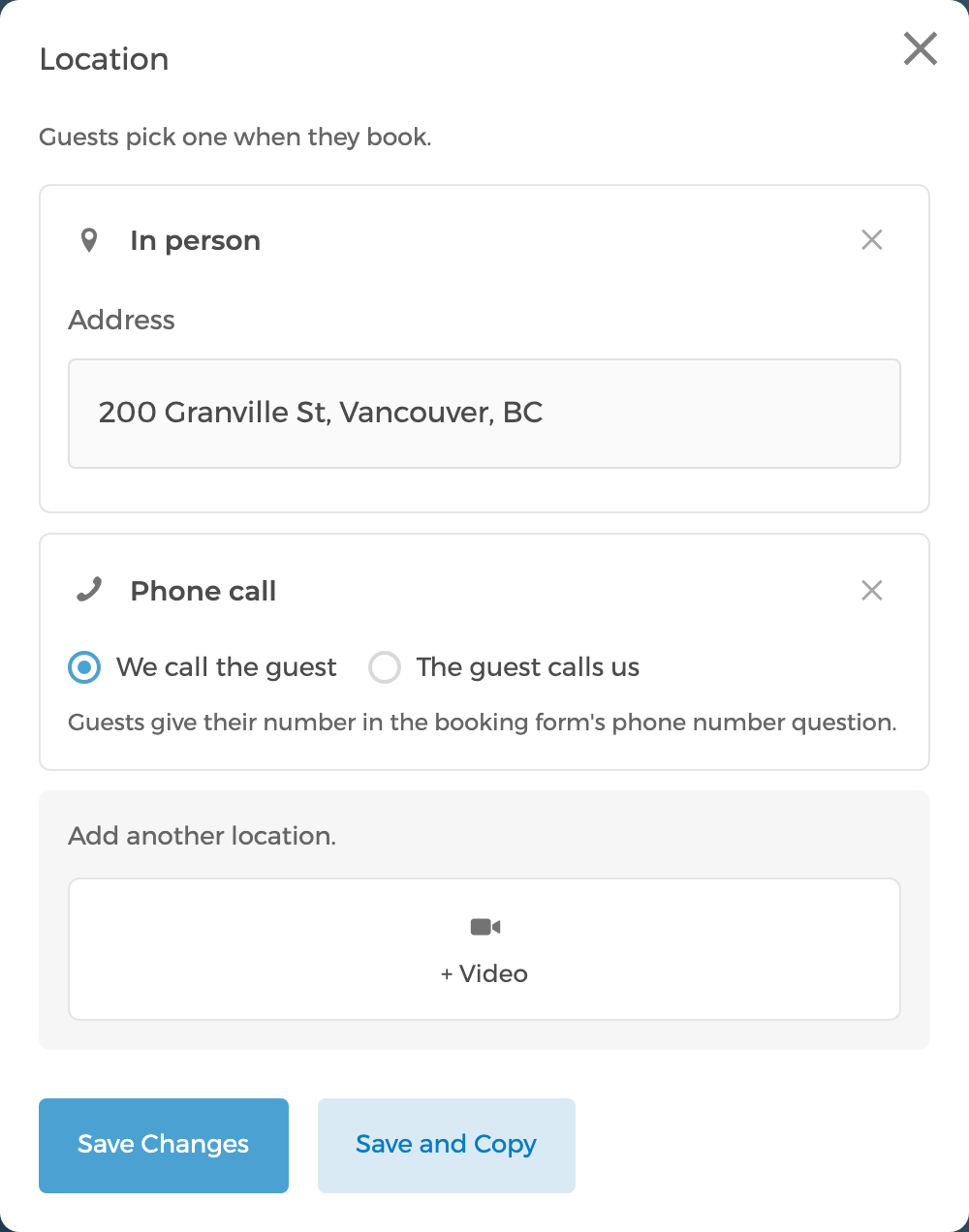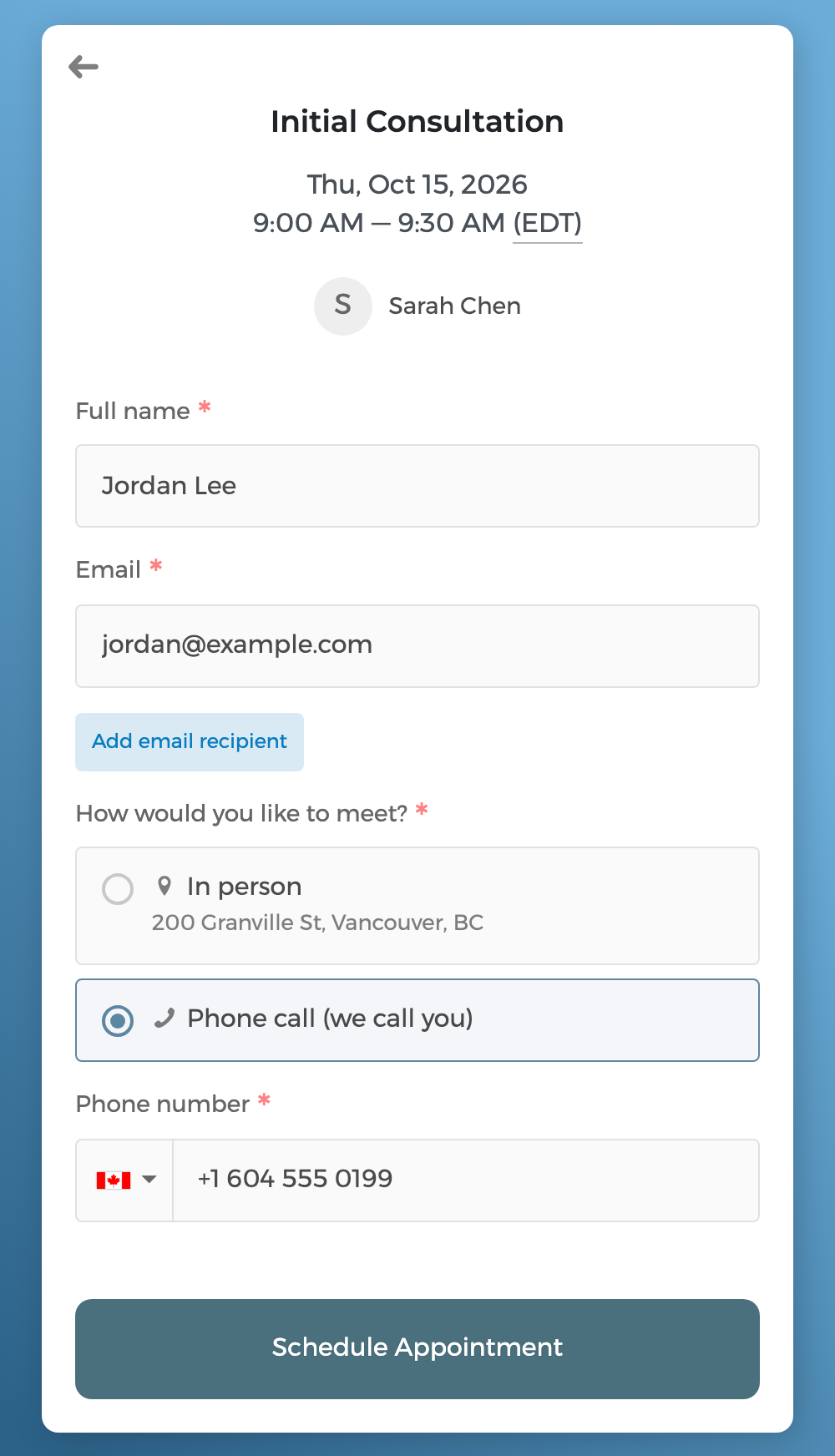
You can now offer more than one way to meet on an event type — In person, Phone call and Video — and guests pick the one they want when they book. Locations now live in Availability Settings → Location.
- When you offer two or more, the booking form asks guests "How would you like to meet?"
- Guests see the address before they book when every host meets at the same place.
- Phone calls work both ways: the guest calls you, or you call the guest at the number they give in the booking form. CozyCal adds a phone number question to the form for you if it doesn't have one.
- For video, choose the platform: Google Meet, Zoom or Microsoft Teams. Each host connects their own account.
- Set an address, phone number or video account for Everyone, then set a different value for any host who needs one.
- The location now always comes from the event's organizer, so the separate "location host" setting is gone.