
As the admin of your team, you can now manage availability of other team members from your account.
For example, to edit the availability setting of team members, simply go to your event type's "Availability Settings", then you can view and edit each team member's availability. 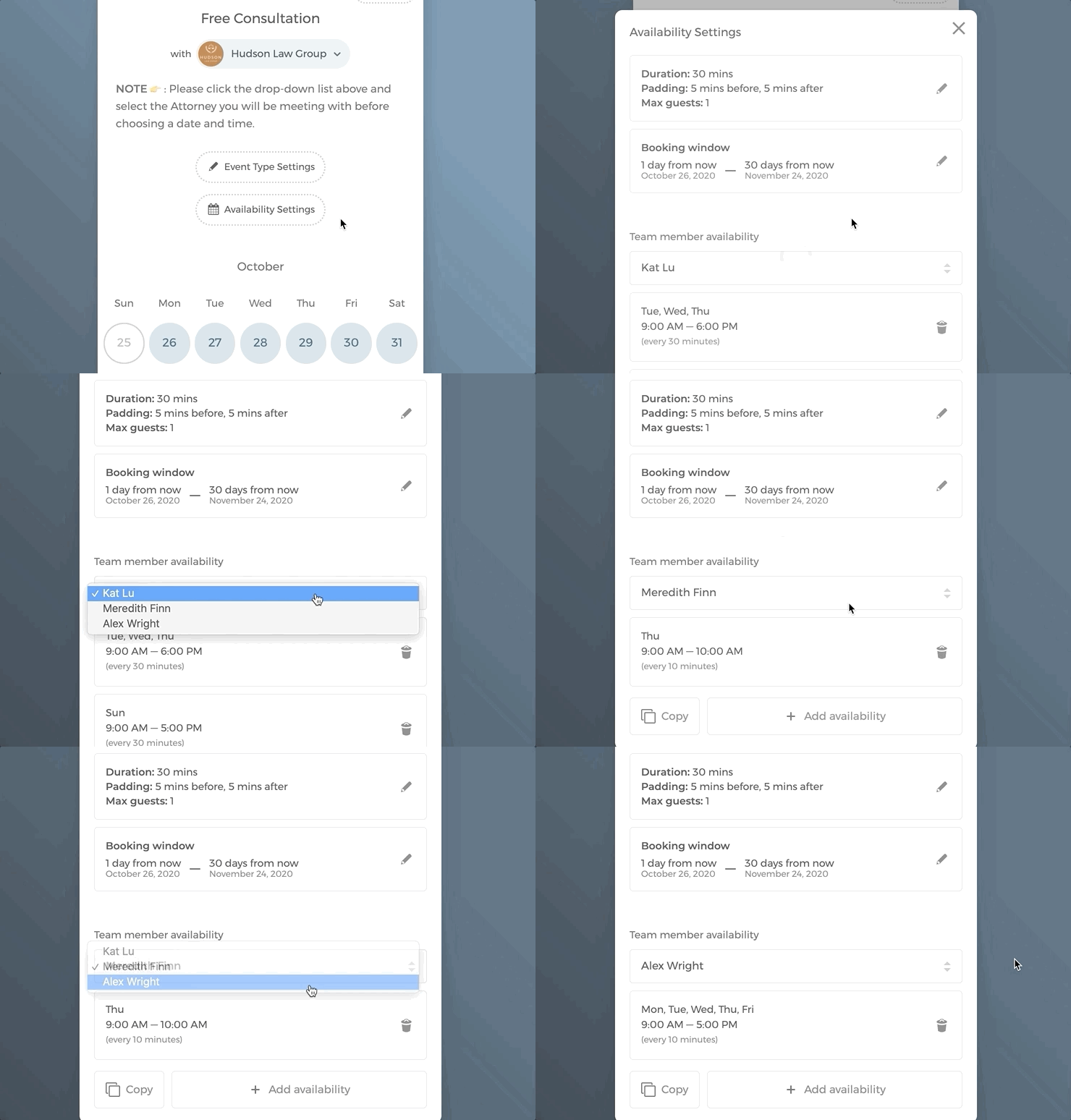
To save time, you can quickly duplicate availability to other team members and event types to save time. Simply click on "Copy", and select the event types and team members to which you want to duplicate the availability setting. 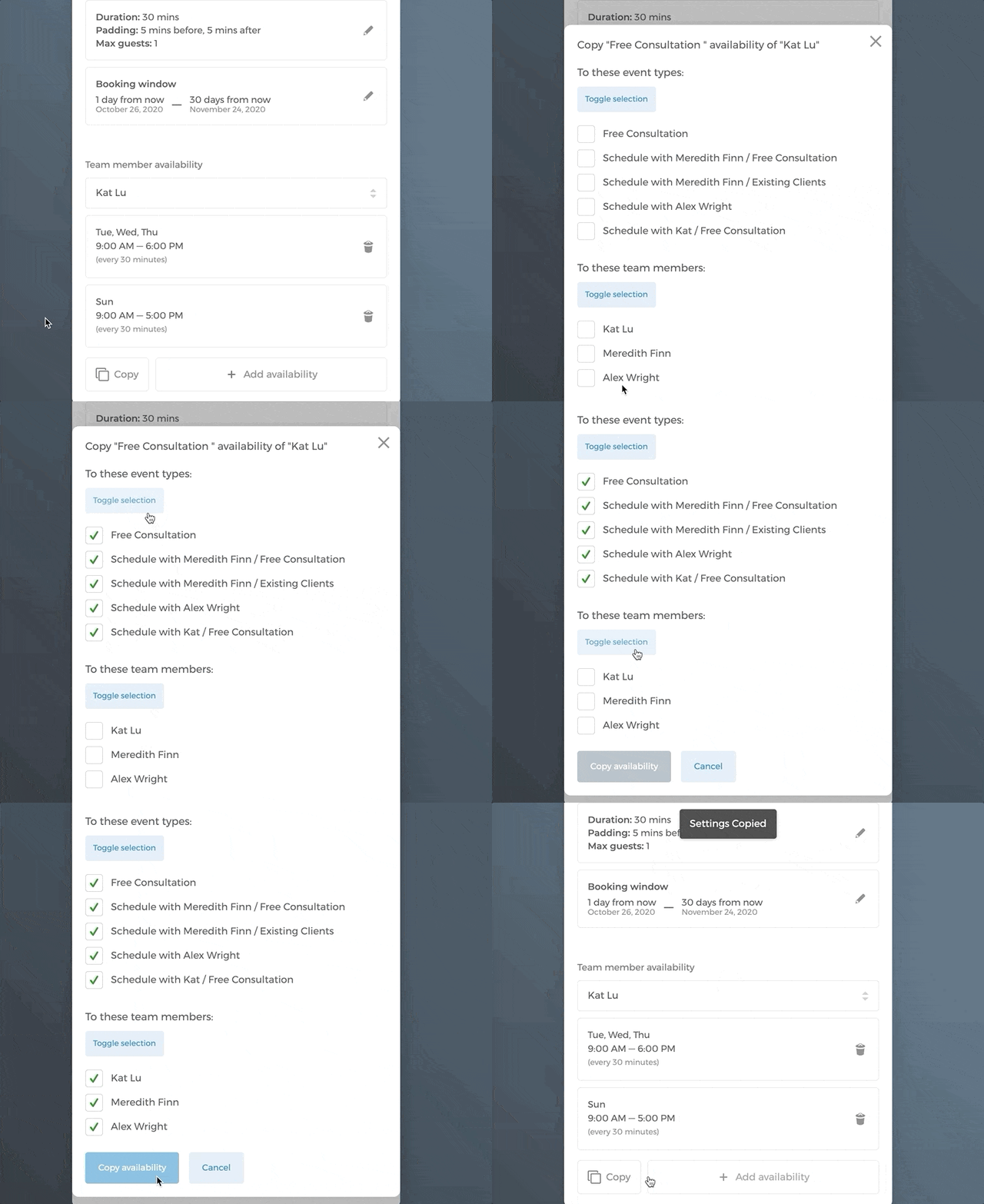
We hope you find this update helpful! 😃