
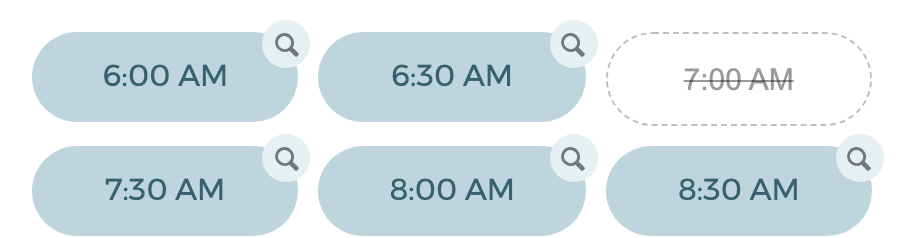
Availability troubleshooting now works both ways. You could already click a blocked time to see what's in the way; now you can click an open time too — using the inspect button on each slot — to see exactly why it's bookable.
When you view your own booking page in Edit mode, click any time for a per-host breakdown:
- Blocked times show what's in the way — a busy time, a calendar conflict, or buffer time around a nearby event.
- Open times show which calendars were checked, and surface events that aren't counting as busy — the usual reason for "there's a block on my calendar but people can still book it": events marked Free, all-day events, invites you declined, or events on a calendar that isn't being monitored.
- Any connected calendar that needs reconnecting is flagged, so you can spot coverage gaps at a glance.
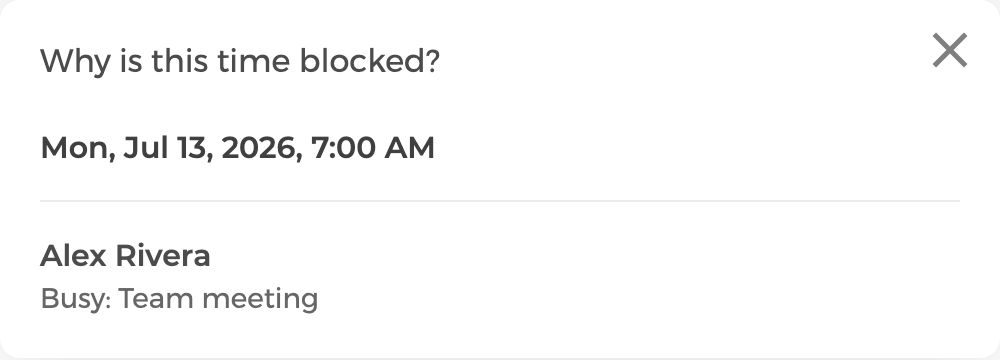
A teammate's personal calendar event titles stay private — they're never shown to other hosts.
Also fixed — "ghost" bookings. We fixed a rare case where a booking could be confirmed on your calendar (and start sending reminders) even though the guest saw an error and thought nothing was booked — for example when a package code was invalid, expired, or out of sessions. Bookings are now fully validated before anything is created, and any earlier ghost events have been cleaned up.