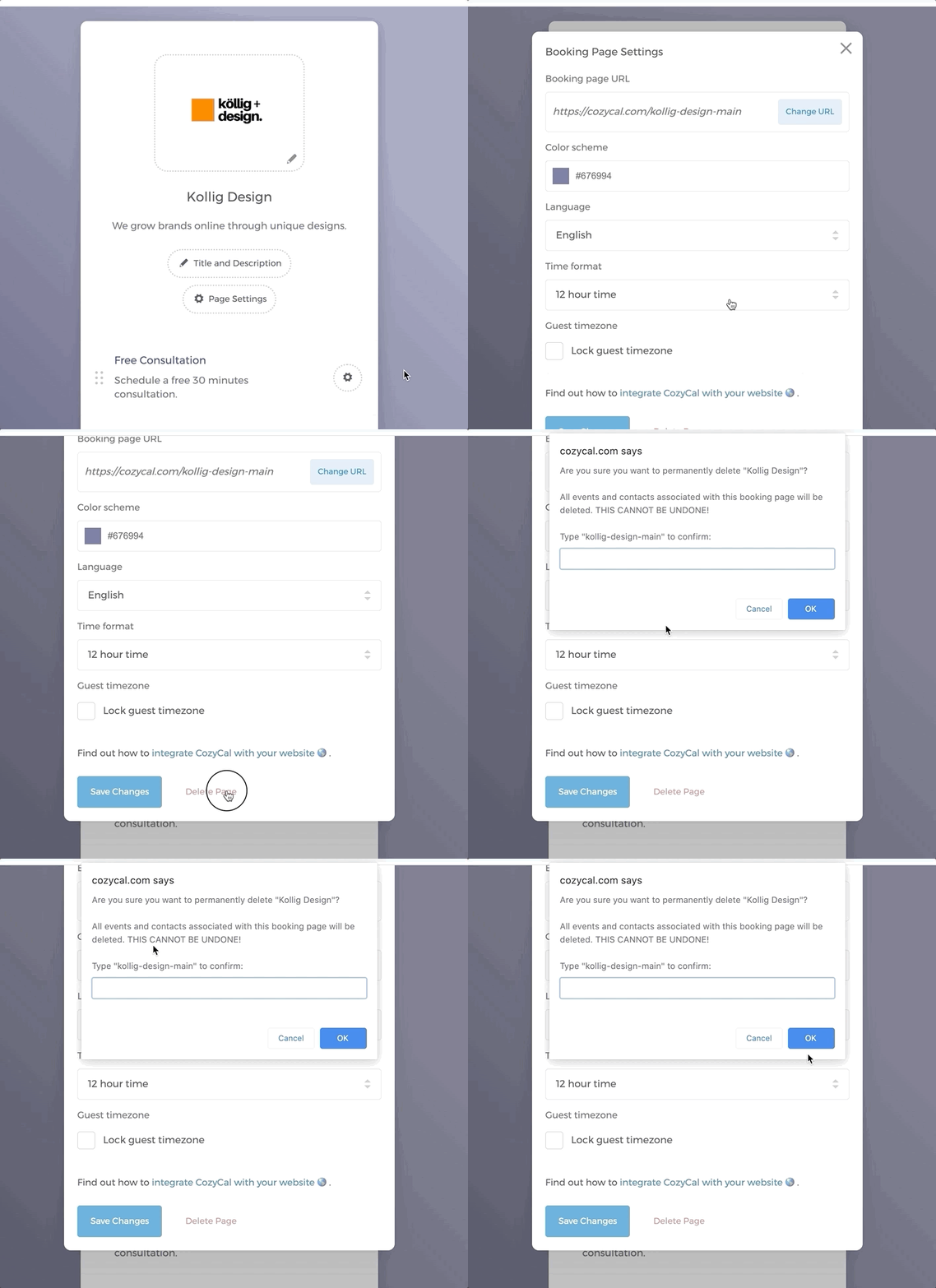
To delete a booking page, you can easily do so by:
- On your booking page, click on the button
Page Settings. - At the bottom, click on "Delete Page"
- A browser prompt will appear asking you to type the booking page's slug (its URL identifier) to confirm — for example,
Type "<slug>" to confirm. Enter the slug to confirm deletion.