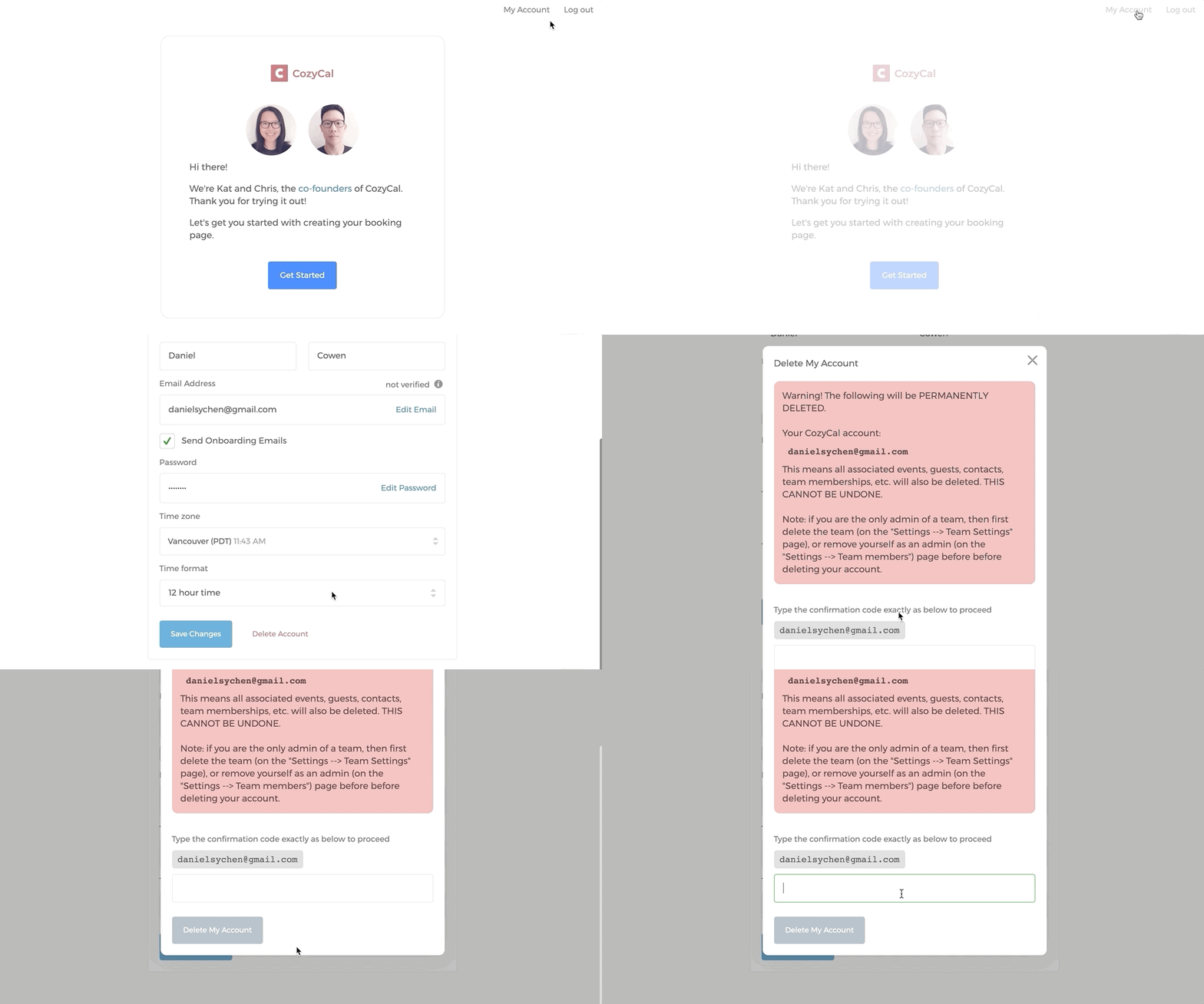
Please note that account deletion is permanent and irreversible.
If you are the sole admin of a team, you'll first need to delete that team (or remove yourself as admin / add another admin) before you can delete your account. If you're not the sole admin of any team, you can skip ahead to deleting your account.
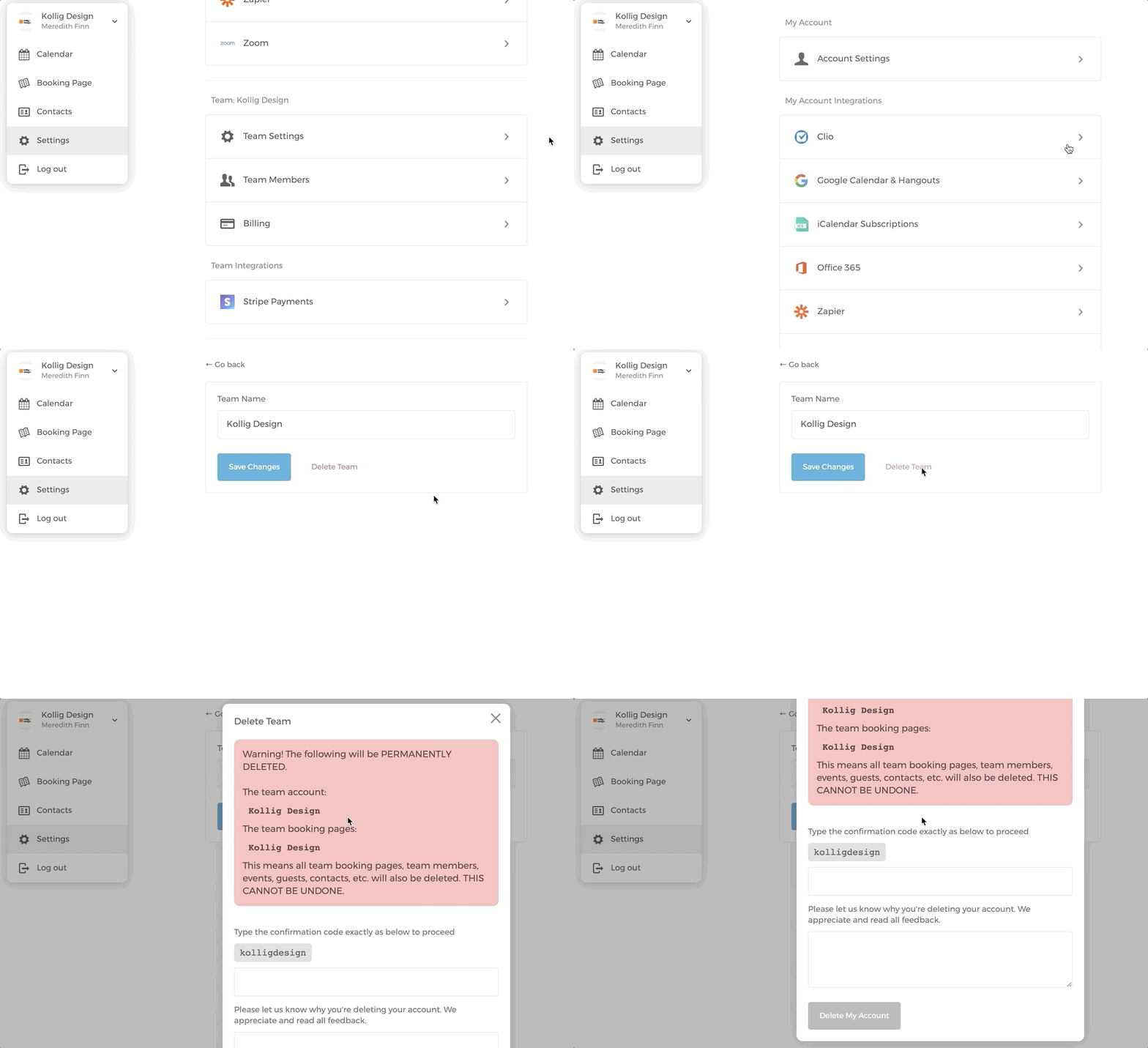
Deleting your team (only if you're the sole admin)
- Go to Settings, then click on Team Settings
- Click on
Delete Team. You'll need to type the confirmation code (the team name, lowercased with spaces removed) and provide a reason/feedback in the required field to delete your team.
Deleting your account
- Go to Settings on the left sidebar, then click on Account Settings.
- Scroll down to click on
Delete Account, type in your email to confirm account deletion.