
If you are running a weekend retreat or hosting a trip, your clients are able to schedule a multi-day event with you.
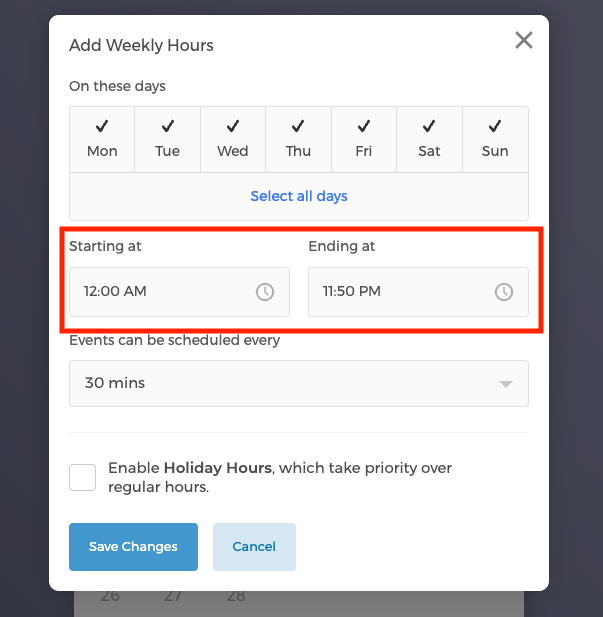
Please note: Weekly working hours cannot be applied to multi-day events since weekly hours starting time and ending time is less than 24 hours.
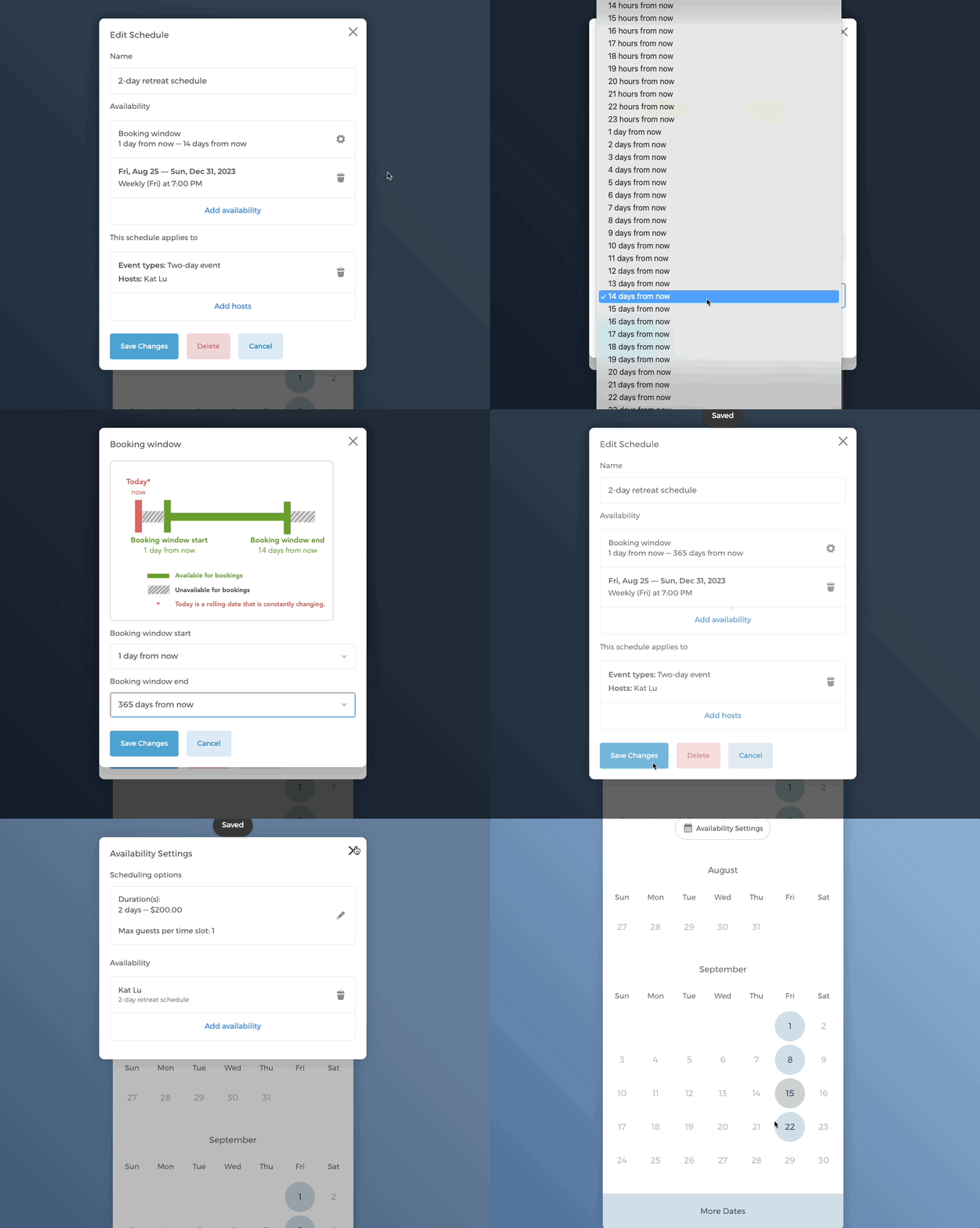
The example below shows the steps of creating 2-day retreats that start from 7pm on Fridays and end at 7pm on Sundays.
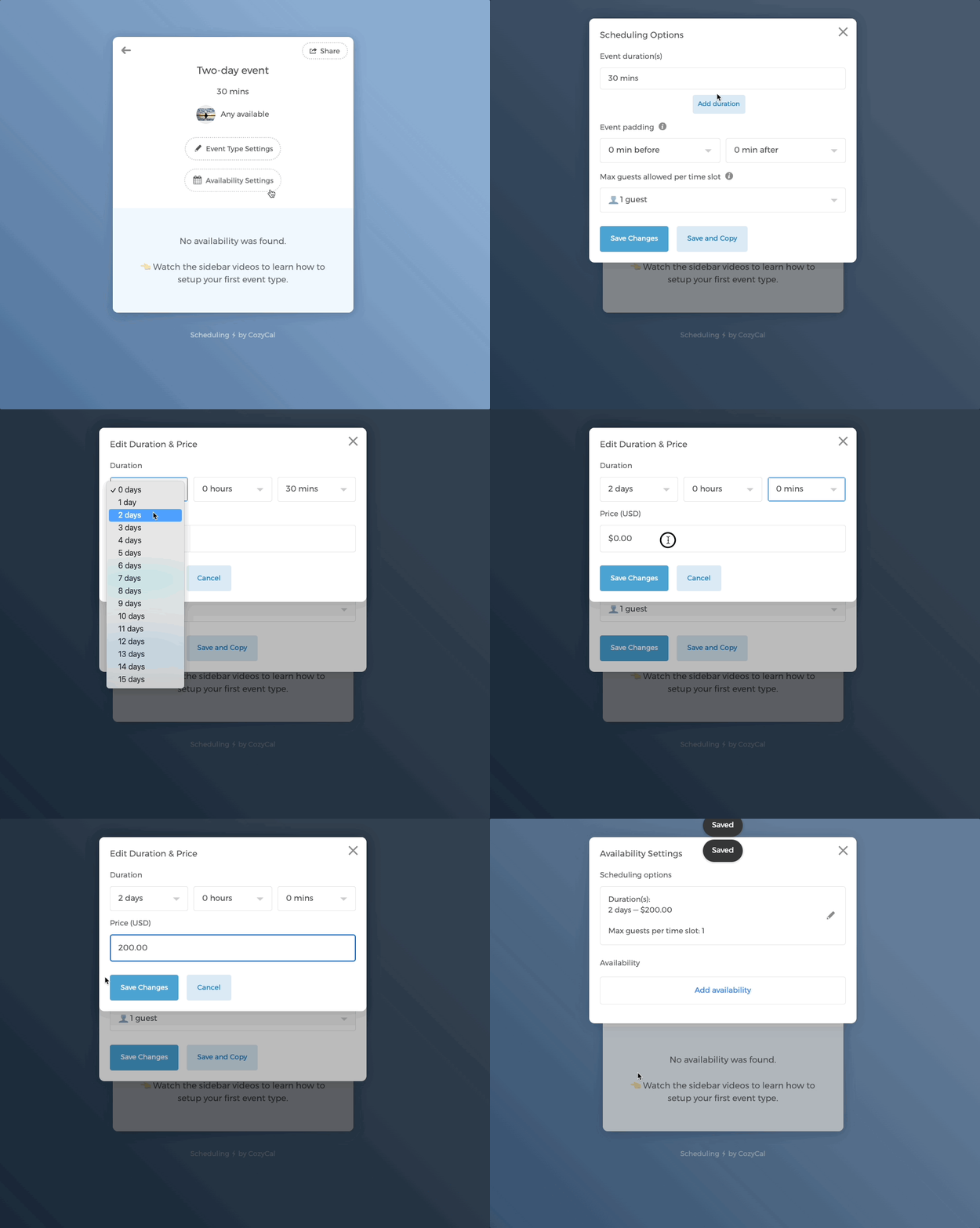
- Click into the event type. On the Availability Page, click on the button Availability Settings. Under Scheduling options, set
Event duration(s)as 2 days. Multi-day durations of up to 15 days are supported.
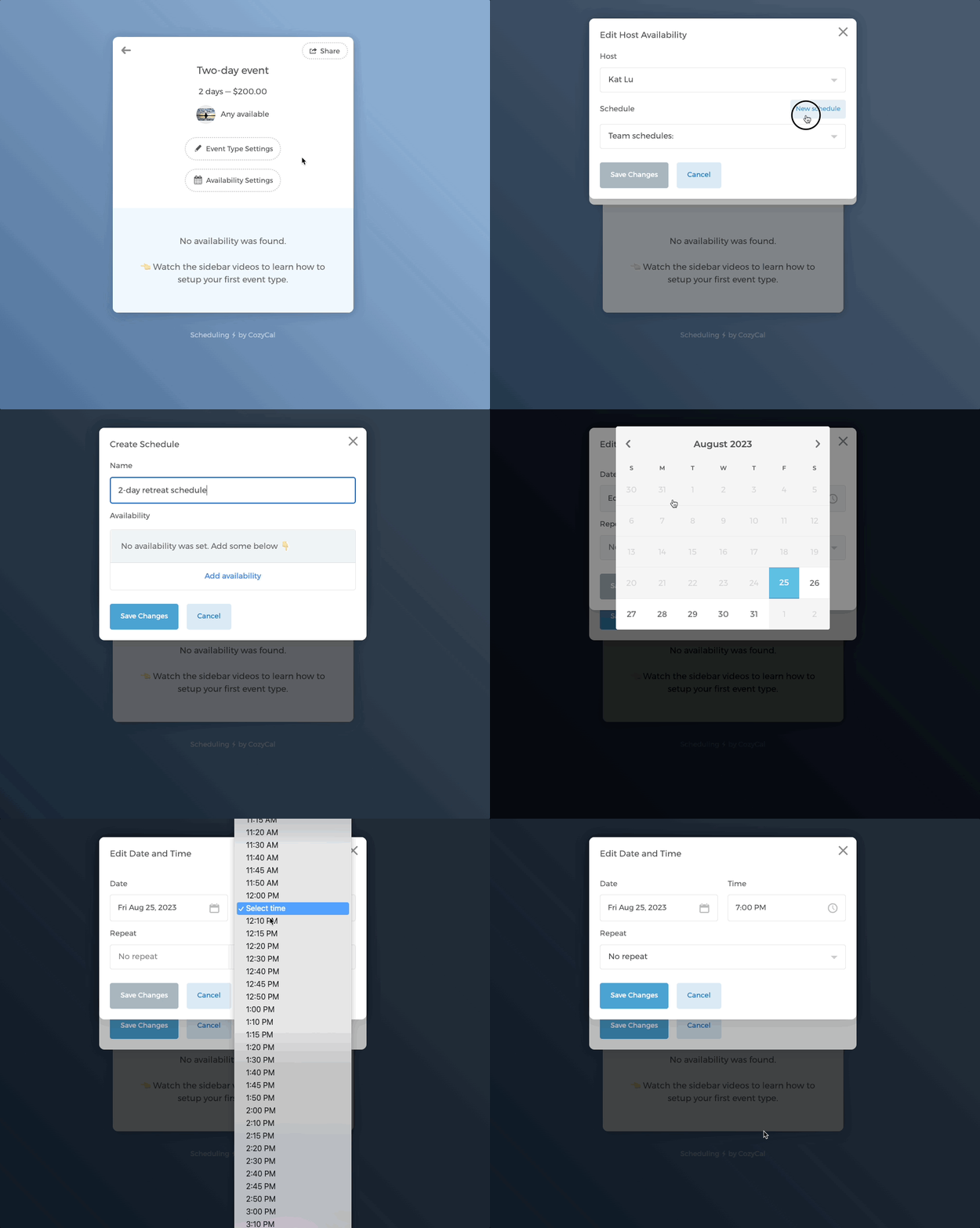
- Create a new schedule, then add the custom start date and time for the 2-day retreat schedule.
- Set the 2-day retreat schedule to repeat on a weekly basis on Fridays. Choose the ending date for the schedule.
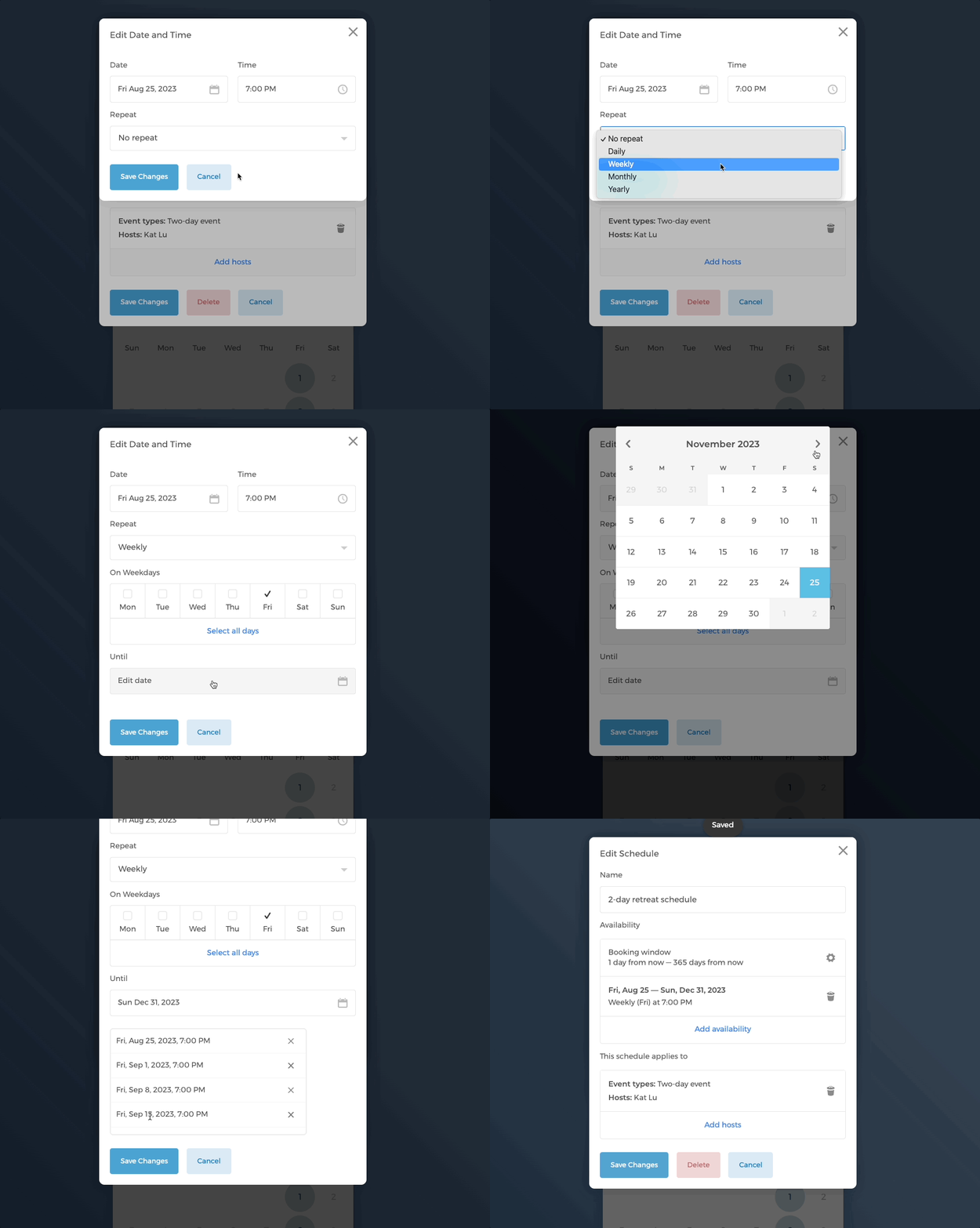
- Make changes to the booking window accordingly. In this case, the booking window end time is extended to the maximum of 365 days into the future, allowing guests to book a year in advance.
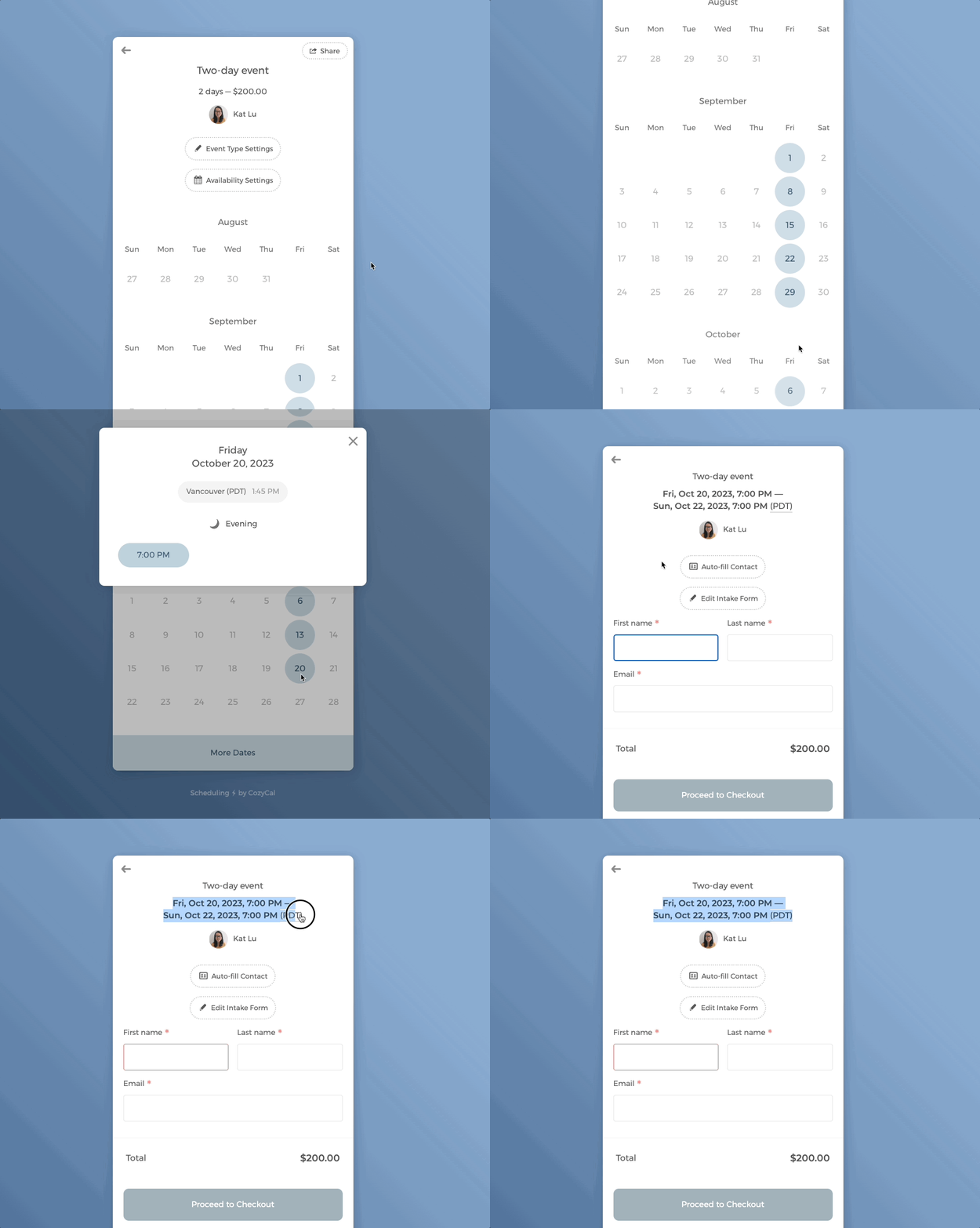
- Now you see that the 2-day retreat schedule repeats on every Friday. When a guest books a time slot, they'll see the specific time interval of the 2-day retreat.
If you have any further questions, please email us at support@cozycal.com