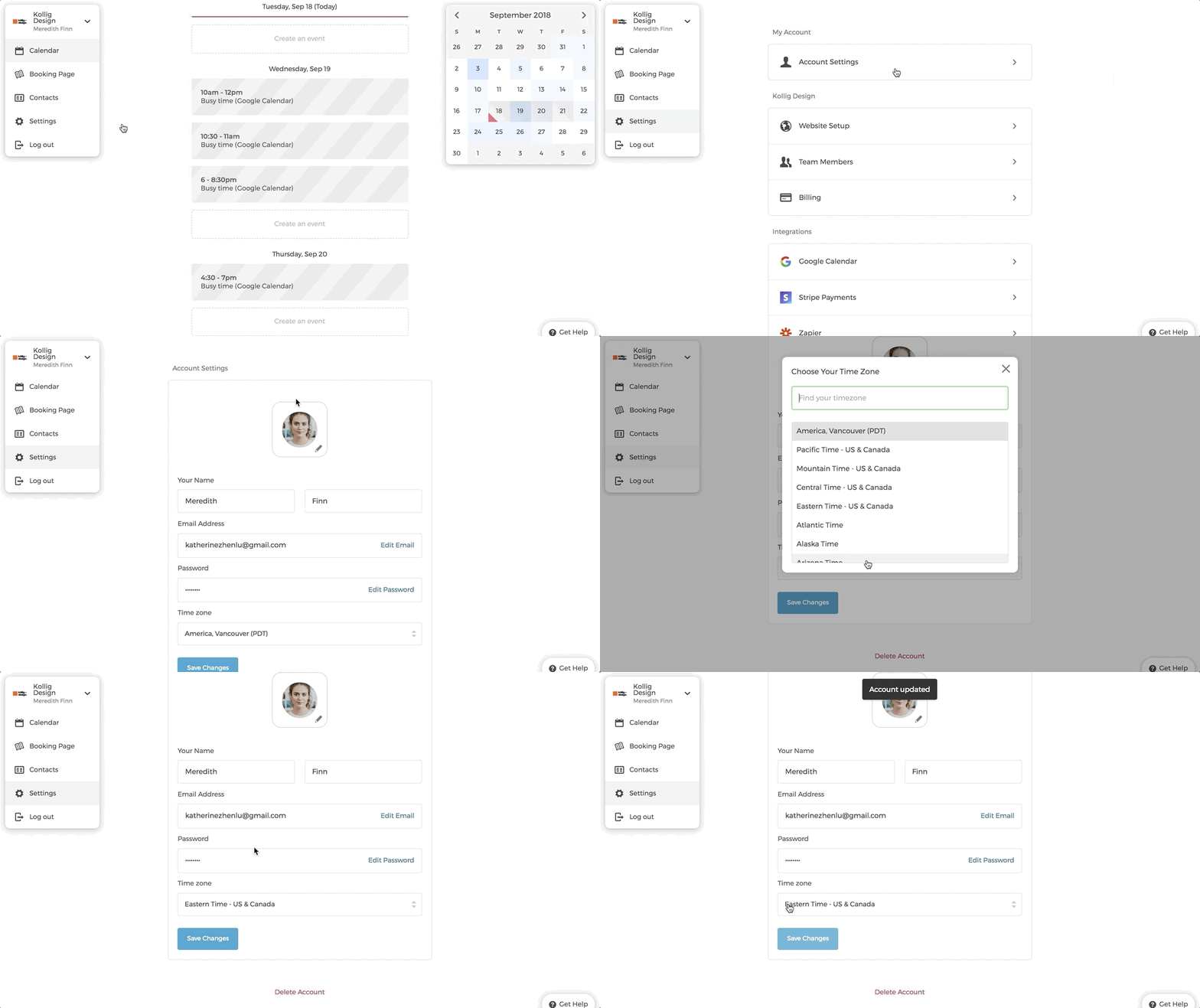
You can update the timezone for your account anytime:
- Click on "Settings" on the main dashboard.
- Click on "Account Settings".
- Choose "Time zone" according to your location.
- Don't forget to click on "Save Changes".
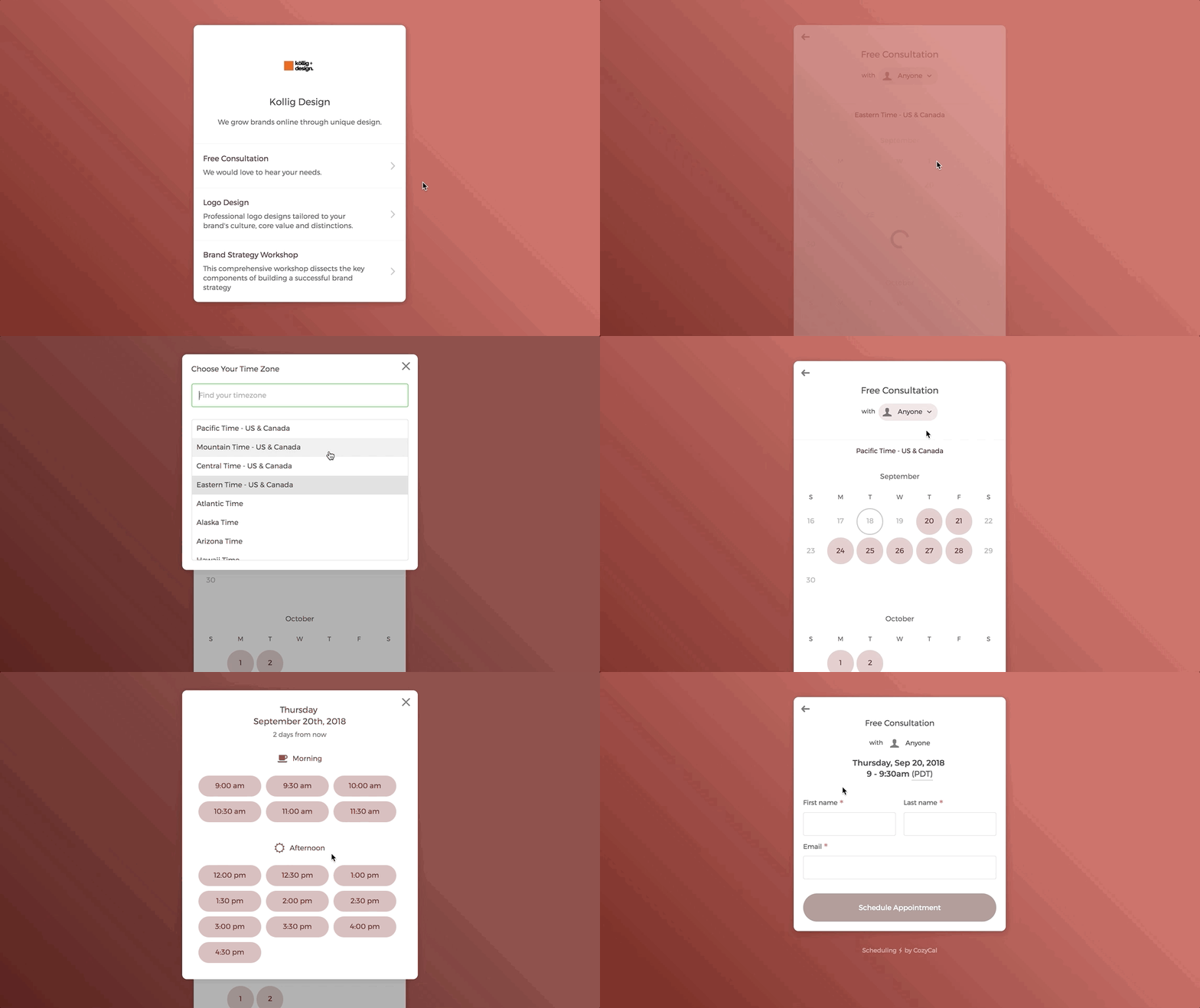
If your clients are in a different timezone than you, they can change the timezone directly on the booking page and select the time slot that works for them.