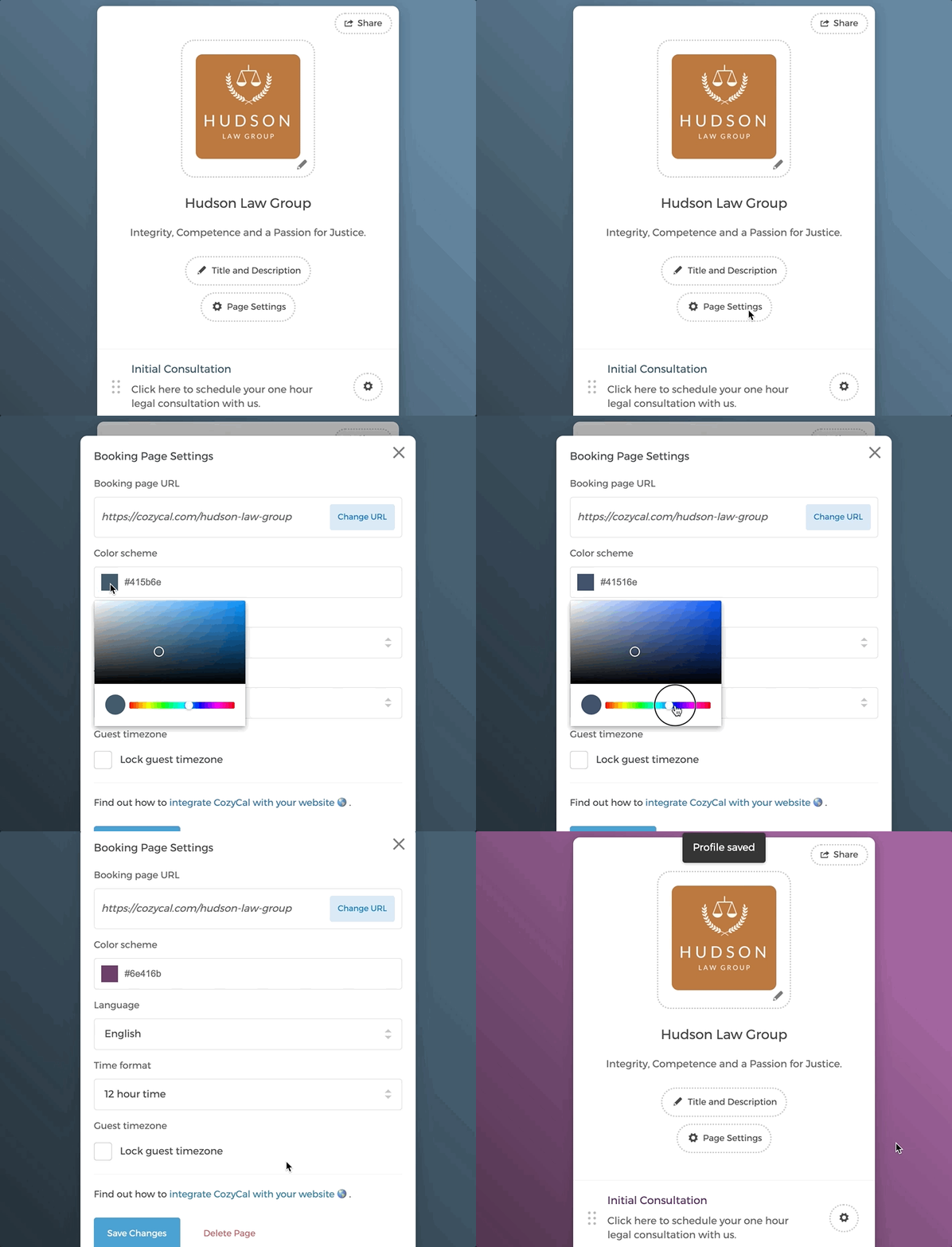
- On the navigation bar, click on "Booking Page", then "Page Settings".
- Under "Color scheme", move the cursor to choose the desired color. You can also enter a hex code that matches with your branding.
- Click on "Save Changes".

Still need help? Email us at support@cozycal.com.