
A custom domain essentially allows you to personalize the URL of your CozyCal booking page. Instead of using the default URL provided by CozyCal, which generally includes the CozyCal domain and some identifier related to your account, you can change it to reflect your own domain.
Custom domains work by pointing a domain name you own to another web address, in this case, your CozyCal booking page. To make this work, you would need to set up a CNAME record in your domain's DNS settings to point to CozyCal's servers.
Understanding CNAME Records
Below, we explain the key components of a CNAME record using a general example.
Example CNAME Record
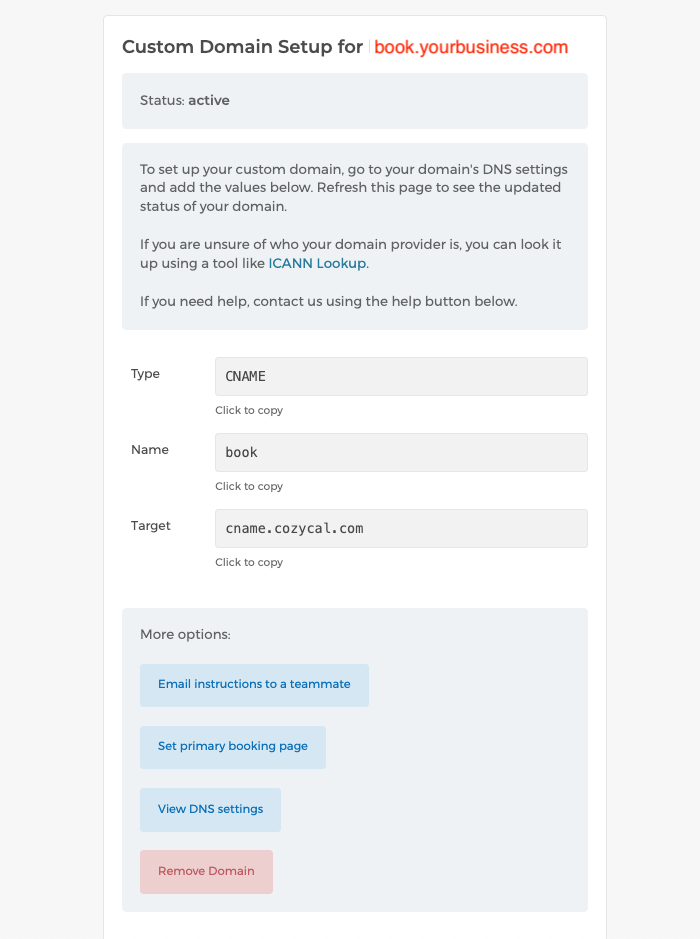
- Type: CNAME
- Name: book
- Target: cname.cozycal.com
What Each Part Means
- Type: CNAME The "Type" specifies the kind of instruction you're providing for your domain. CNAME stands for "Canonical Name," which means the domain name is an alias (or nickname) for another domain. In this case, a CNAME record tells the internet that a subdomain, like
book.yourbusiness.com, is an alias for cname.cozycal.com, where your CozyCal scheduling page is hosted. - Name: book The "Name" is the subdomain you're setting up, which comes before your main website (e.g., example.com). In this example, "book" is the chosen subdomain, so
book.yourbusiness.comis the custom address for your scheduling page. You can choose a word like "book," "schedule," or another term that suits your brand. - Target: cname.cozycal.com The "Target" is the destination where the subdomain points. It's like telling the internet, "When someone visits this subdomain, redirect them here." In this case, cname.cozycal.com is the address where your CozyCal scheduling page is hosted. When someone visits book.example.com, they are seamlessly directed to your CozyCal page while keeping your custom subdomain in the browser's address bar.
Analogy: A Business Sign
Think of setting up a CNAME record like putting up a sign for your business to guide clients to the right location:
- Type (CNAME): This is the type of sign you're using. A CNAME is like a sign that says, "This isn't the actual location, but it points you to the right place."
- Name (book): This is the text on the sign, such as "Scheduling Office." You chose "book" to create a professional and branded address like
book.yourbusiness.com. - Target (cname.cozycal.com): This is the actual address of your scheduling page. The sign directs visitors to cname.cozycal.com, where your CozyCal page is hosted.
When someone types book.yourbusiness.com into their browser, the CNAME record acts like a sign, guiding them to your CozyCal scheduling page while maintaining your custom, branded subdomain in the browser's address bar.
Using a root domain
You can also use a root (apex) domain, like yourbusiness.com, instead of a subdomain. After you add a root domain in CozyCal, the Custom Domain page shows the exact record to create — for a root domain this is a CNAME or ALIAS record with the name @ rather than a subdomain.
Not every DNS provider supports CNAME/ALIAS records at the root of a domain. CozyCal lists which providers do and don't on the settings page itself, so check there. If your provider doesn't support it, using a subdomain (like book.yourbusiness.com) is the simplest option.
Update CozyCal Settings
The final step is to update your settings in CozyCal to reflect this custom domain. You'll enter your subdomain (e.g. book.yourbusiness.com) or root domain (e.g. yourbusiness.com) into the appropriate field in your CozyCal settings. CozyCal then displays the exact DNS record you need to add for the domain you entered.
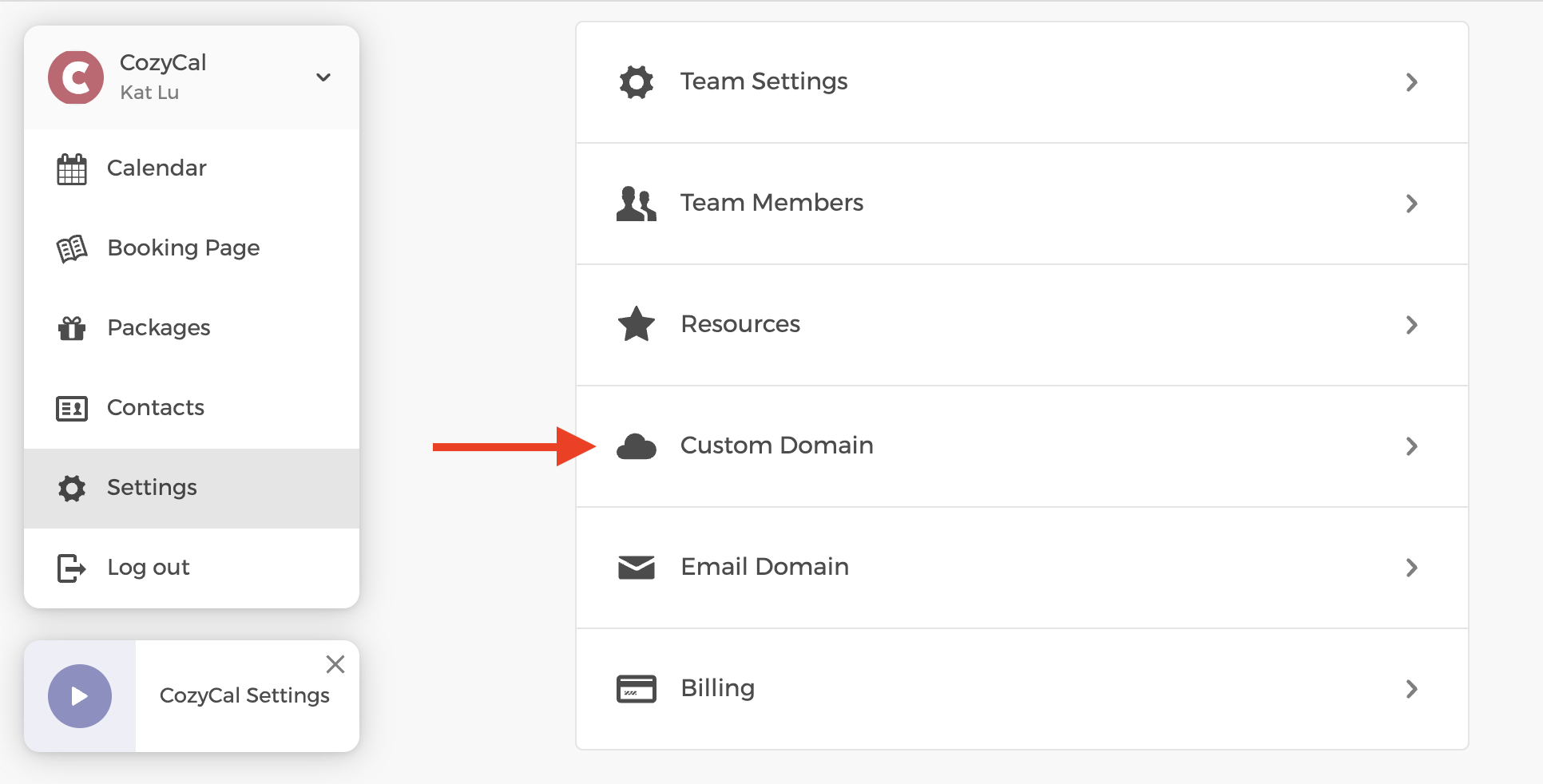
Go to Settings, then click on Custom Domain
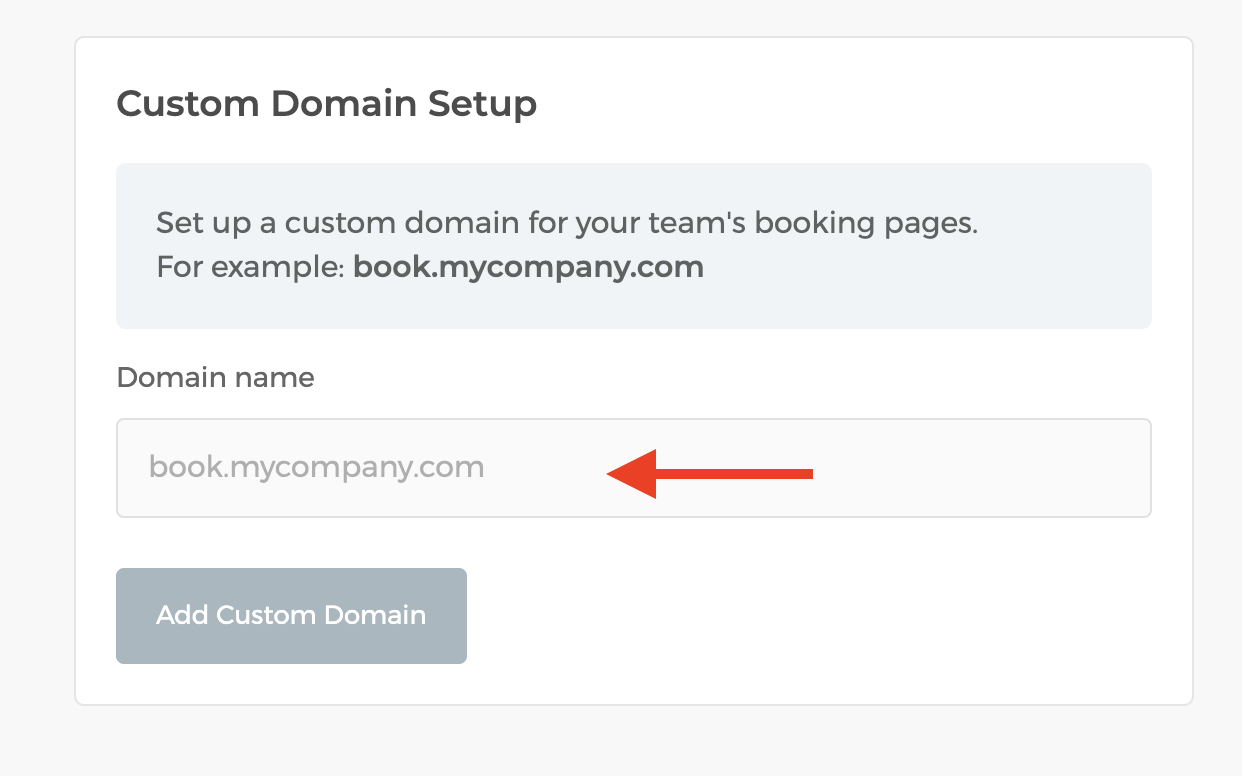
Enter your domain's name. When you are done, click on "Add Custom Domain"
That's it! After these steps are completed, it may take some time for the DNS changes to propagate. This is what your CozyCal Custom Domain page would look like when the DNS changes is propagated successfully.
Now, anyone who types in "book.yourbusiness.com" into their web browser will be directed to your CozyCal booking page.
Please note, setting up a custom domain requires some technical knowledge, especially around DNS configurations. If you're not comfortable with this, you might want to seek help from a web developer or your domain registrar's support service.