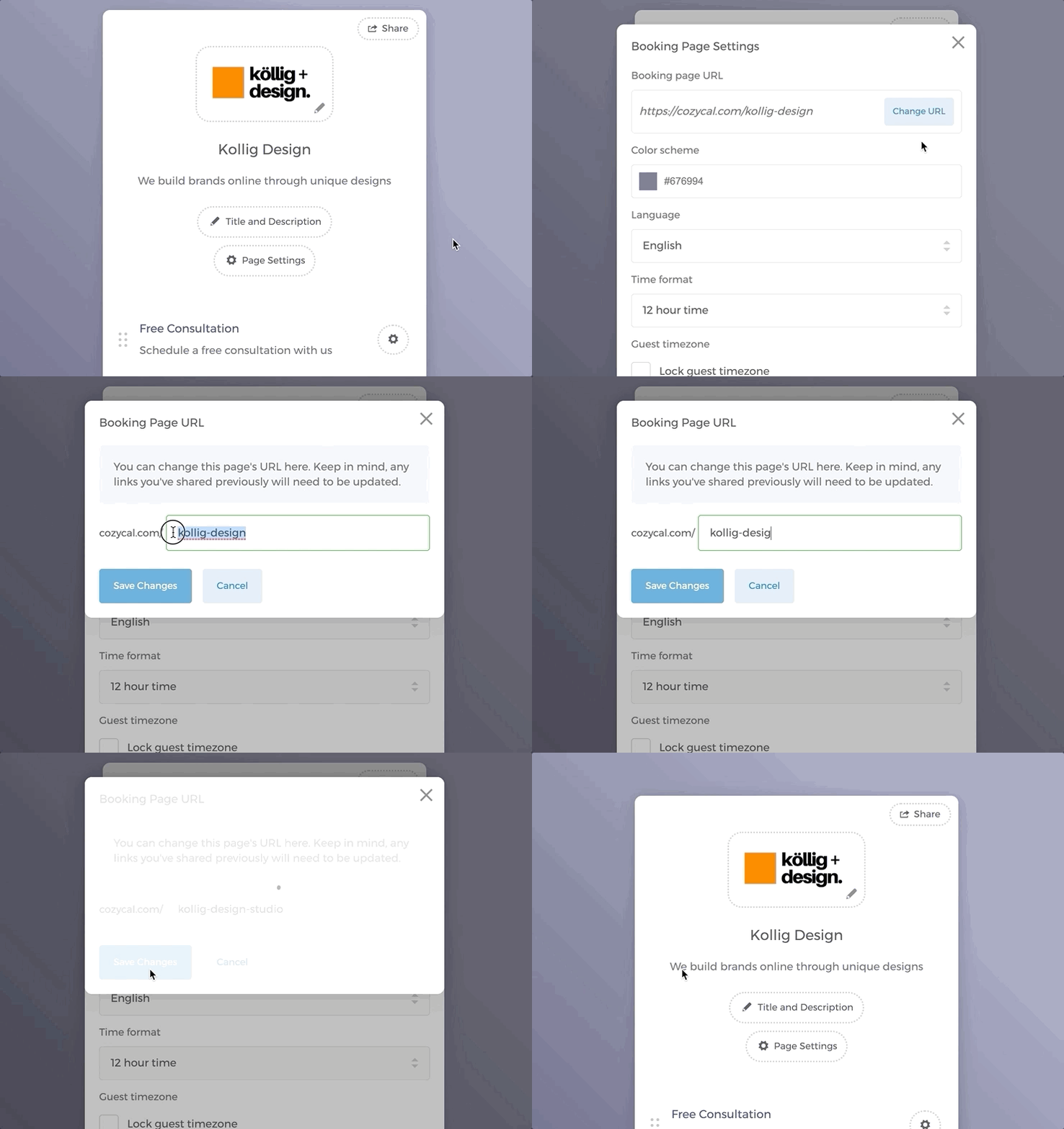
Edit booking page URL
- On your booking page, click on the
Page Settingsbutton. - Click on
Change. In the modal that opens, enter a new slug after thecozycal.com/prefix. If there are no URL duplicates in the system, the new URL will be successfully changed. - Don't forget to click on
Save Changes.
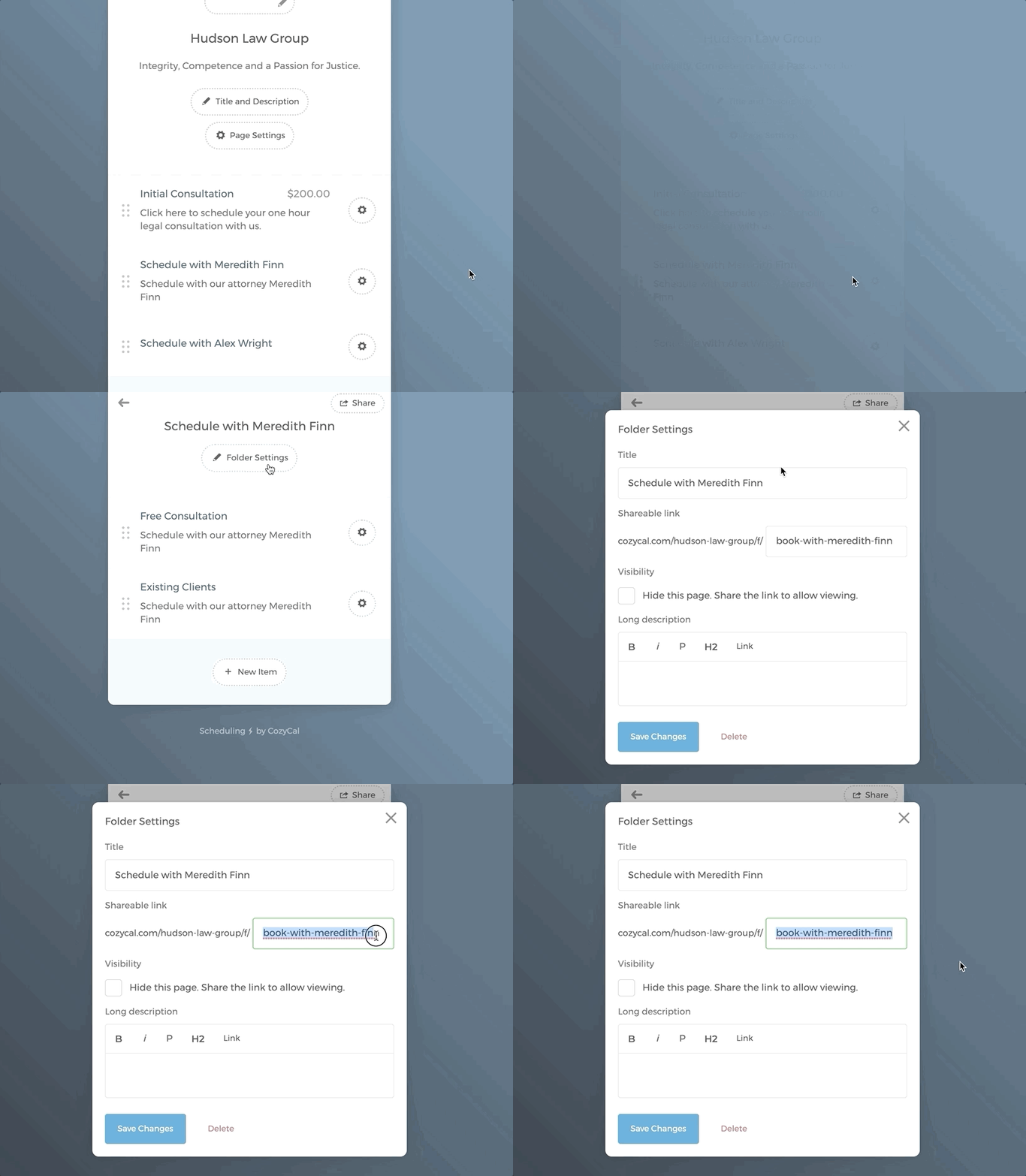
Edit folder URL
- On your booking page, click on the folder that you want to edit.
- Click on
Folder Settings. - Under Shareable link, enter a new slug for the URL. If there are no URL duplicates in the system, the new URL will be successfully changed.
- Don't forget to click on
Save Changes.
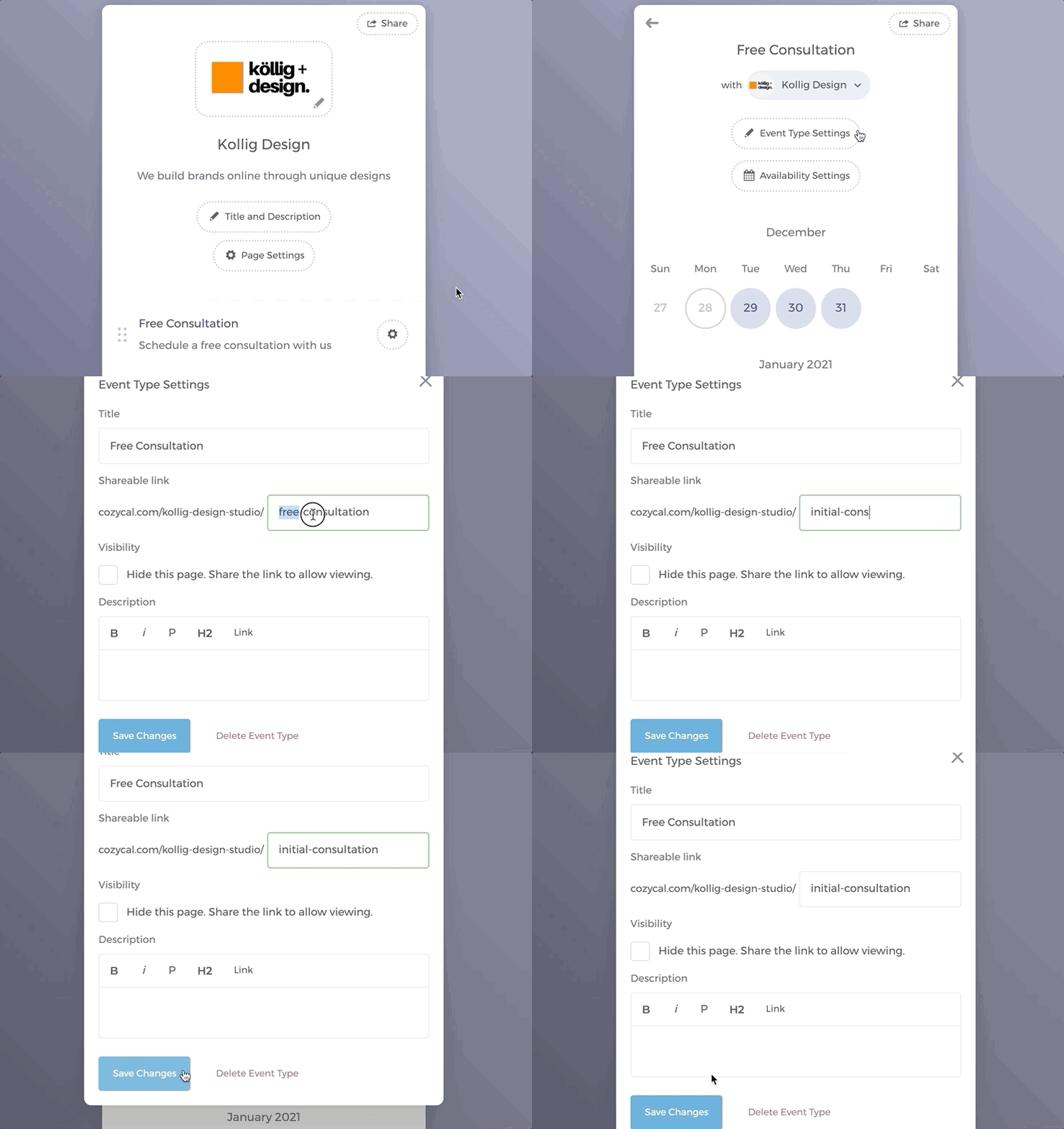
Edit event type URL
- On your booking page, click on the event type that you want to edit.
- Click on
Event Type Settings. - Under Shareable link, enter a new slug for the URL. If there are no URL duplicates in the system, the new URL will be successfully changed.
- Don't forget to click on
Save Changes.