
You can lock your guest's timezone through your booking page's settings.
One use case for a locked guest timezones would be for a service providers who only schedule in-person visits.
Once your booking page's guest timezone is locked, it applies to all event types listed on your booking page.
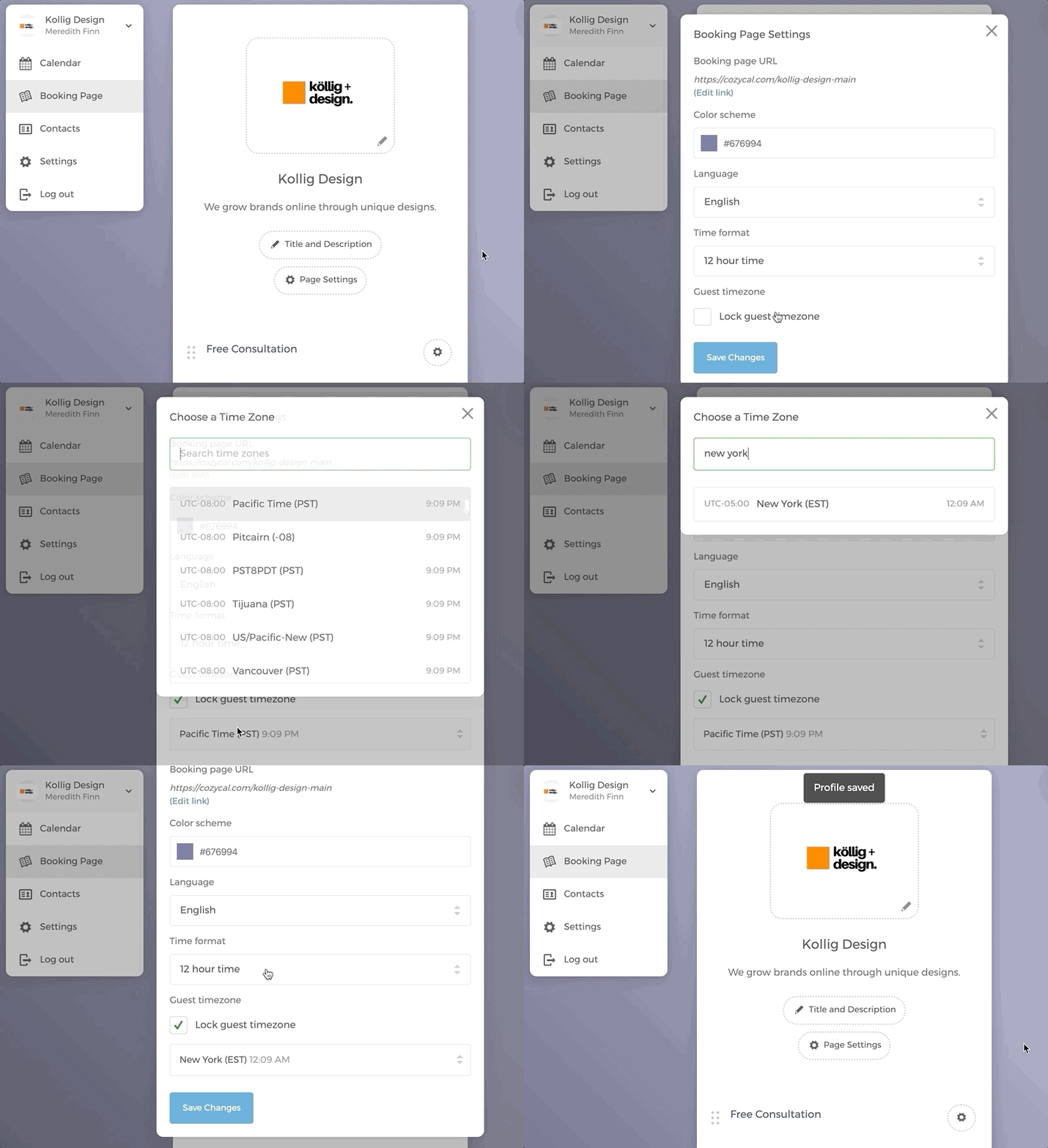
To lock guest timezone, go to Booking Page > click on Page Settings > under Guest timezone, check Lock guest's time zone to the following > select the timezone that you want to lock in.
Remember this is different from setting your account's default timezone.
To do that, you will need to go to Settings > Account Settings > change your Time zone