Deleting an event type
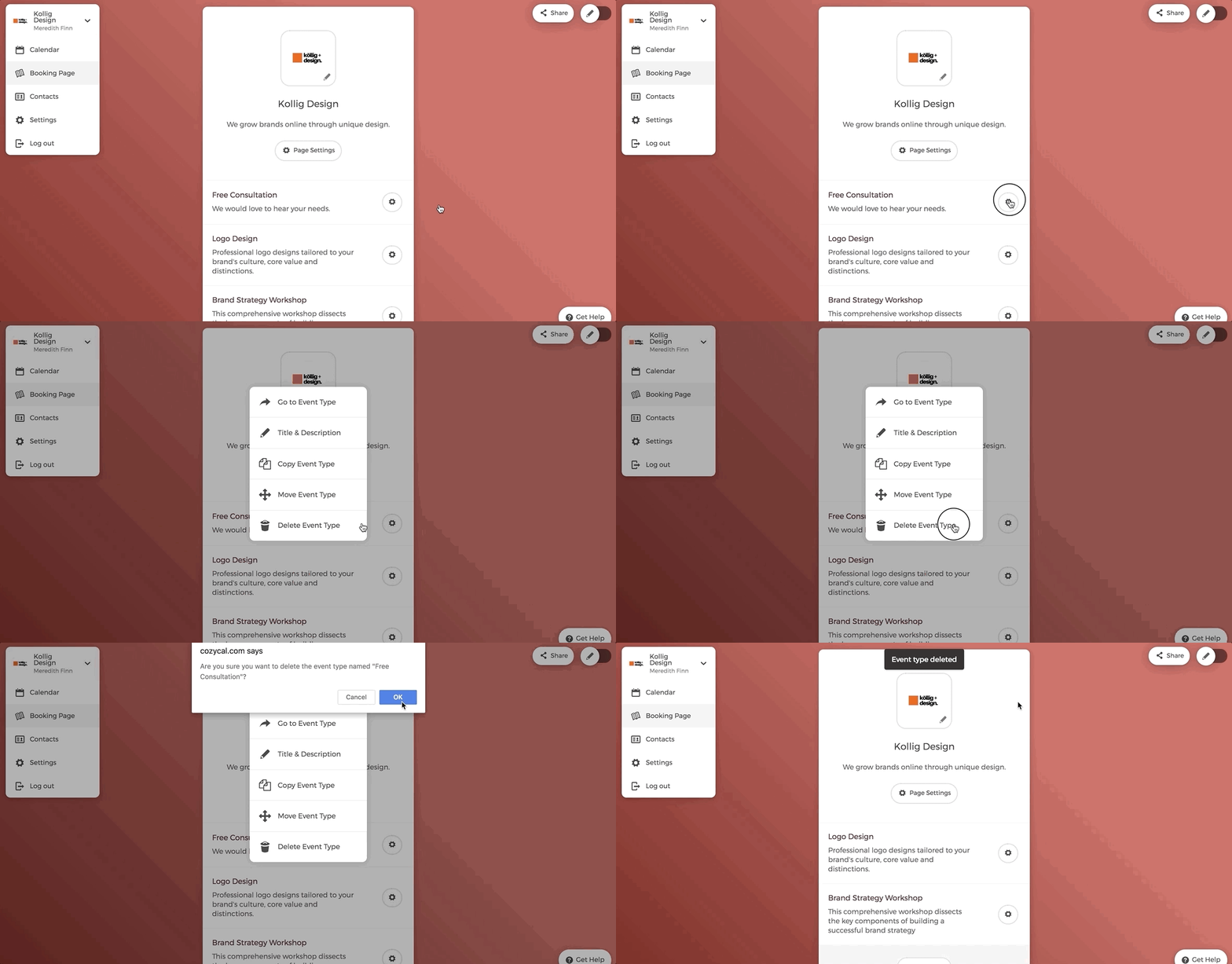
- On your booking page, click on the setting icon right next to the event type that you want to delete.
- On the pop-up menu, select "Delete Event Type".
- Confirm your deletion by clicking on "Ok".
You will see that the chosen event type is removed from your booking page.