Manually schedule a new event
You can manually create a new event on your calendar.
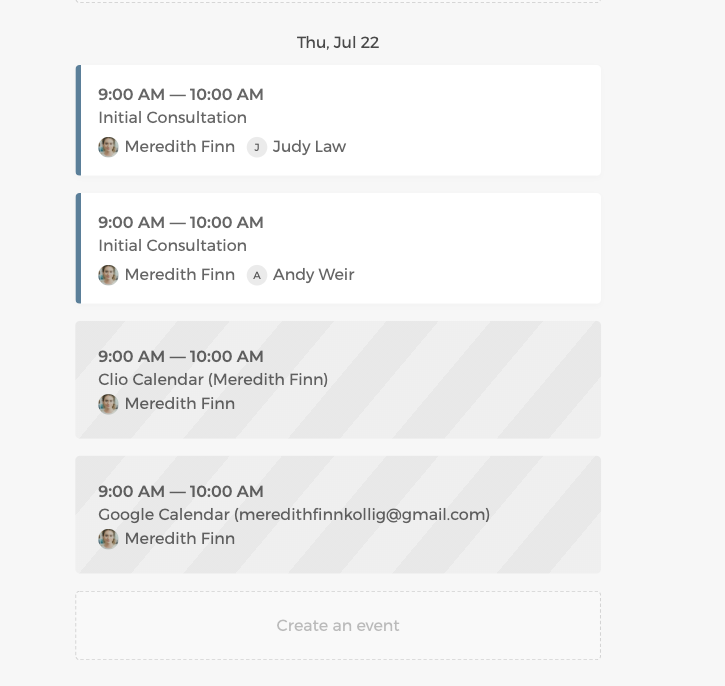
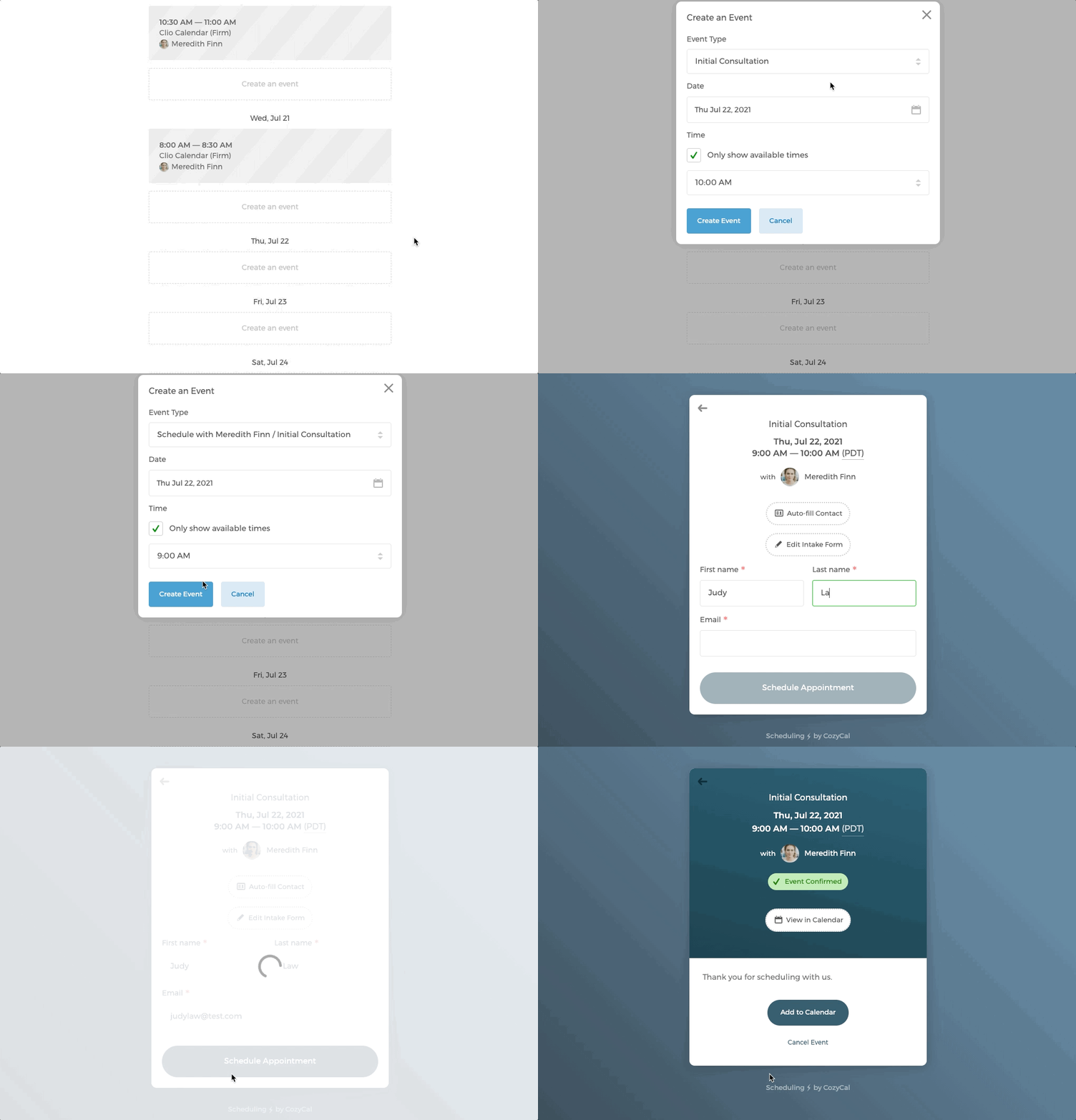
In this example below, a new event Initial Consultation is added on July 22nd at 9am:
- On your calendar, under July 22nd, click on
Create an event→New Event - Select the event type, date and time.
- You will be redirected to the intake form page, where you can fill out your client's information to schedule the event.
Manually double book an event or select a time slot outside of your availabilities
If an event type is set to accept only 1 guest, and there is already a scheduled time slot for this event (see the example above). You can manually force double book an event during the same time slot.
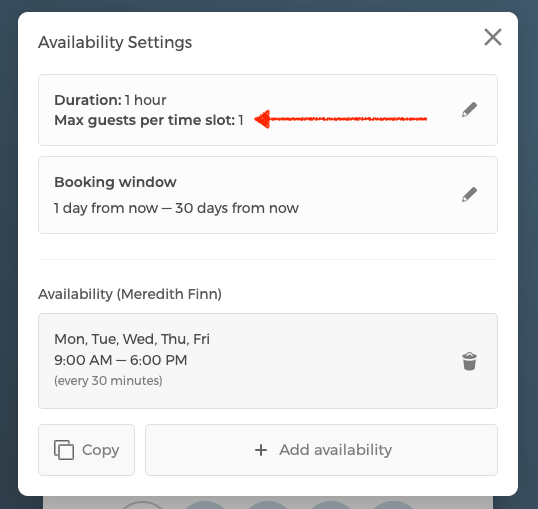
In this example below, there is an existing event booked for Initial Consultation with Meredith Finn on July 22nd at 9am. But you can manually schedule another event during the same time slot despite the number of guest per time slot is set as 1:
- On your calendar, under July 22nd, click on
Create an event→New Event - Select the event type and date. For time, uncheck
Only show available timesto switch to a free time picker so you can pick any time slot. To reveal slots that fall outside your set availability, also checkShow off-schedule times. Then pick the time slot that you want to schedule. - You will be redirected to the intake form page, where you can fill out your client's information to schedule the event.
- After clicking on the
Schedule Appointmentbutton, there is aConfirm Double Bookingmessage popping up warning you that this is a double booked event. If you are sure to continue, click onYes, Confirm Double Bookingto schedule this event.
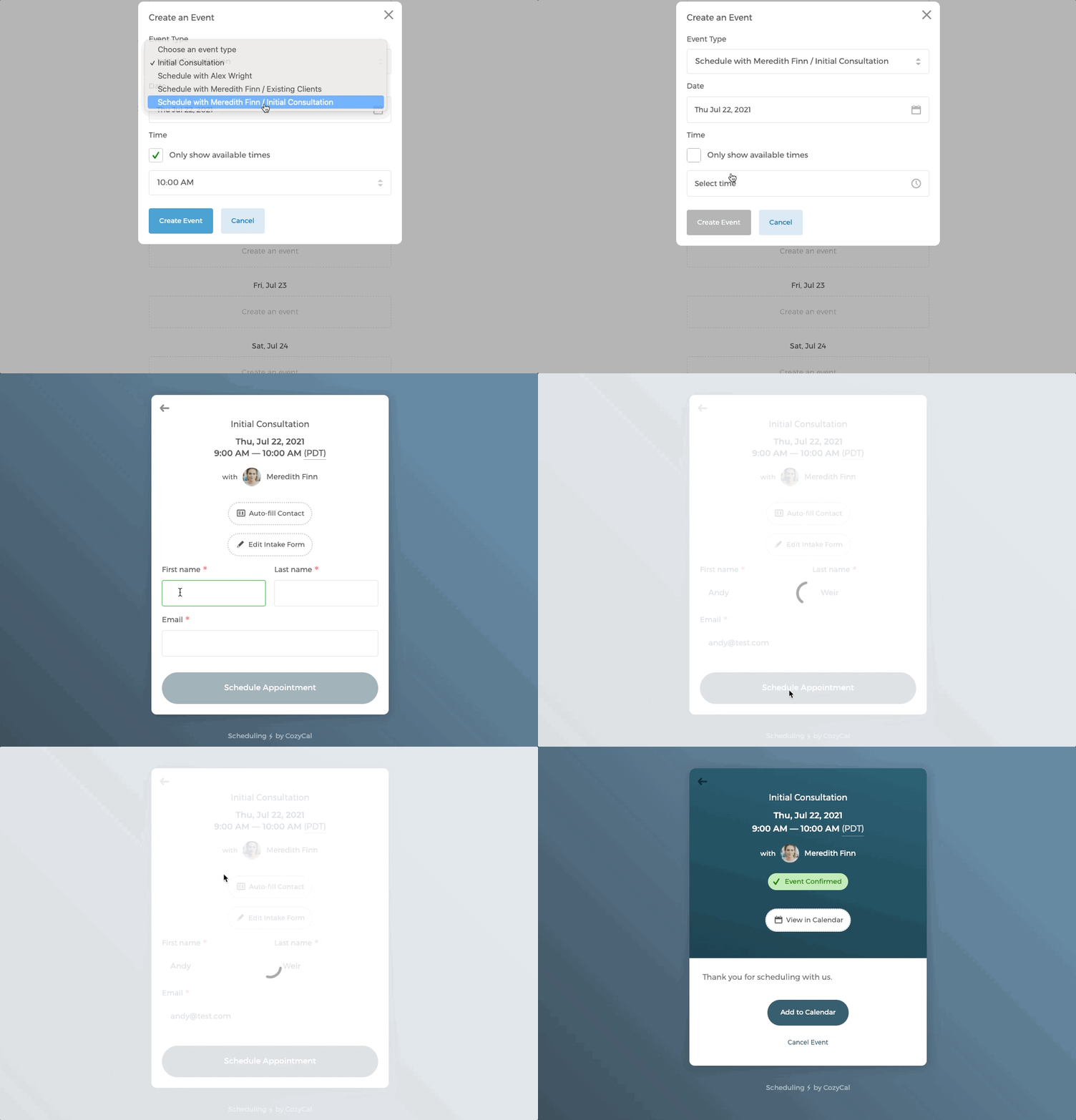
- You will see that the double-booked event with Andy Weir is added to the calendar.