
Connect CozyCal to hundreds of other apps with Zapier
We added Zapier integration to CozyCal to offer you an easy and quick way to automate repetitive or tedious tasks in your workflows. More importantly, by automating more tasks through zaps, it will free up more time in your schedule to focus on what's important in your business.
For those of you who are unfamiliar with Zapier or what a Zap is: Zapier lets you connect CozyCal to 1,000+ other web services. Automated connections called Zaps, set up in minutes with no coding, can automate your day-to-day tasks and build workflows between apps that otherwise wouldn't be possible.
Each Zap has one app as the Trigger, where your information comes from and which causes one or more Actions in other apps, where your data gets sent automatically.
Getting Started with Zapier
Sign up for a free Zapier account, from there you can jump right in.
To connect with Zapier, you will need to have a Zapier account and log in first.
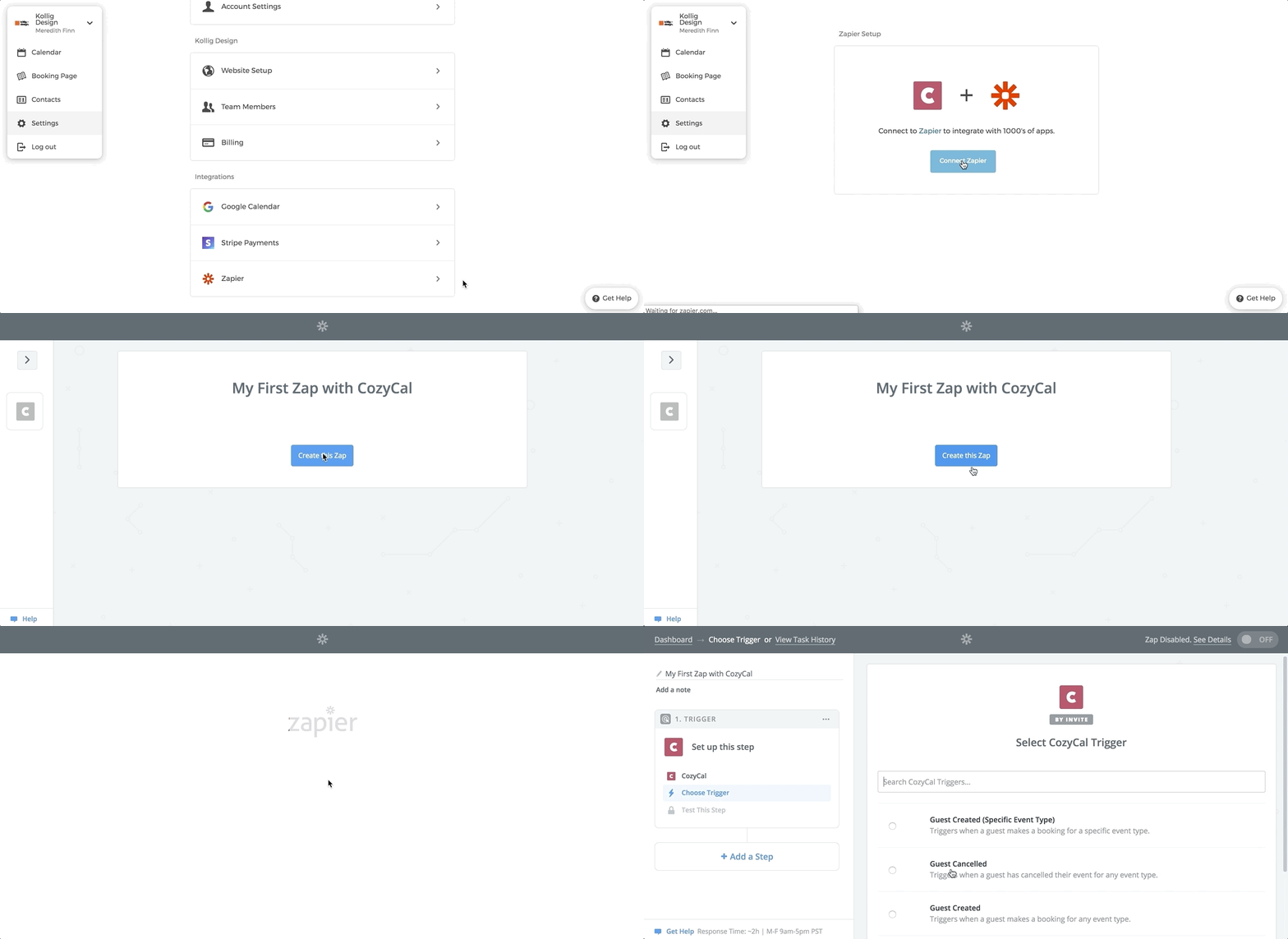
- On the
Settingspage, click onZapier. - Click on
Connect to Zapier. - Once that's done you can start creating an automation by clicking on
Create Zaps. Use a pre-made Zap or create your own with the Zap Editor. Creating a Zap requires no coding knowledge and you'll be walked step-by-step through the setup.
Some users have asked us whether Zapier is free or not. Zapier has a tiered pricing scheme — their free plan covers a limited number of single-step Zaps and monthly tasks, while paid plans add multi-step Zaps and higher task limits. For the current limits, check Zapier's pricing page.
But even with Zapier's free plan, you can create effective one-step zaps that automate key tasks for you.