
Our Zoom integration connects your Zoom account to your CozyCal account. Automatically generate Zoom meeting links when guests schedule with you.
Zoom integration installation guide
If you already have a Zoom account, you can connect it with your CozyCal account by:
- Click on Settings.
- Under My Account Integrations, click on
Zoom. - On the Zoom page, click on
Connect to Zoom. You will be directed to log into your Zoom account. - Once you log into your Zoom account, click on
Authorizeto allow Zoom to connect with your CozyCal account.
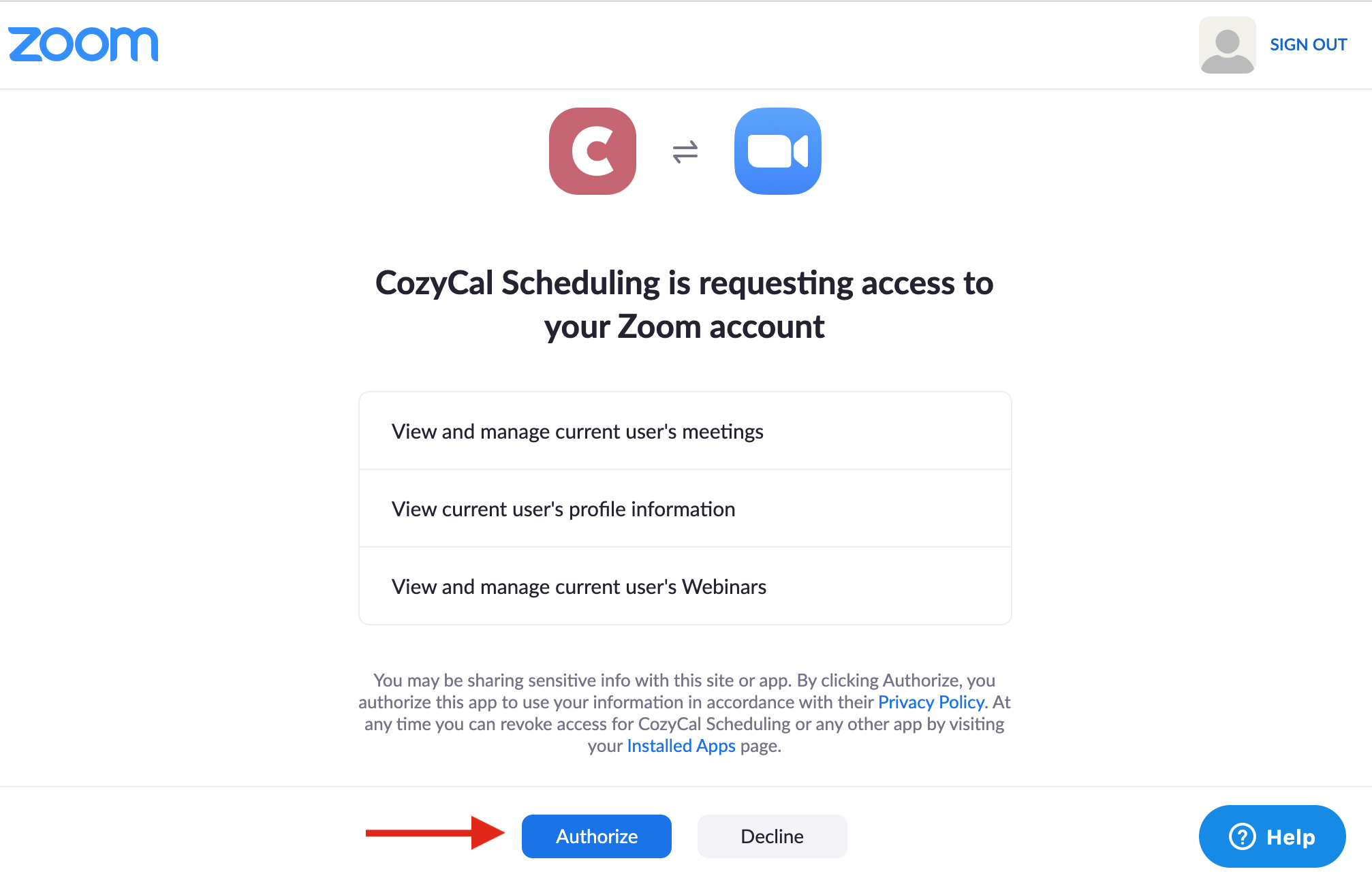
- Once you give permission for CozyCal to access your Zoom account, you will be directed back to your CozyCal account where you will see a message confirming connection with Zoom is successful.
- Go to your booking page, select the event type that you want to add the Zoom meeting links.
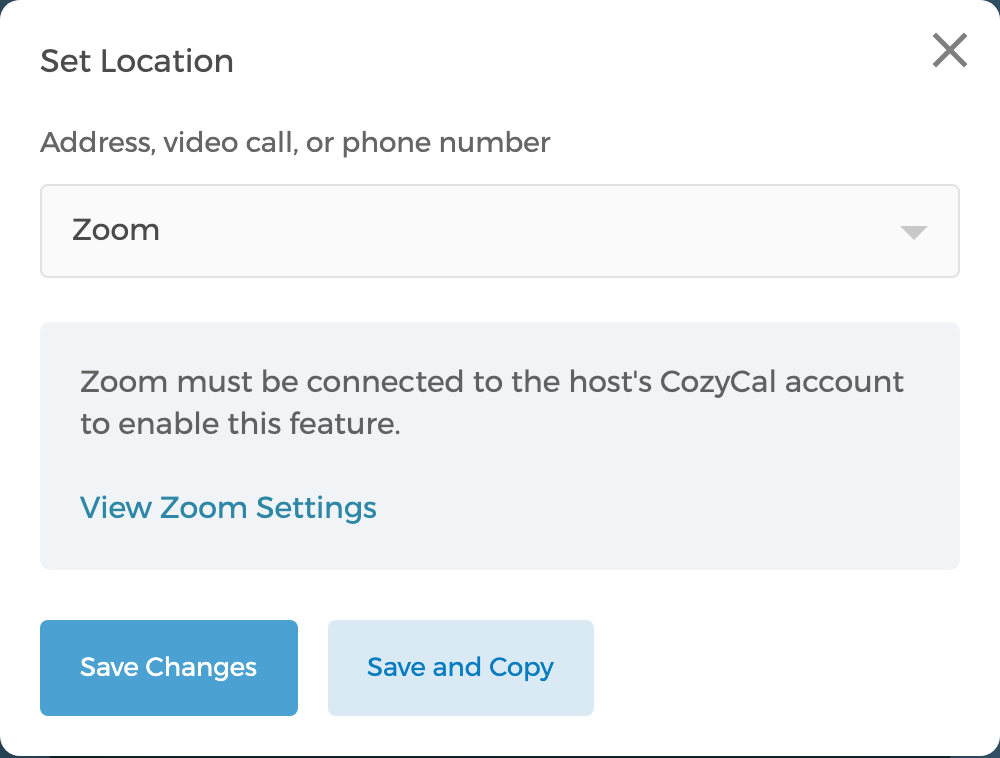
- On the navigation bar, click on Event Confirmation, then the
Set Locationbutton. From the Address, video call, or phone number drop-down menu, selectZoom, then clickSave Changes. - A unique Zoom meeting link will now be auto-generated each time a meeting is booked on that event type. (The host's Zoom account must stay connected for the link to generate.)
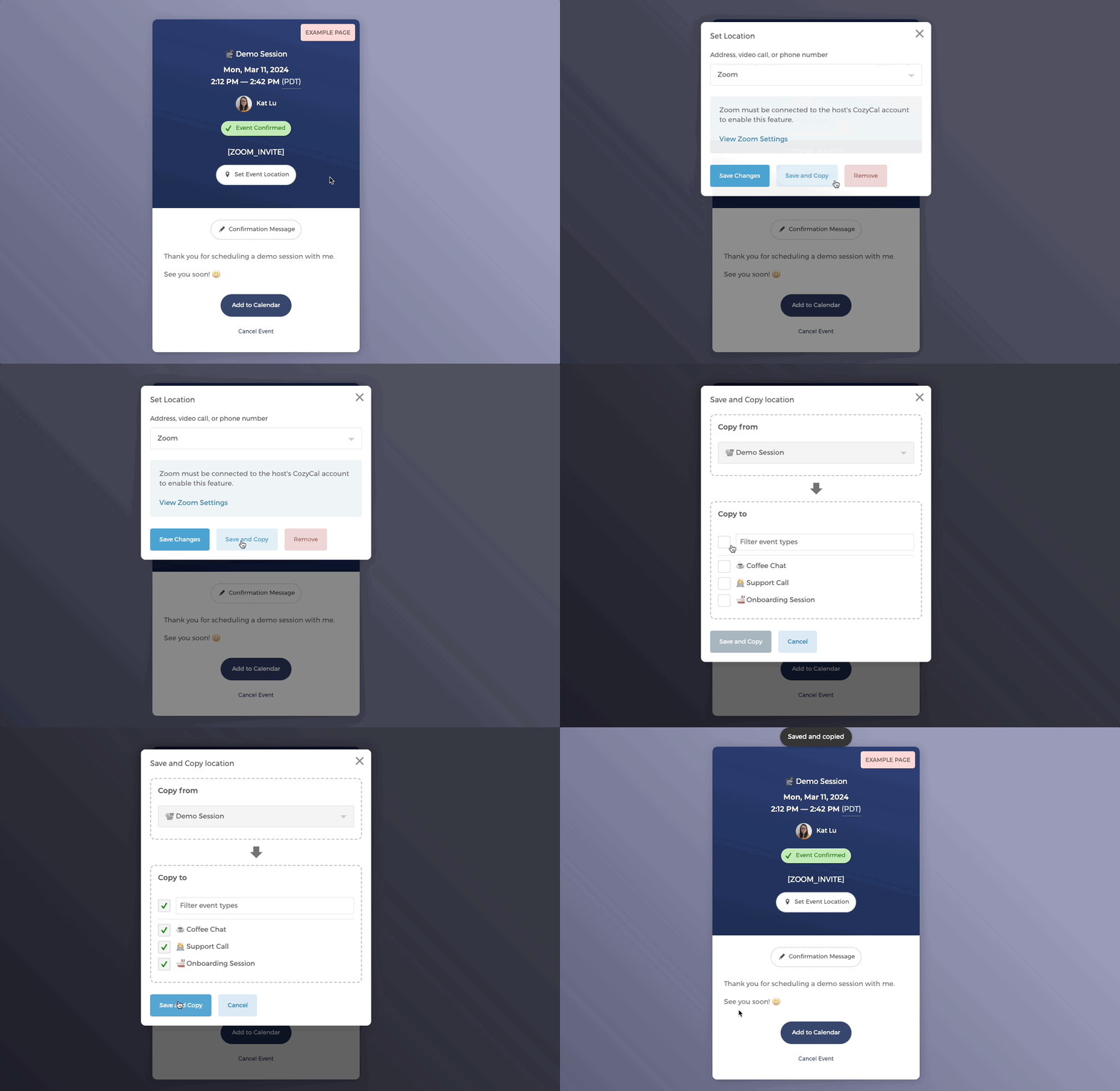
A quick reminder that you can also click on
Save and Copyto duplicate the Event Location setting to other event types to save time.
Zoom integration and notifications
- Notifications for guests:
When guests book an event with you, they will receive a uniquely generated Zoom meeting link:
- on their confirmation message
- calendar event description (if they choose to add the event to their calendar using the
Add to Calendarbutton)
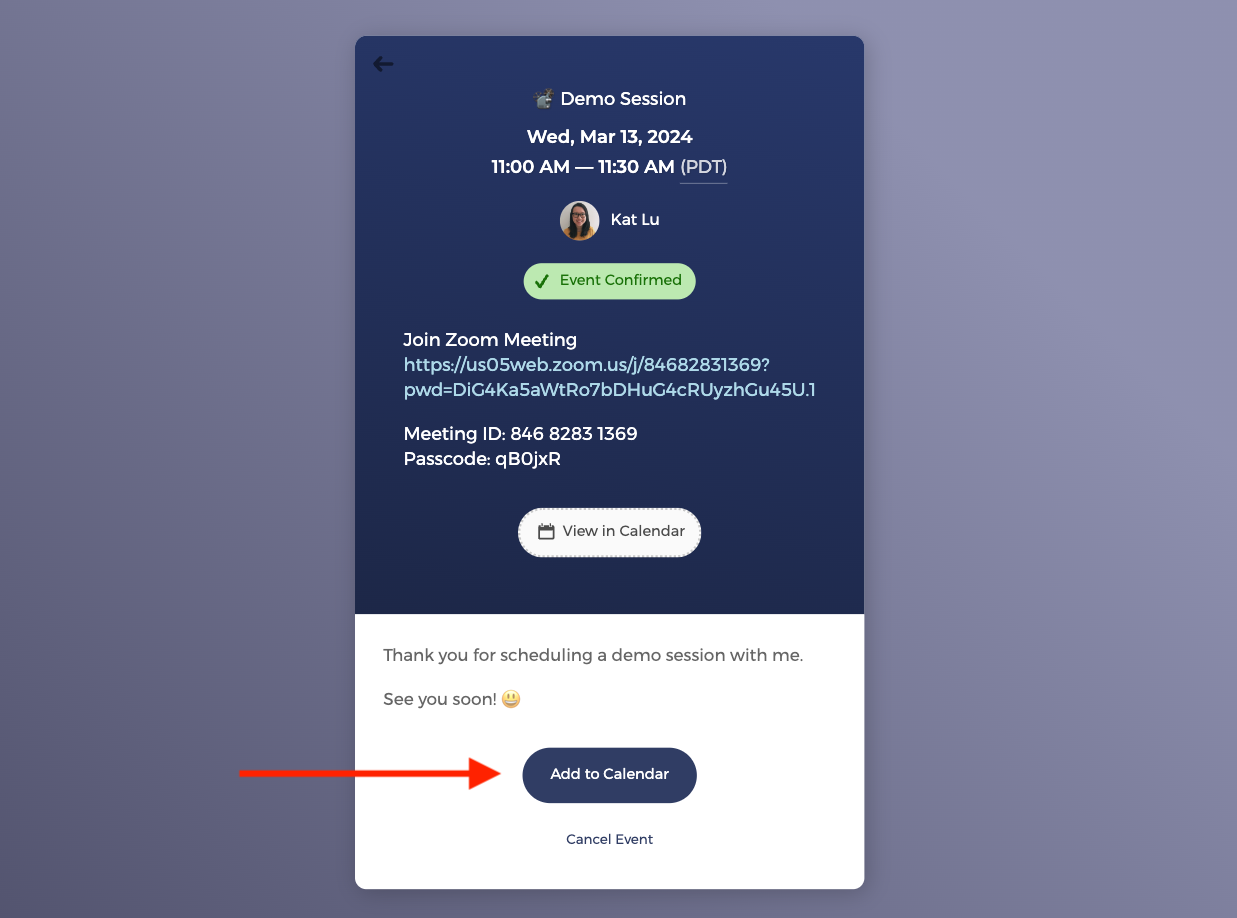
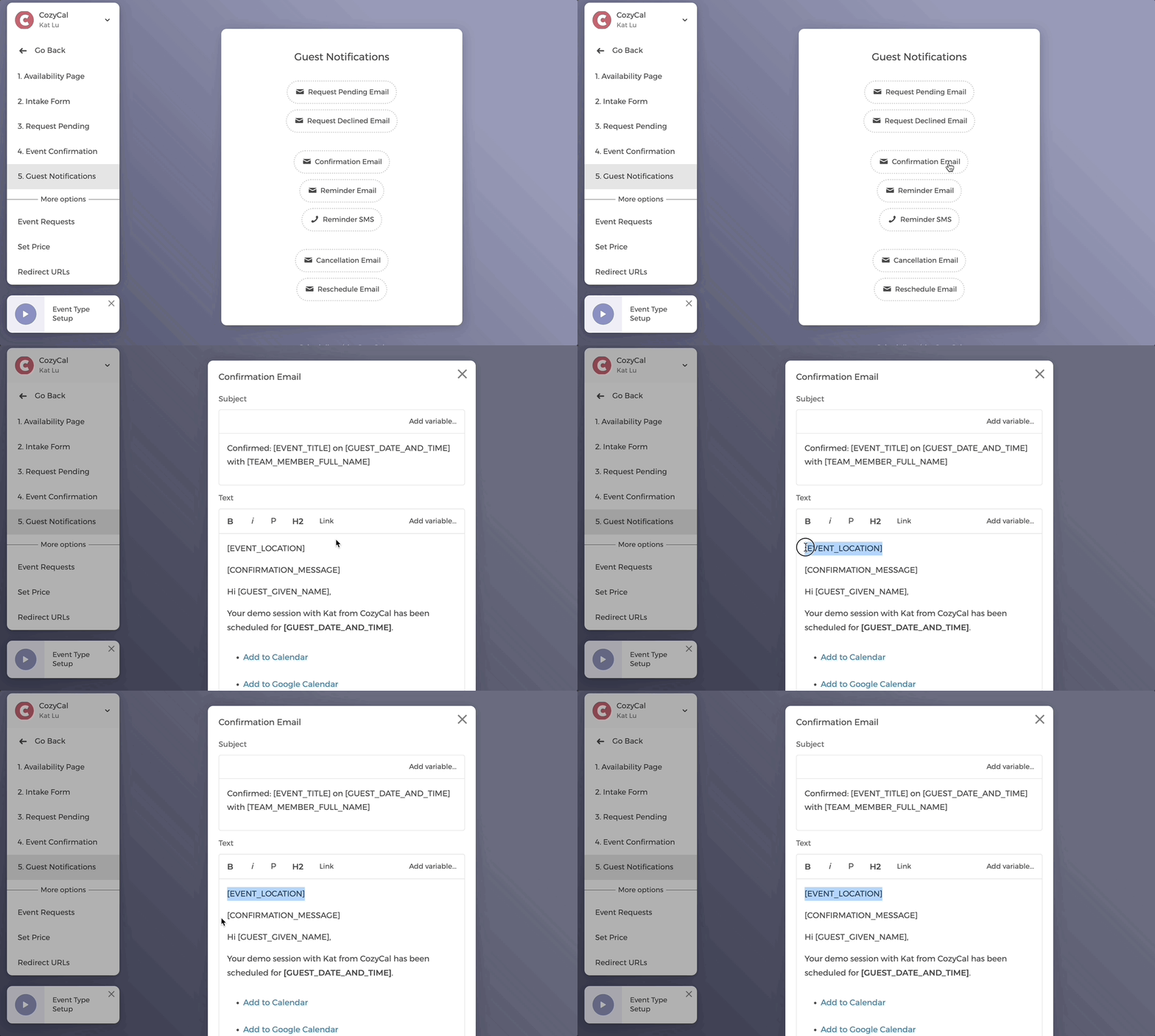
Notice that in the Confirmation Message, the message is included as the [EVENT_CONFIRMATION] tag in your email templates. So when your Zoom Meeting information is included in the Confirmation Message, it will also show up in guests':
- confirmation email
- reminder email
- Notifications for hosts:
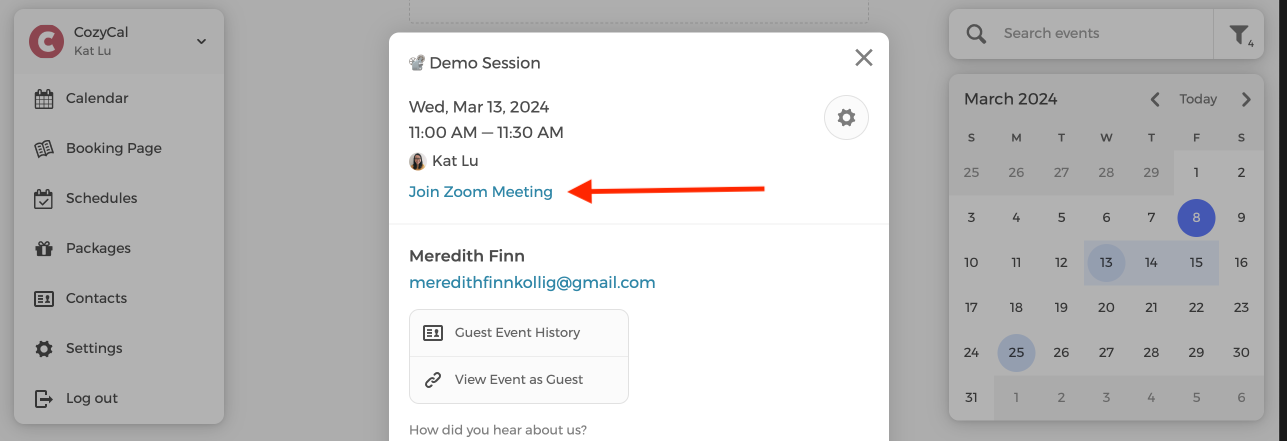
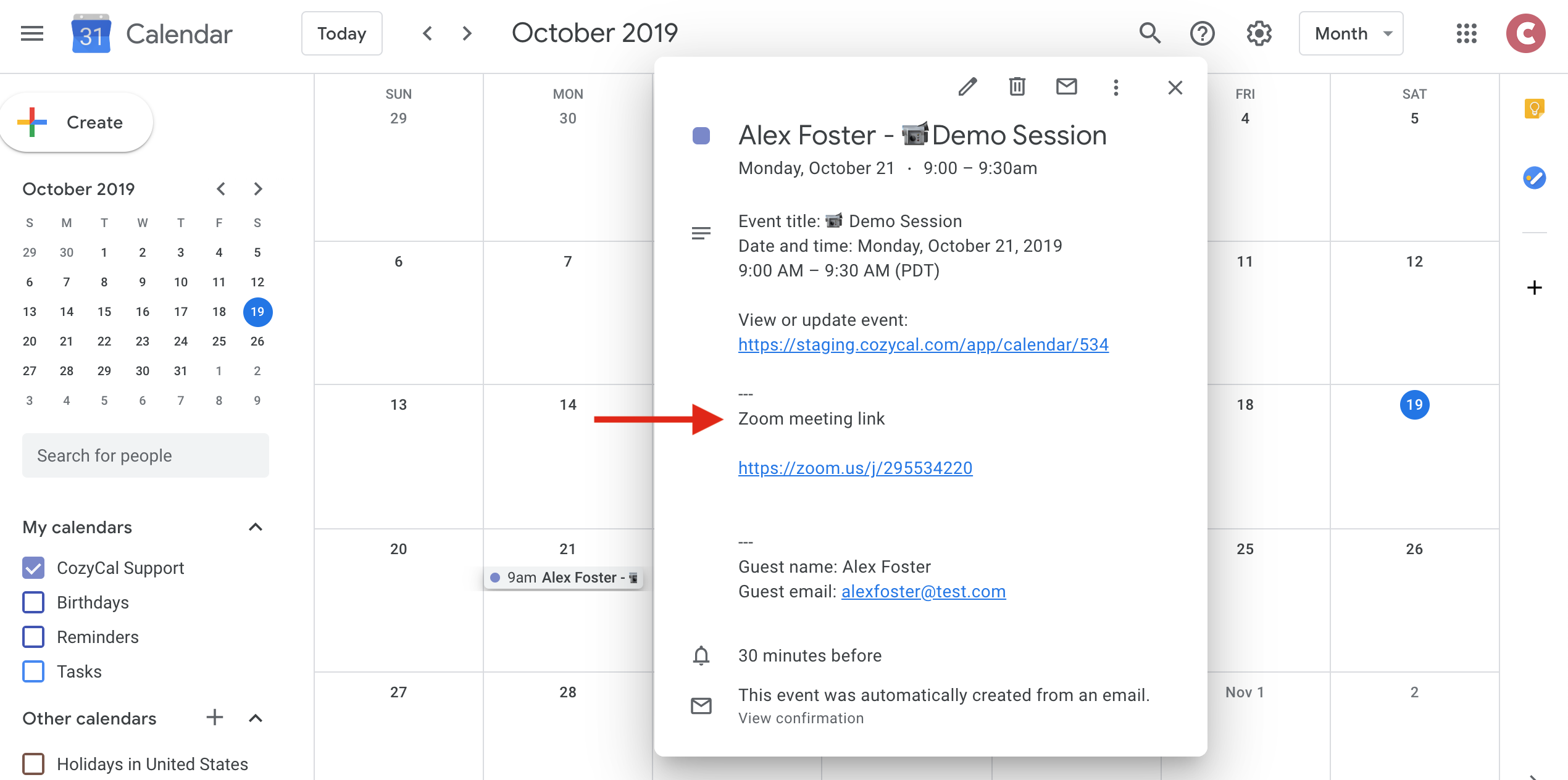
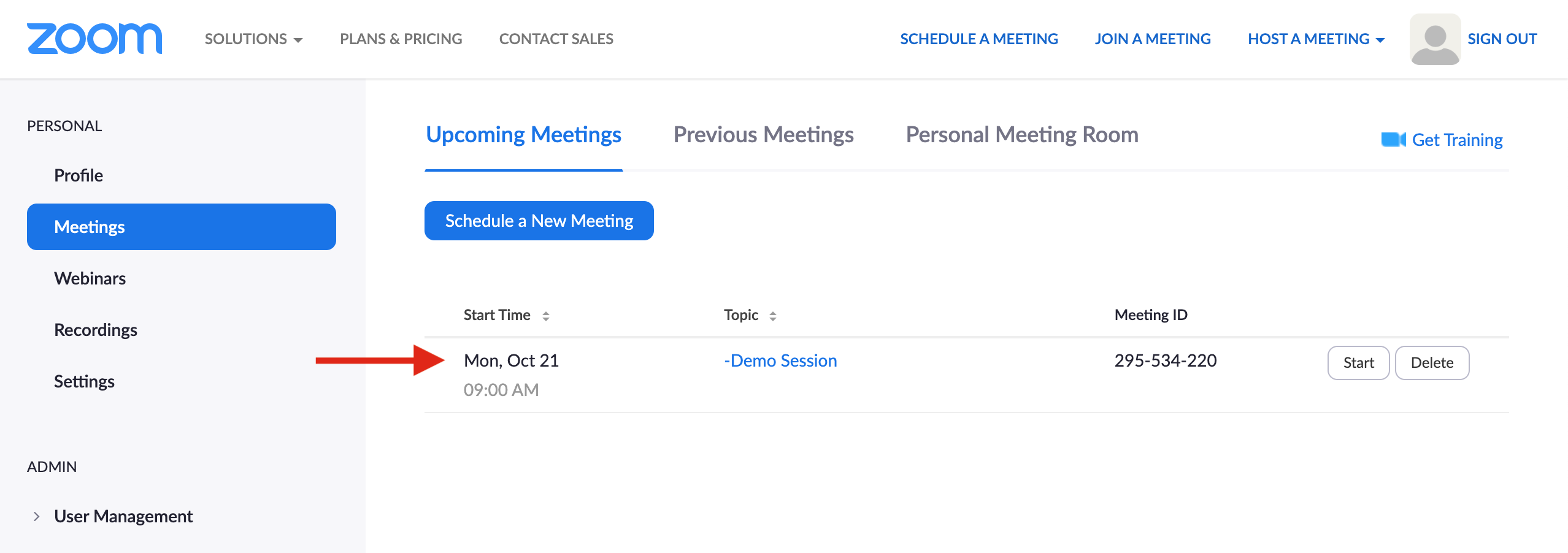
On your end, the Zoom meeting information will be showing in your:
- CozyCal calendar's appointment event details
- Event description of your integrated calendar (e.g., Google calendar)
- Zoom account
Zoom integration for teams
If you have multiple members on your booking page, each team member can connect their CozyCal account with their own Zoom account separately. They will not need permission from the admin to integrate their CozyCal account with Zoom.