
You can enable booking guests to add additional email recipients to receive notifications for scheduled meetings.
Guests can include extra email addresses, ensuring all relevant parties are informed about the meeting details such as Zoom meeting links.
This feature is ideal for scenarios like:
- Mediation sessions, where both parties (e.g., spouses) need to be informed about the meeting.
- Product demos, where booking guests can ensure their team members receive meeting details.
- Parent-teacher conferences, where a guardian can add another caregiver to receive notifications.
- Event planning meetings, where an organizer can add colleagues to receive meeting information.
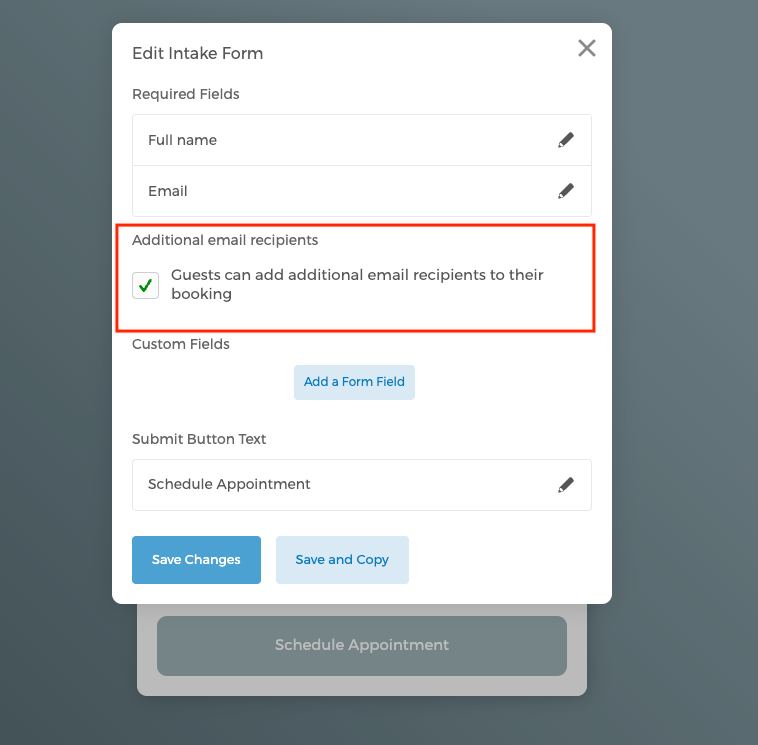
Simply go to the event type you want to edit > go to Intake Form > click on the button Edit Intake Form > check the under Additional email recipients.
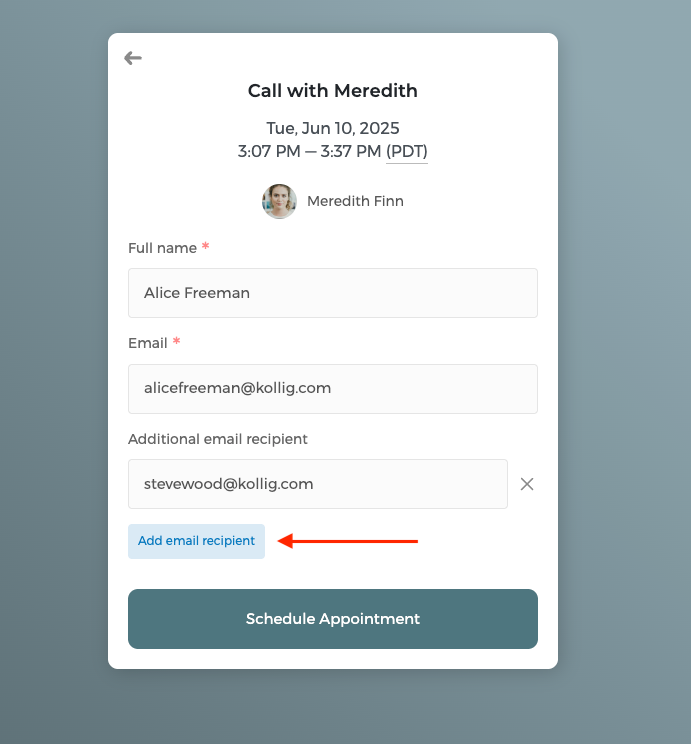
When booking guests are filling out the intake form, they can click on Add email recipient to add more attendees.
Read more about Set up email notifications.