Note: Coupon codes do not allow you to skip payment as Stripe doesn't allow coupons to discount below the minimum credit card charge.
Here are some workarounds:
- Share a hidden event type that doesn't have a price
- Book on behalf of your guest using the "Checkout in Test Mode" feature
Create the coupon code
- Go to your Stripe Dashboard → Coupons page:
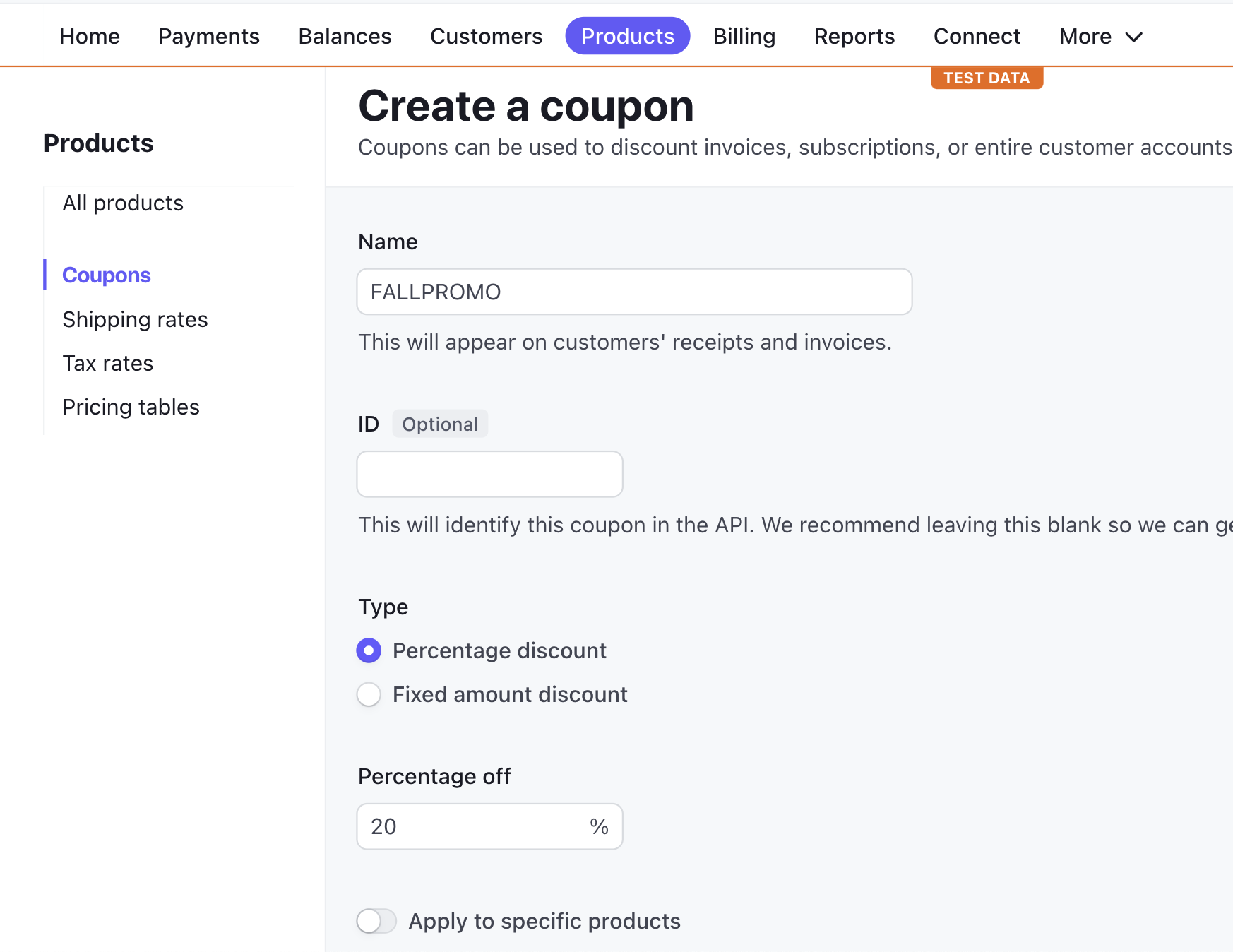
- Fill in the coupon details
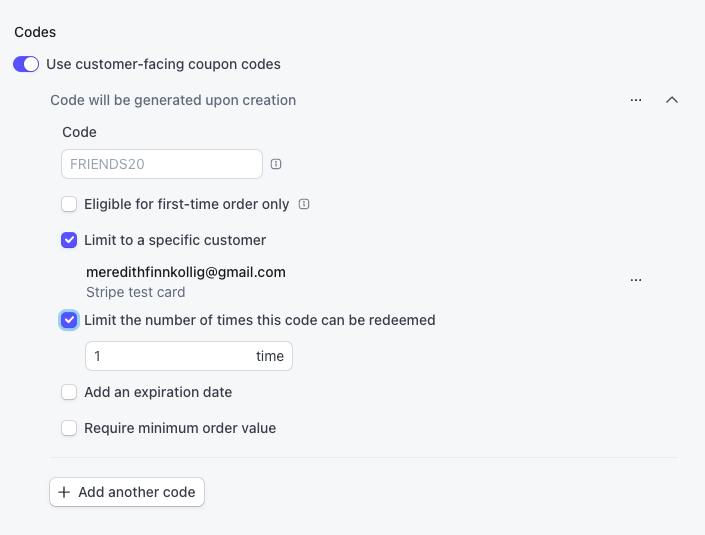
- Enable "Use customer-facing coupon codes" and optionally set a custom coupon code.
- Click
Create coupon
Applying the promo code during checkout
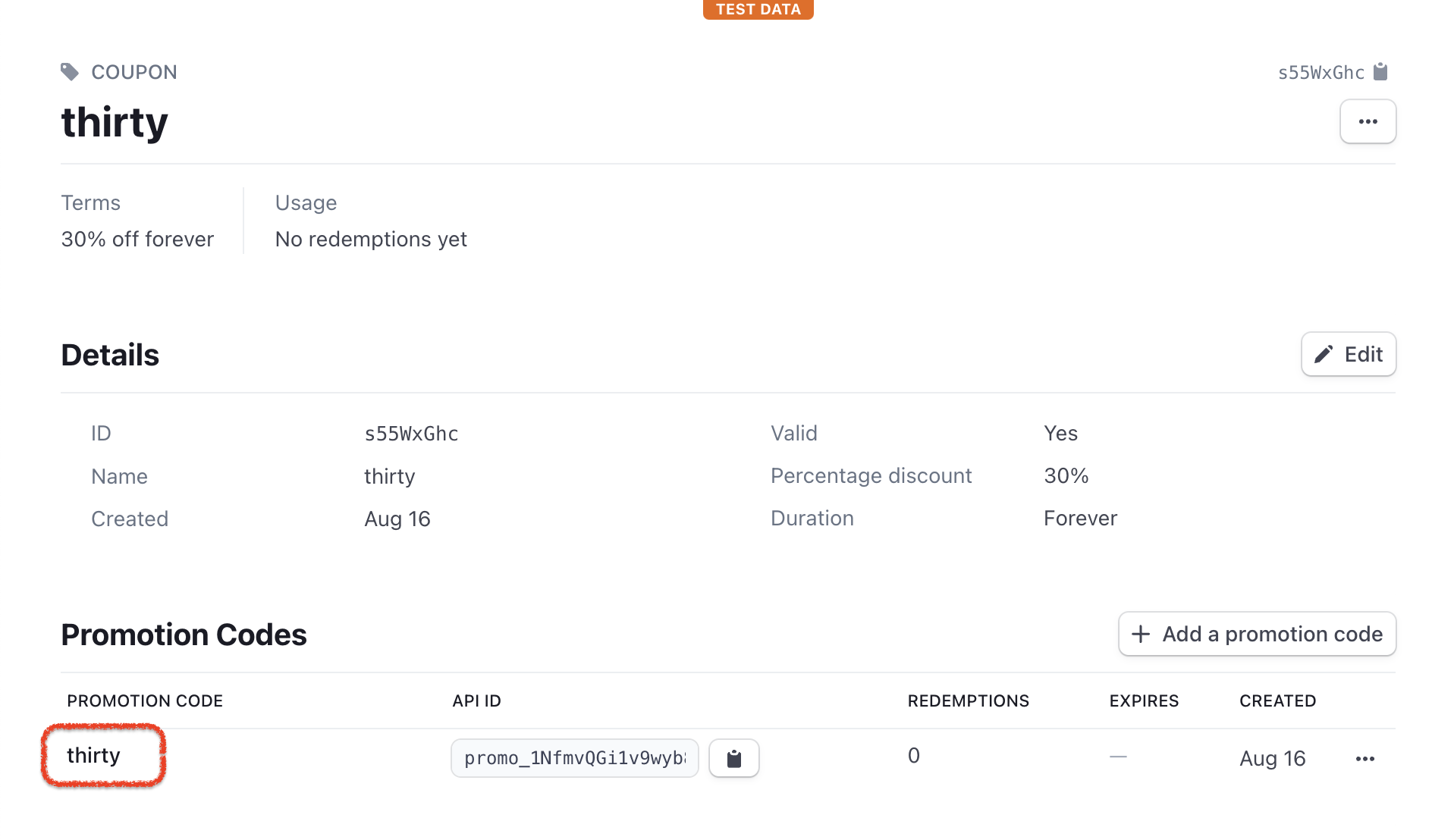
Under the "Promotion Codes" section, you can copy the code to share with guests.
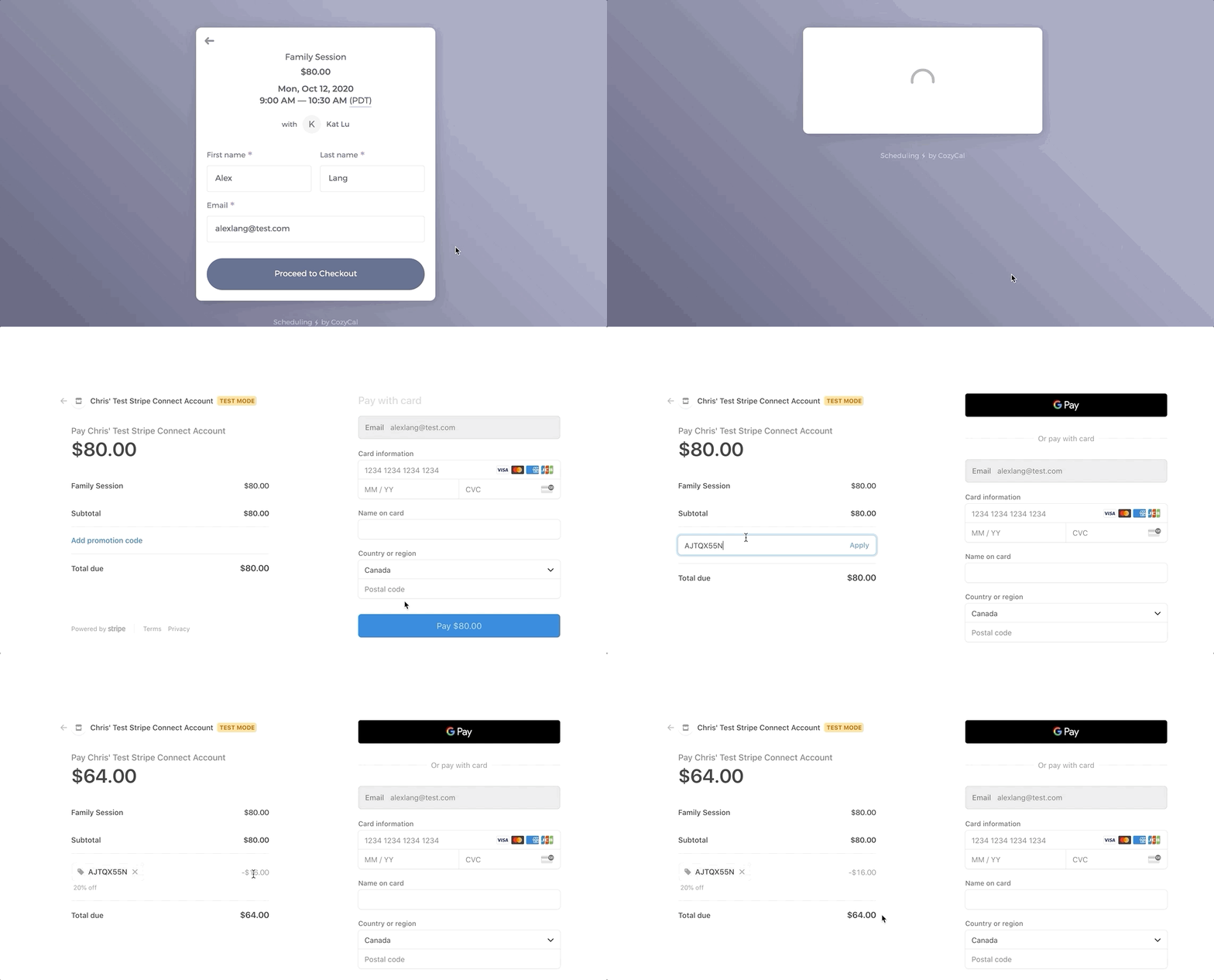
During checkout, guests can apply the promo code to get a discount for the event type's payment.