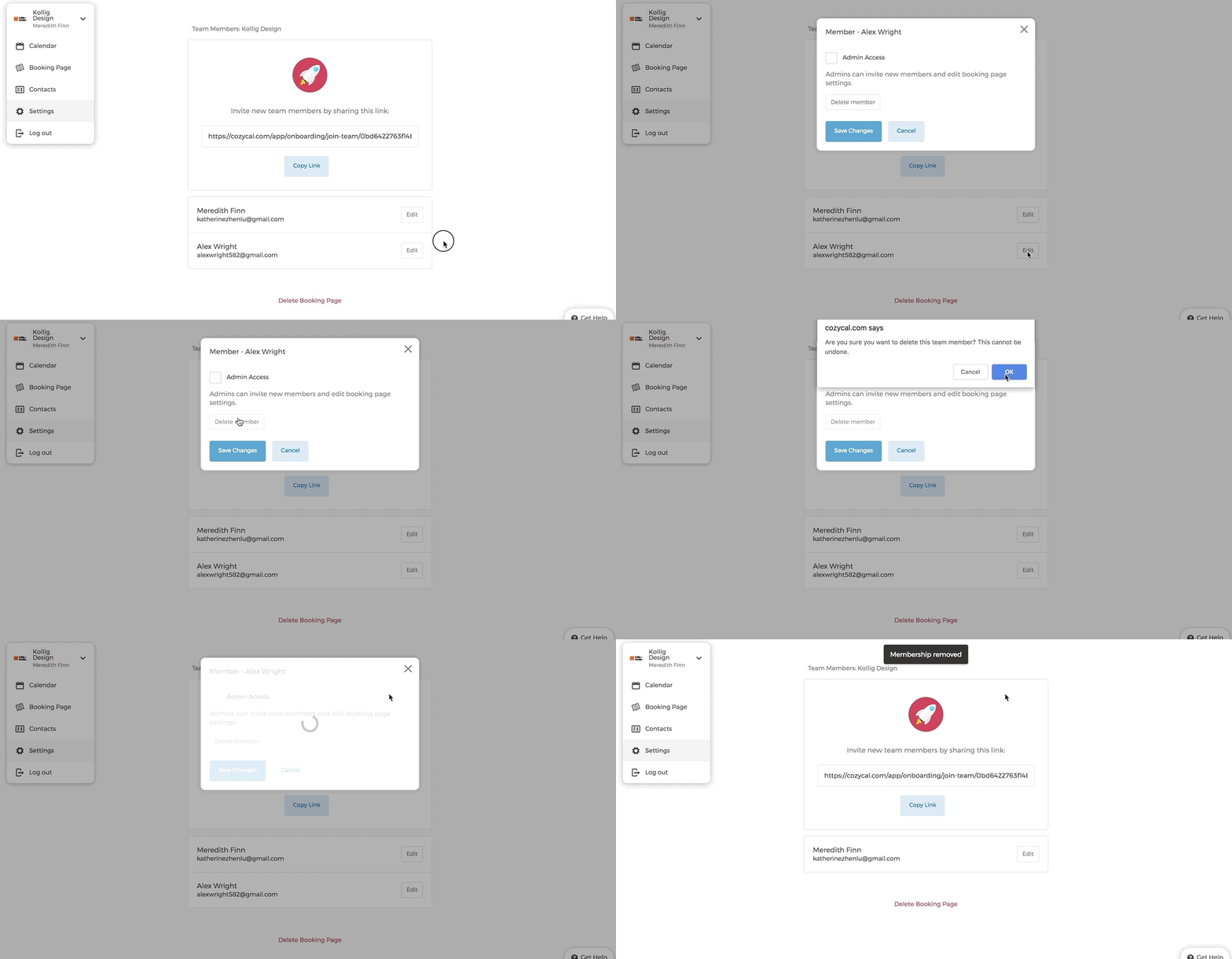
If you have admin access, you can delete other team members from your account.
- On your Team Members page, select the team member that you want to delete by clicking on "Edit"
- Click on "Delete Team Member" (or "Leave team" if you are removing yourself).
- A browser prompt will appear. Type the member's full name to confirm the deletion.
Now this team member's availability is removed from your booking page.