
Wordpress Integration
Connect CozyCal with Wordpress to capture leads and let clients book appointments right on your website.
Sign up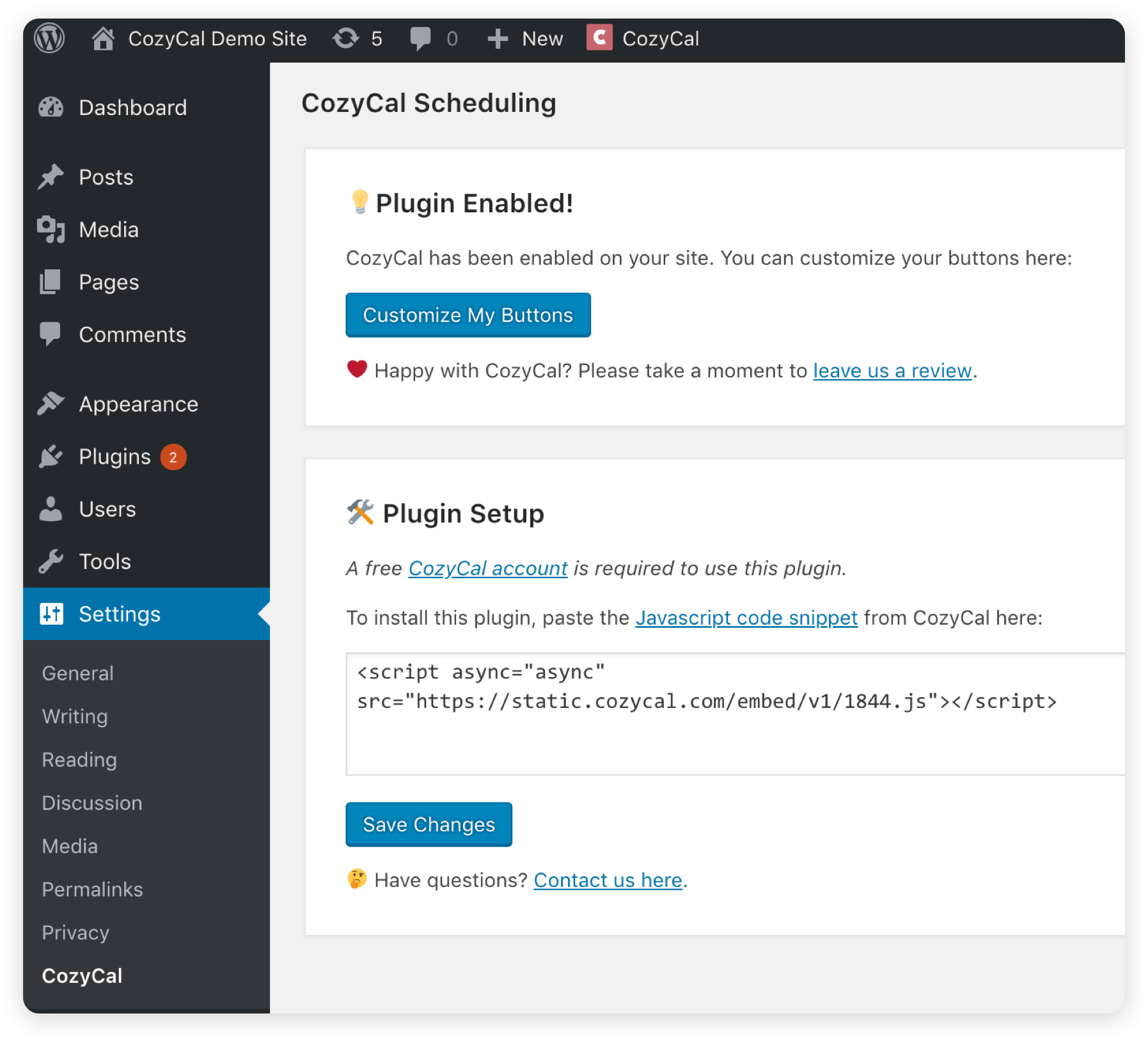
Easy installation of CozyCal through Wordpress
It's easy to download and install the CozyCal plugin on your Wordpress website. All you need is a short piece of code.
You can add the code to Wordpress yourself or email the code directly to your webmaster right within your CozyCal account.
Display your services, offer availabilities and accept payments, and let potential leads and existing clients schedule meetings right on your website.
Follow our Wordpress Plugin installation guide to set it up on your Wordpress website.
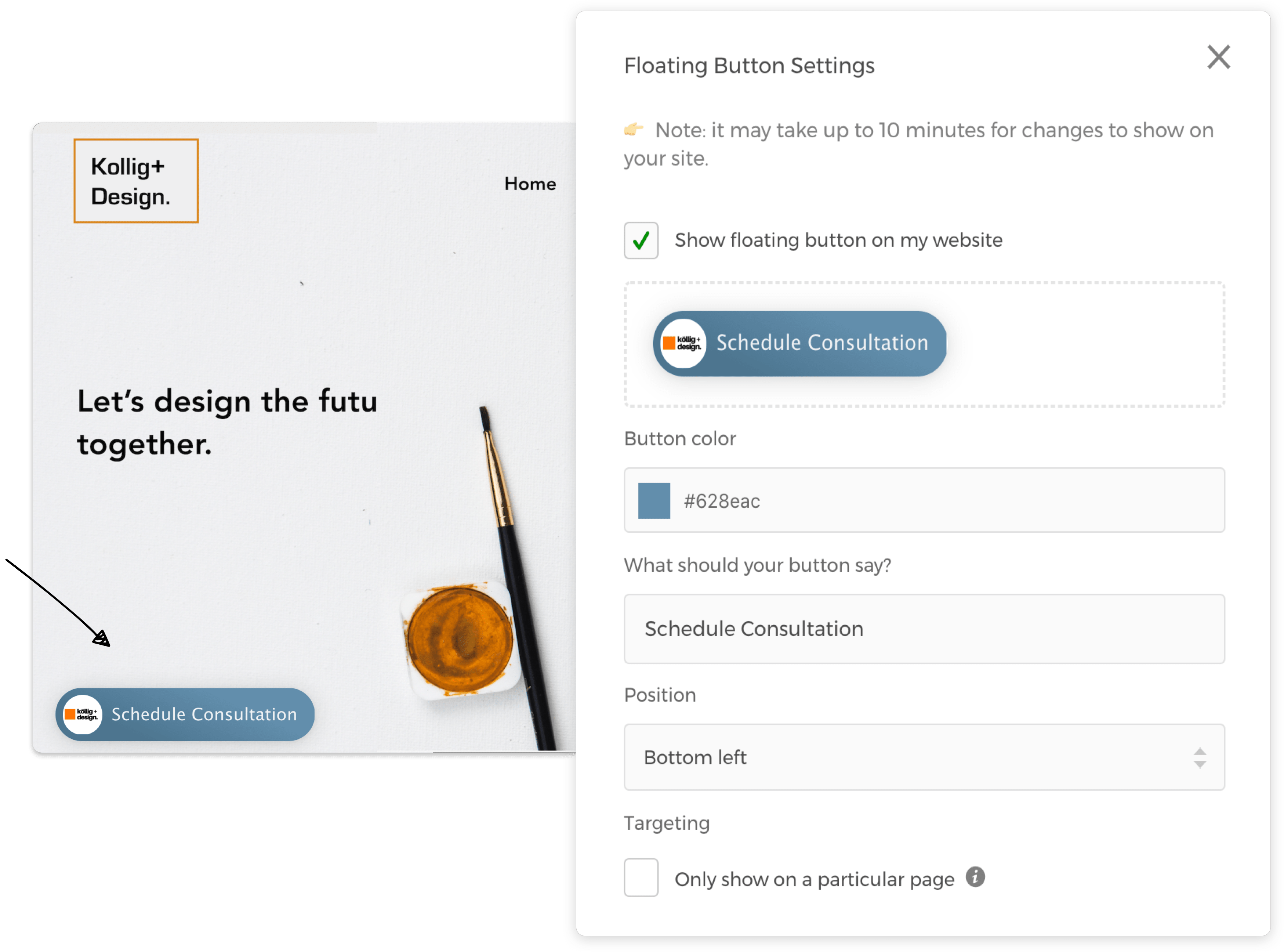
Convert visitors to leads with a seamless scheduling experience
Embed a "Schedule Now" button on your Wordpress website or add the booking page URL to custom buttons to offer an easy way for potential clients to schedule appointments without leaving your website.
Customize the scheduling button's position, color, text and location to match with your Wordpress website's layout and branding.
Share your booking page or event type URL in emails and social media for quick and easy scheduling.
Loved by the Wordpress community

"This was the easiest implementation of any Wordpress scheduling plugins used in the past. The look and feel are smooth on my website. Even if you are not technical, you can do this. I like the integration between stripe, google calendar, and the website."
 Business Accelerated
"I've painstakingly tried over 15 Wordpress scheduling plugins and CozyCal is by far the most convenient and easy to use scheduling software available. A must for all my websites. Not to mention the excellent support and customer service. Love love love!"
 Ment Marketing and Creative Services
"I was looking for a simple scheduling software. CozyCal fits my needs very well. The developer and support team are VERY responsive to requests for help. I would highly recommend it. Quick and easy."
 Richmond Christian School
"For me, CozyCal's SOO easy to use as a scheduling software. The set up was a breeze. Integrating it to the website was easy. From the customers appearance (those who visit my website to schedule), CozyCal looks very clean. Very user-friendly scheduling software."
 Upper Cervical Chiropractic Union Square