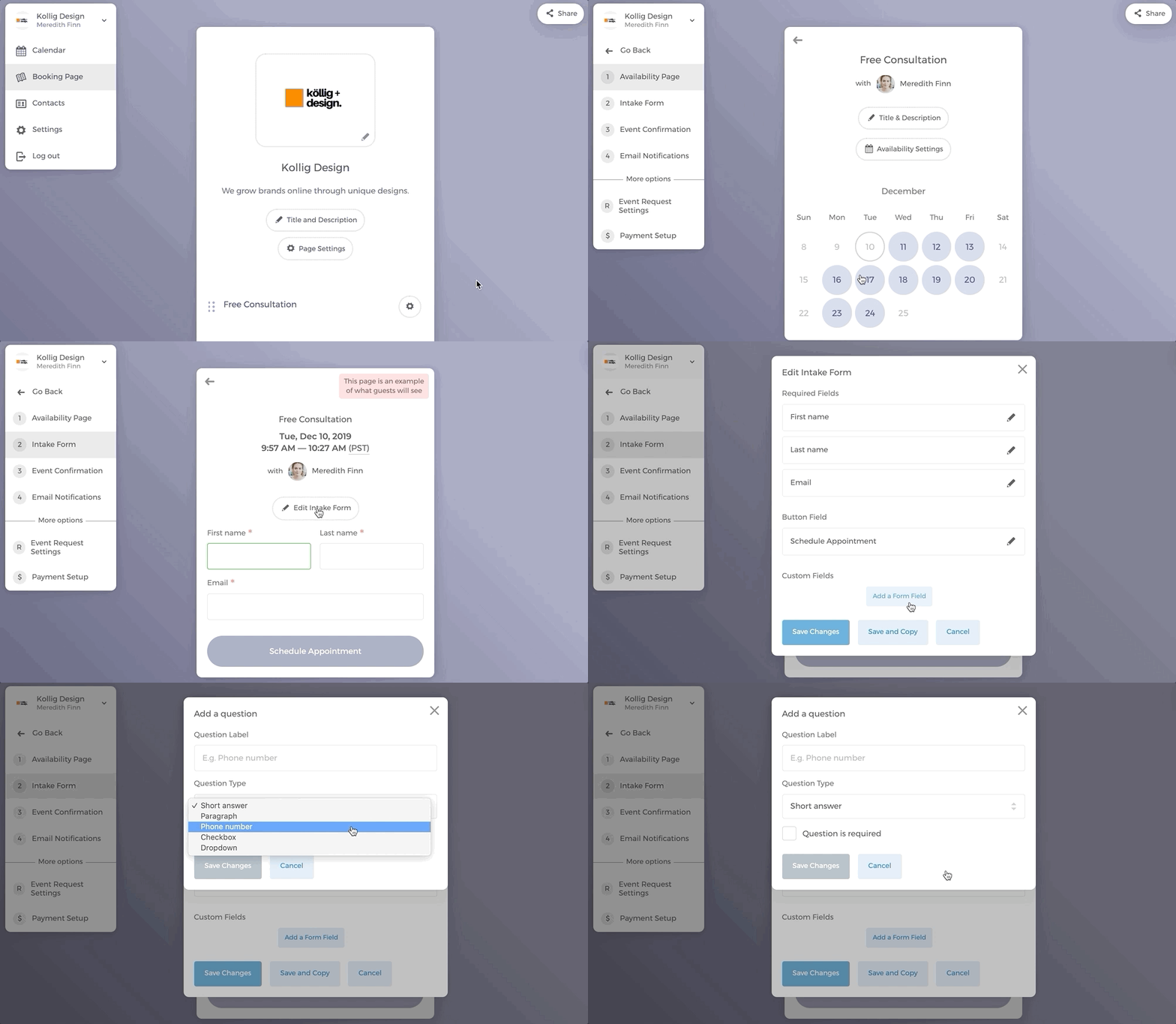
You can easily add questions to your service's intake form to collect information from your clients.
- On your booking page, click on the event type to which you want to add an intake form.
- Click on "Intake Form" on the left navigation bar.
- Click on "Edit Intake Form".
- Click on "Add a Form Field".
- Input your questions (e.g. customer address, phone number and etc.).
- Select the question type that is most befitting (Short answer, Paragraph, Phone number, Checkbox, Dropdown, Date, Info box, or Add-on).
- You can make the question mandatory by checking the box "This field is required".
- Don't forget to click on "Save Changes"
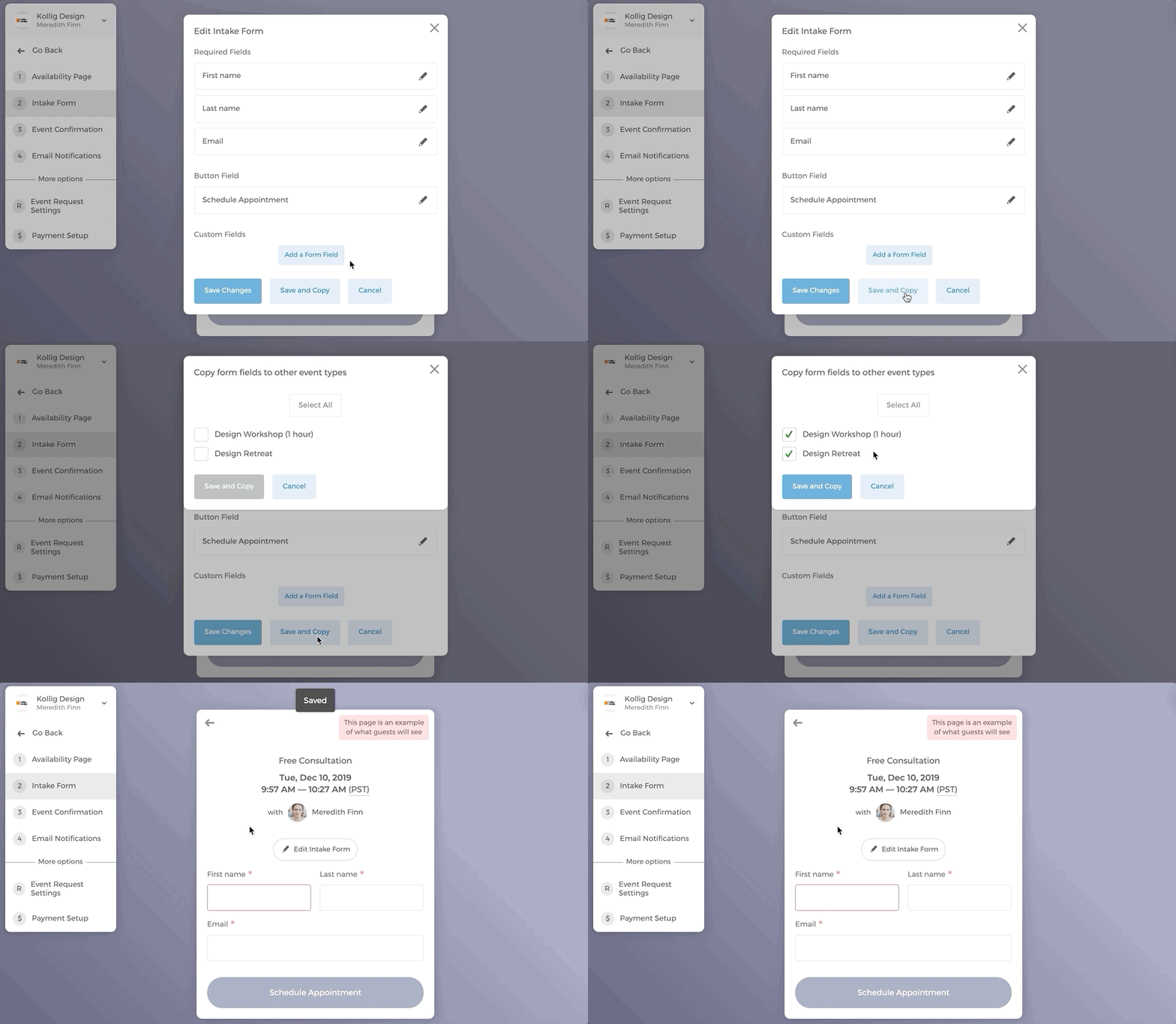
A quick reminder. To save time, you can click on "Save and Copy" to copy the intake form to other service types on the booking page.
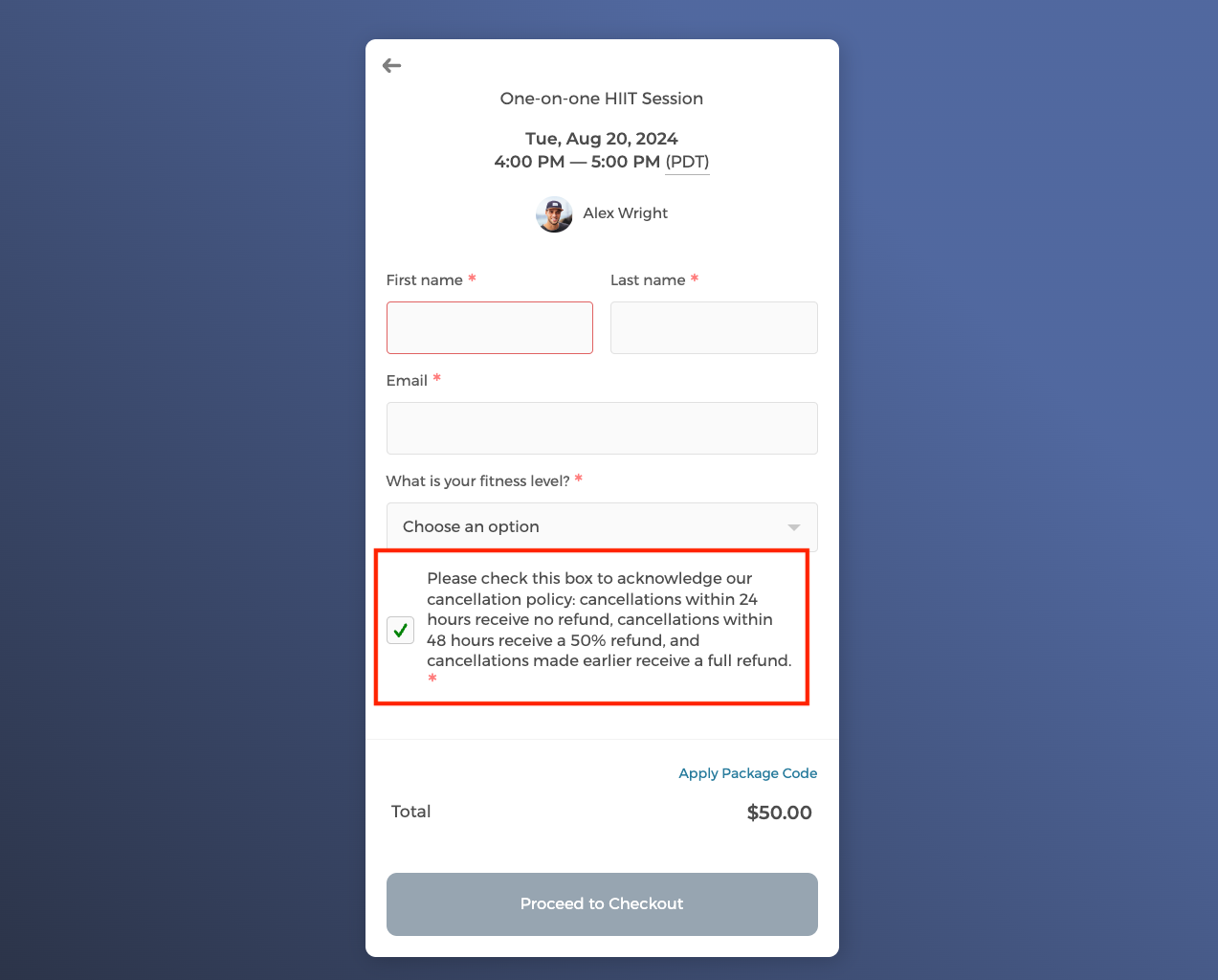
You can add an info box or a checkbox field on your intake form to display your cancellation policy. For more details on how to prevent guests from cancelling booked events, please click here.
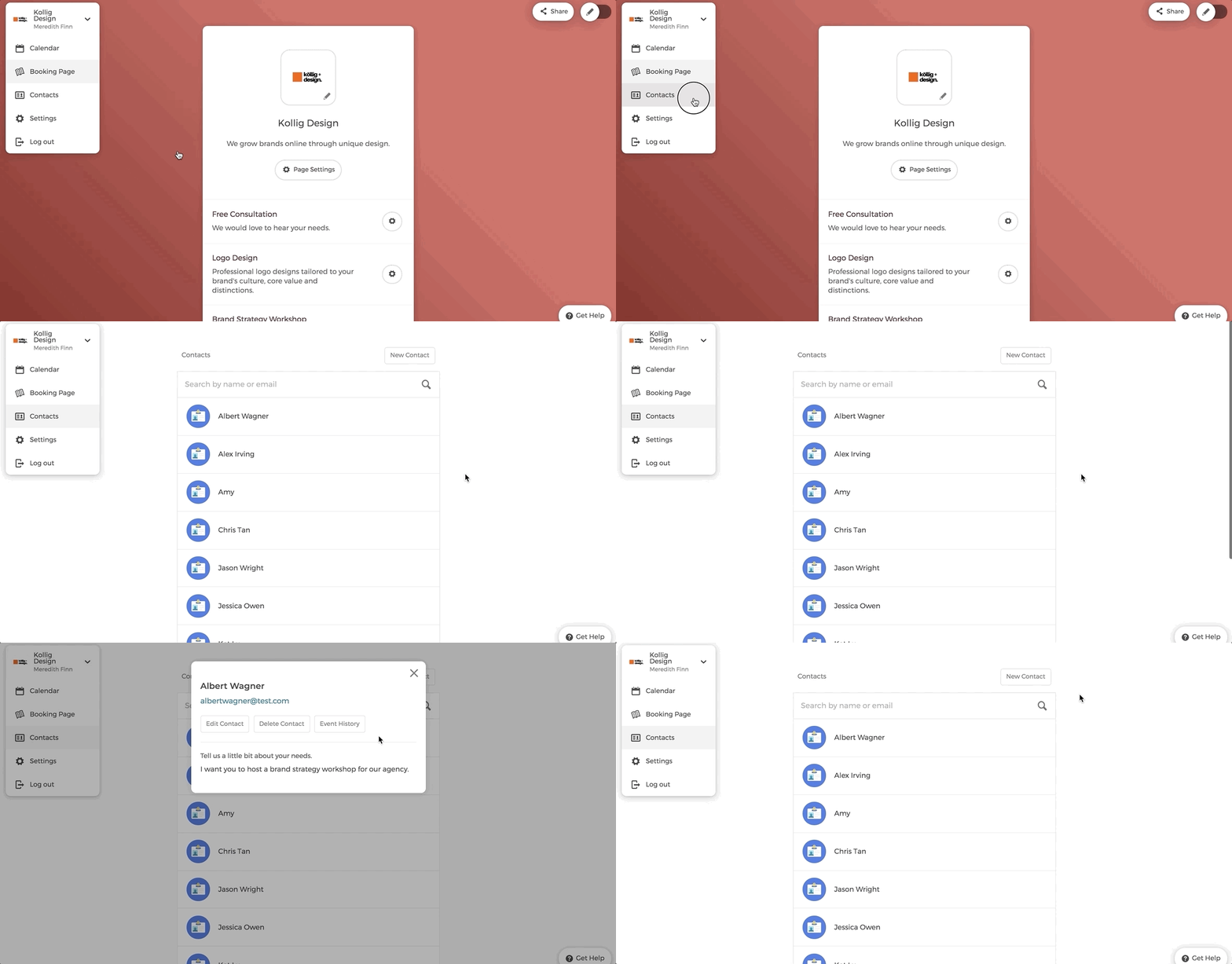
Intake form information is stored in contacts list
Information collected through the intake forms is stored in the "Contacts" list on the main dashboard.