Reschedule or cancel events as host
Rescheduling an event (applies to paid events as well)
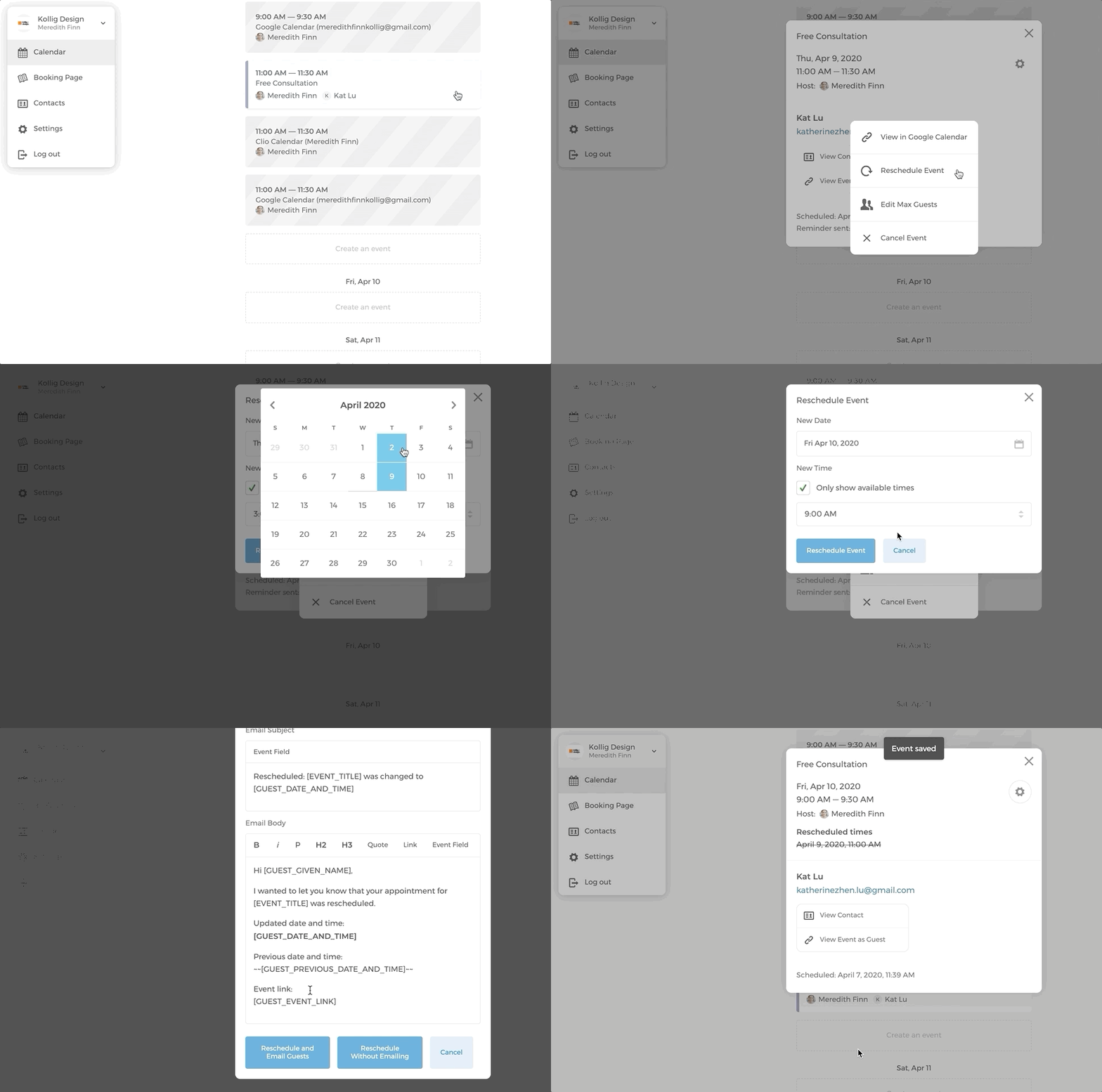
As the host, you can reschedule booked events. What you will need to do is:
- On your calendar, click on the event that you want to reschedule.
- Click on the cog icon, select Reschedule Event
- Select a new date and time, then click on
Reschedule Event - You have either choose to
Reschedule and Email GuestsorReschedule Without Emailing. You can customize the rescheduling email based on your needs.
Please note that if the guest has added the originally scheduled event to their calendar, it won't be automatically updated when the event is rescheduled from their calendar. So please make sure to remind your guests to manually remove the original event from their calendar.
Cancelling an event
On your calendar, click on the event that you want to cancel.
Click on the cog icon, select Cancel Event
You have either choose to Cancel
Cancel and Email GuestsorCancel Without Emailing. You can customize the cancellation email based on your needs.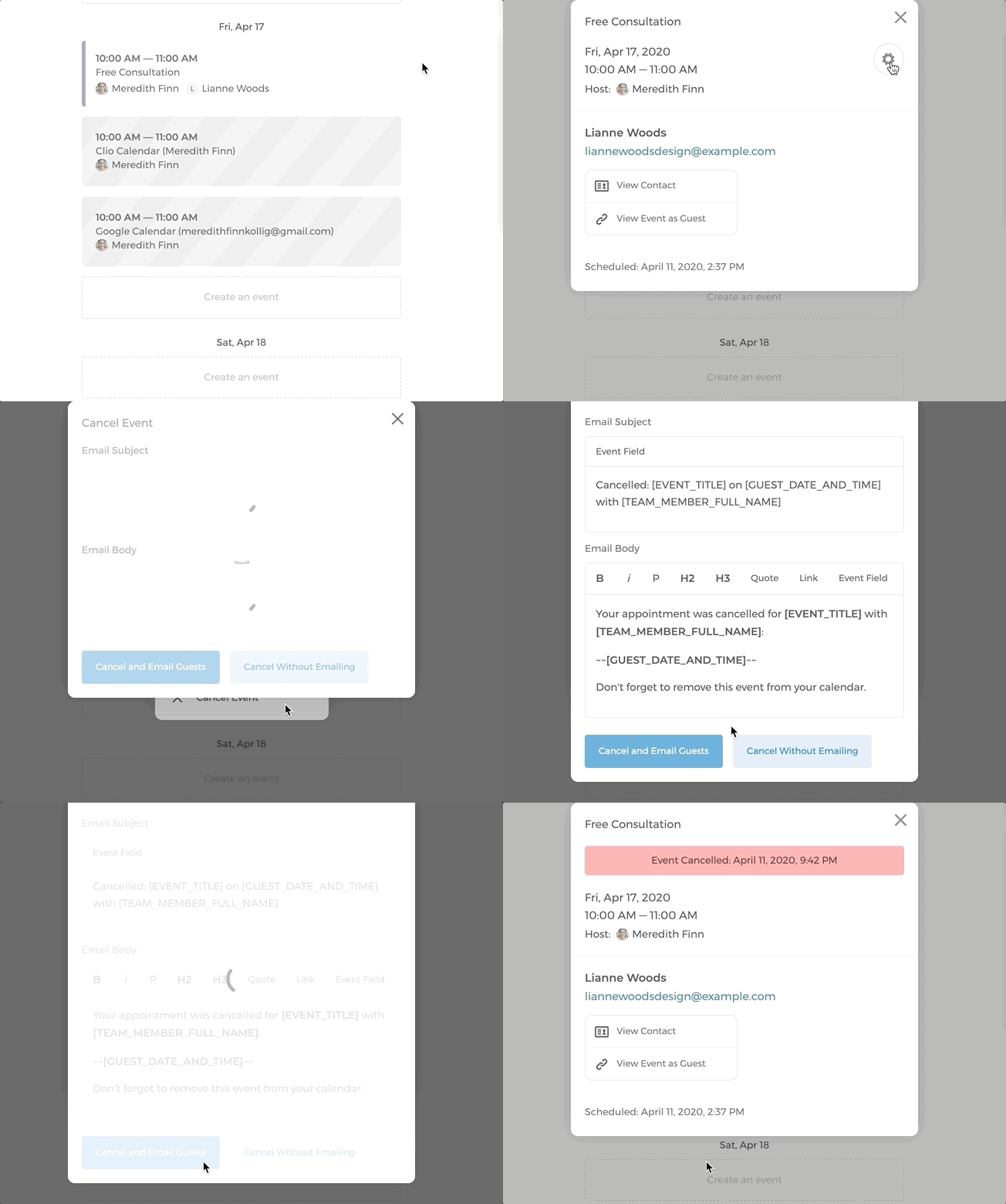
Please note that if the guest has added the scheduled event to their calendar, it won't be automatically removed from their calendar if the event is cancelled. So please make sure to remind your guests to manually remove the cancelled event from their calendar.
Click here to find out how to prevent last-minute cancellation.
Reschedule or cancel events as a guest
Rescheduling an event (applies to paid events as well)
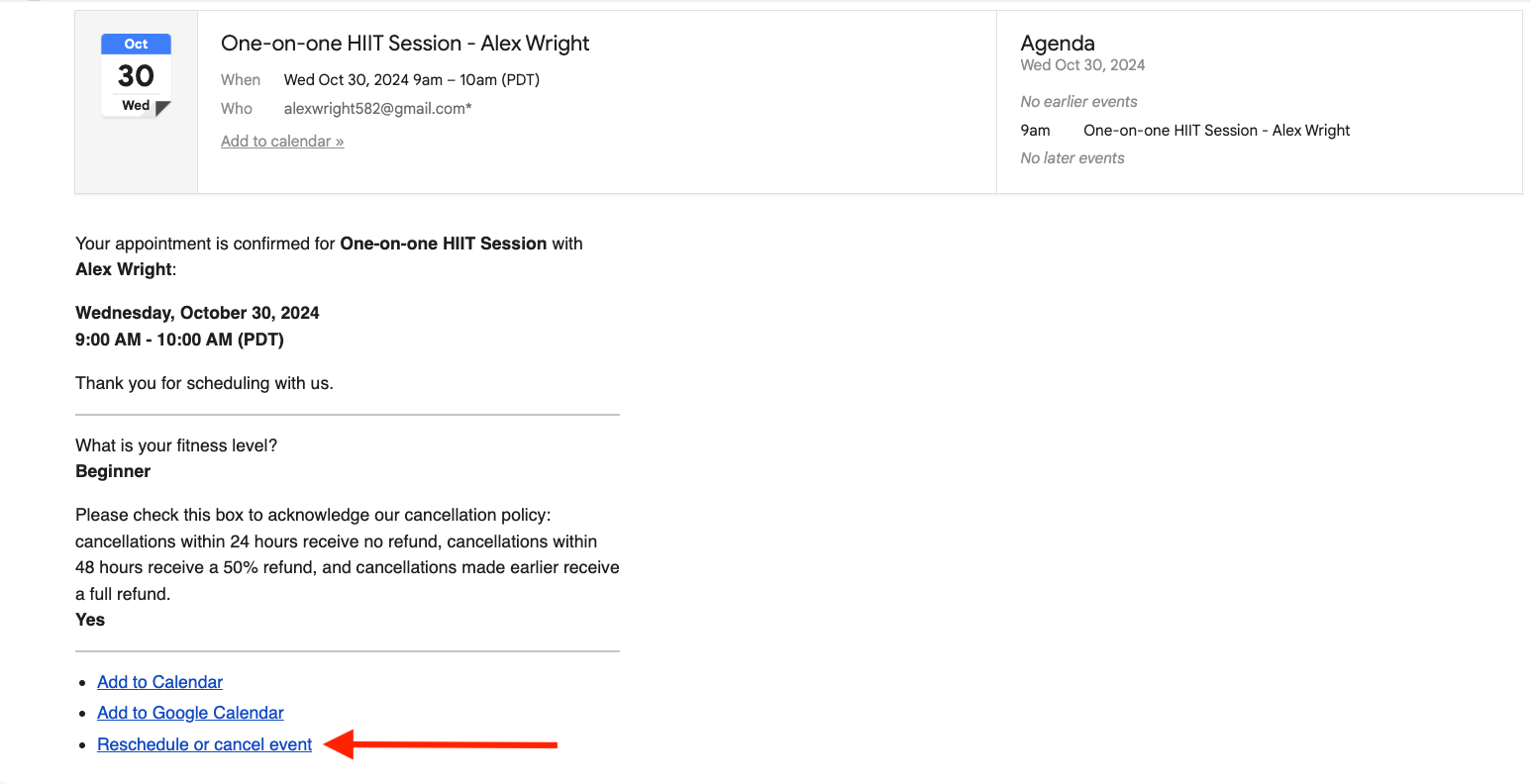
- Guests access the rescheduling option through their booking confirmation email.
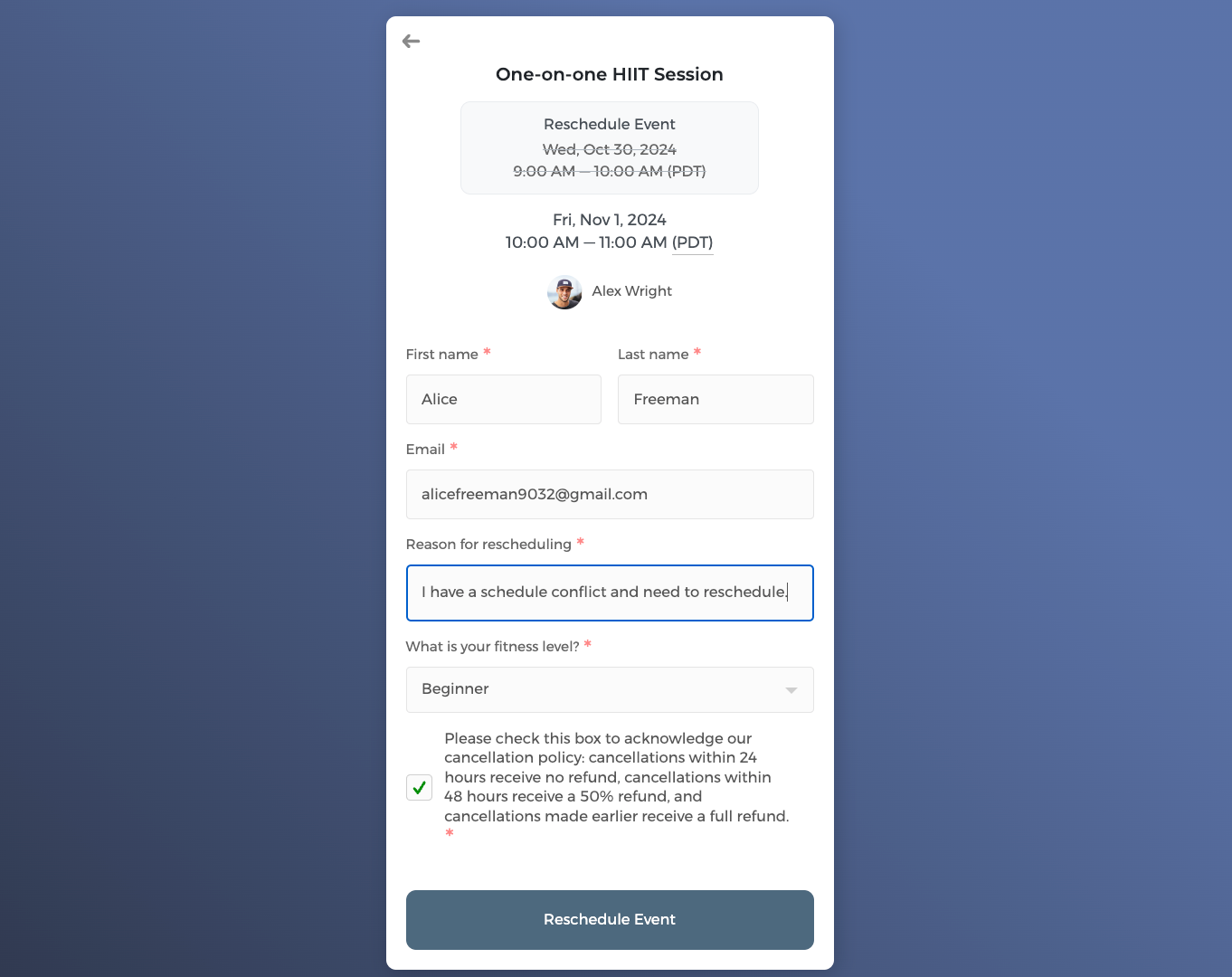
- They select a new time slot and enter their rescheduling reason.
- The system checks against your set cancellation notice period before confirming the change.
- As the host, you'll receive a rescheduling email with the guest's rescheduling reason, and a new event confirmation email to keep you updated on the change.