Your booking page starts empty. Everything guests book is an event type: a 30 minute call, a one hour consultation, a class. Your first one takes about a minute.
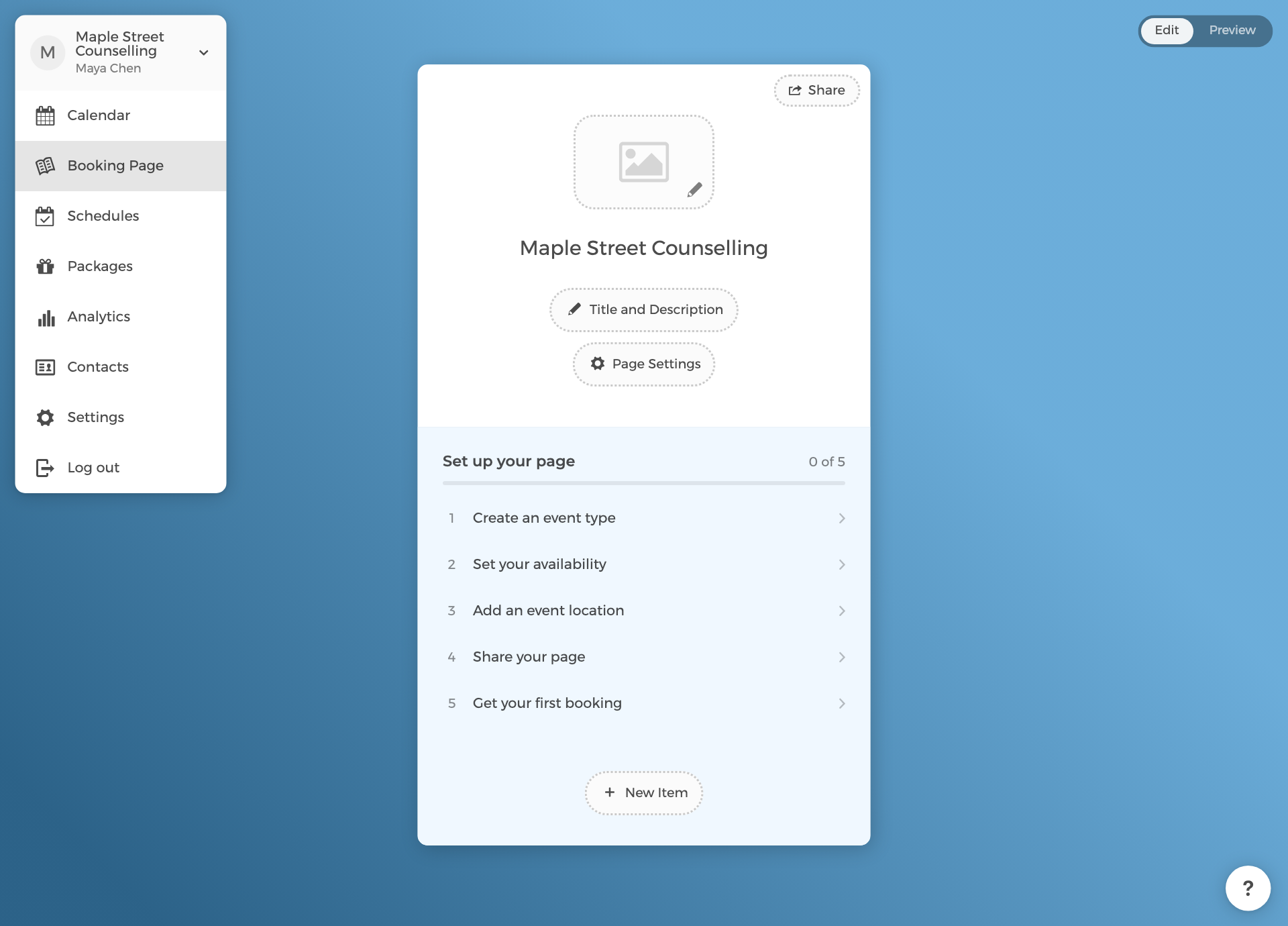
- Open your booking page. In edit mode the card shows the Set up your page checklist (admins see it during the first 30 days, and it disappears once every step is done); click Create an event type, or use the New Item button at the bottom of the card and choose New Event Type.
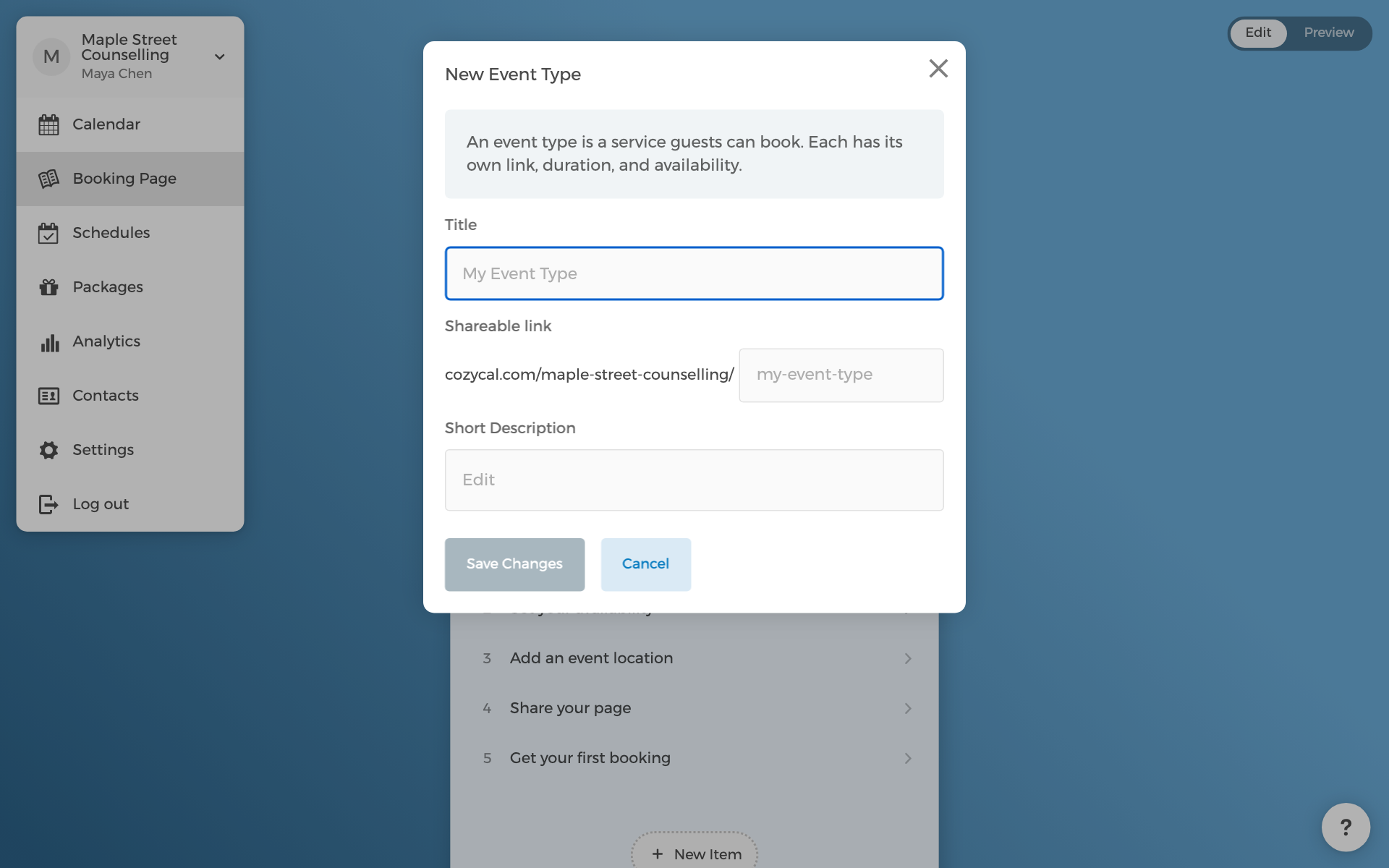
- Give it a title guests will recognise, such as "Initial consultation". The URL fills itself in from the title.
- Click Save Changes.
You land on the new event type's page. Two settings are worth a look straight away, both under Availability Settings:
- Duration. 30 minutes is the default. Add more than one duration if guests should choose.
- Padding. Time kept free before or after each booking, so back-to-back appointments do not touch.
The event type is not bookable yet: it needs hours. That is the next step.